
I was sitting in my favorite armchair, ready to zone out to some Pink Floyd, when I decided to finally try those fancy aftermarket foam tips I’d heard everyone raving about. I popped them on, pressed play, and… the soul was gone. The low-end thump I loved had vanished, replaced by a hollow, distant echo that made my expensive gear feel like a toy. It was infuriating. I felt like I’d broken my earbuds, or worse, my ears. If you’ve ever felt like your music lost its ‘punch’ after a simple tip swap, let me tell you right now: you aren’t crazy. We are going to dive into the physics of the ear canal and why that tiny seal is actually the most important part of your entire audio chain. Have you ever swapped tips only to find your $200 earbuds suddenly sound worse than the free ones from your old phone?
The Mystery of the Vanishing Bass
For the longest time, I was a ‘medium-is-fine’ kind of guy. I figured if the earbuds stayed in my head while I was walking the dog, they were doing their job. But I eventually learned that fit isn’t just about comfort; it’s about acoustics. When you change your tips, you are effectively changing the shape of the speaker cabinet. It is a lot like why your bookshelf speakers sound better when you move them off the desk—the environment matters just as much as the driver. If that tip doesn’t create an airtight seal, the low-frequency air pressure escapes before it ever hits your eardrum. This leads to that dreaded ‘tinny’ sound that makes even high-end gear feel cheap. I once made the mistake of using tips that were slightly too small just because they felt ‘lighter,’ and I spent two weeks wondering why my IEMs felt uncomfortable and sounded like a transistor radio.
Can a Tiny Piece of Silicone Actually Ruin Your Music?
The skepticism is real—I get it. How can a three-cent bit of plastic override the engineering of a multi-billion dollar tech company? The truth is that the ear tip is the final gatekeeper. According to research published by the Audio Engineering Society (AES), the ‘insertion depth’ of an ear tip can create resonance peaks that either smooth out your music or make it sound incredibly harsh. This is often why your headphones sound thin when you wear glasses; anything that breaks the seal destroys the frequency response. By mastering the art of the tip swap, you can actually use the trick to making cheap IEMs sound like high-end monitors without spending another dime. We are about to break down exactly how material, size, and depth change what you hear, so you can finally get that ‘perfect’ sound back.I remember sitting on an 8-hour flight, fumbling with a small plastic bag of assorted tips. I had these brand-new monitors that cost more than my first car, but they sounded like a $5 gas station special. Every time the plane engine roared, the bass in my music disappeared. I spent the first two hours swapping, twisting, and pushing until I finally tried a pair of large, triple-flange silicone tips I usually ignored. Suddenly, the world went quiet. The sub-bass hit my eardrums with a physical weight I hadn’t felt before. That’s when it clicked: if you don’t feel a slight vacuum sensation when you pull the buds out, you aren’t hearing the music as intended.
Stop Guessing and Start Measuring
To get that perfect seal, you need to go through a systematic fit audit. Most people just pick the medium tips and move on, but your left and right ear canals are rarely identical. Start by doing the ‘hum test.’ Put your earbuds in without music and hum a low note. If the hum sounds loud and resonates inside your head, you have a seal. If it sounds like you’re just humming in an empty room, you’re leaking air. This is a common reason why your expensive headphones sound thin on a basic smartphone; it is often not the power output, but the physical interface.
Pick the Right Material for Your Anatomy
Silicone is the industry standard because it is durable and easy to clean, but it can be slippery. If you find your earbuds backing out of your ear after five minutes, you need to switch to memory foam. Think of memory foam like a custom-molded gasket. You roll it between your fingers to compress it, slide it in, and let it expand to fill every microscopic gap in your ear canal. This is one of the most effective ways to ensure the trick to making cheap IEMs sound like high-end monitors actually works. Just remember that foam acts like a filter; it often tames harsh treble but can slightly ‘muddy’ the bass if the foam is too dense. 
The Deep Insertion Technique
There is a specific way to put in earbuds that most people get wrong. Reach over your head with your opposite hand and pull the top of your earlobe upward and backward. This straightens out the ear canal. Insert the earbud, then let go of your ear. This locks the tip behind the bend in your canal. If you just shove them in, you are likely hitting the wall of the canal, which is why your iems feel uncomfortable after only ten minutes. It is similar to how to properly break in new headphones without using white noise—it is about mechanical alignment rather than just raw force.
Balance the Power and the Seal
Once the seal is physically perfect, you have to ensure the signal driving it is clean. A perfect seal on a crappy source still sounds like a perfect seal on a crappy source. If you have nailed the fit but the music still feels empty, it might be time to learn how to use a dac to improve your desktop computers audio. Without a decent digital-to-analog converter, you might be hearing the electrical noise of your motherboard rather than the nuanced texture of the bass you just worked so hard to recover. I have seen people spend hundreds on headphones and fifty on tips, only to be limited by a basic internal audio chip.
I used to believe that buying more expensive gear was a linear path to audio nirvana. If my music didn’t sound ‘alive,’ I figured I just needed a bigger amplifier or a more expensive cable. But here is the contrarian truth that high-end salespeople won’t tell you: the more sensitive your gear becomes, the more it reveals the flaws in your environment and your setup. Sometimes, upgrading your equipment without fixing the basics actually makes your system sound objectively worse. This is the ‘trap’ of transparency—where you trade musicality for clinical, sterile noise because you haven’t mastered the nuances of your signal chain.
Don’t Chase Watts Without Understanding Headroom
One of the biggest mistakes I see people make is obsessing over total wattage. Most consumers look at a box and see ‘1000 Watts Peak Power’ and assume it’s better than a 100-watt unit. In reality, peak power is often a marketing gimmick. To really understand what your speakers can handle, you need to know the difference between peak and rms power explained simply. If you drive a weak amp to its limits, you create clipping that destroys your tweeters. Conversely, you must how to tell if your amplifier has enough headroom for your speakers to ensure that transient peaks—like a sudden drum hit—don’t sound compressed or ‘muffled.’
Why does your high-end DAC sound exactly like your laptop’s headphone jack?
If you’ve spent hundreds on an external converter only to find it sounds identical to your computer, you aren’t alone. This usually happens because of a bottleneck in the software or the ‘Oops factor’ of ignored room acoustics. According to research by Dr. Floyd Toole, a world-renowned expert in acoustics at Harman International, the room itself can contribute up to 50% of what you are hearing. This is precisely why your high-end dac sounds exactly like your laptops headphone jack; the gear is capable, but the environment is masking the detail. Furthermore, if you are playing ultra-high-resolution files through a system that hasn’t been tuned, you might find that why your speakers sound harsh when you play high-res files is due to the tweeter revealing ultrasonic ringing that your old gear was too ‘lazy’ to reproduce.
The Strategic Placement Mistake
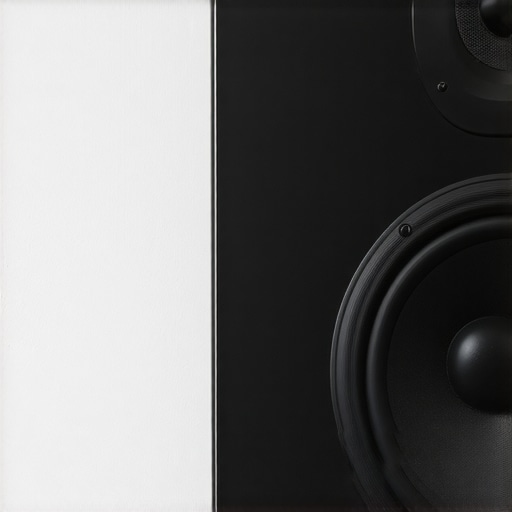
The most common ‘trap’ for advanced listeners is thinking that room correction software can fix physical placement errors. It can’t. If you have a speaker with a rear-firing port, why your speakers bass port should never be pushed against a wall becomes obvious the moment you hear ‘one-note bass’ that lacks texture. I spent weeks fighting an echo in my office before I realized I was fighting the walls, not the drivers. Learning how to fix the annoying echo in your minimalist home theater often involves physical treatment rather than digital EQ. You have to how to find the sweet spot for your speakers in a rectangular room to allow the soundstage to actually ‘open up’ and breathe. Have you ever fallen into this trap of buying gear to fix a problem that was actually caused by your room? Let me know in the comments. By shifting our focus from buying more power to managing the power we already have, we can finally stop being gear collectors and start being listeners.
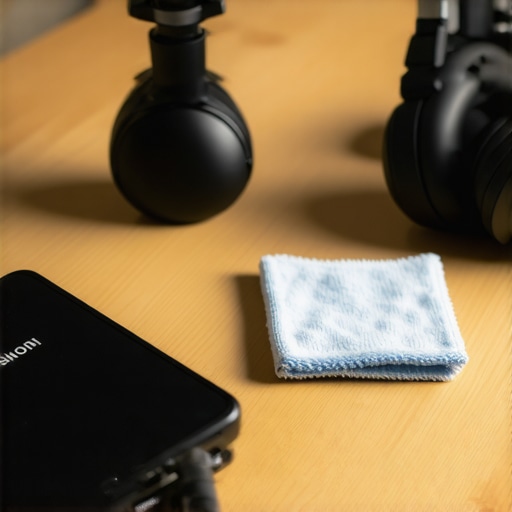
It is one thing to find the sweet spot; it is another to keep it from drifting into obsolescence. Audio gear is not like a microwave; it is a mechanical system that degrades with every humid summer and dusty winter. I have seen five-thousand-dollar systems reduced to paperweights because of a single oxidated potentiometer. If you start hearing a static crackle when you adjust the gain, you need to learn how to fix a scratchy volume dial with electrical contact cleaner before the carbon track permanently scores. I personally keep a can of DeoxIT D5 in my drawer at all times because waiting until a component is actually broken is already too late. Similarly, the physical degradation of soft parts is the silent killer of great sound. You might notice why your headphone pads are flaking and how to prevent it—it is usually the oils from your skin breaking down the protein leather. I have started wiping my pads down with a dry microfiber cloth after every single session. It sounds obsessive until you realize a new pair of flagship pads can cost eighty dollars.
Stop the Silent Decay of Your Speakers
Don’t ignore the ports and connectors either. I once thought my expensive DAC was dying, but it turned out I just needed to know how to clean dust out of your headphone jack without damaging pins. If you are running vintage gear, you should also look at how to clean sticky speaker surrounds without damaging the rubber and keep some specialized adhesive on hand in case you need to know how to fix a small rip in a speaker surround with glue. According to the technical documentation for Room EQ Wizard (REW), even a 1dB shift in frequency response caused by a degrading capacitor can smear the stereo image. This is exactly how to tell if your speakers capacitor is starting to fail before it completely takes out your crossover.
How do I keep my audio gear sounding new for years?
Consistency is more important than occasional deep cleans. For my home theater, I use a dedicated calibration microphone once every six months because furniture shifts and humidity changes the way sound reflects. If you do not want to buy a pro mic, you should at least learn how to use your phone to measure your rooms frequency response. It will show you exactly where your bass is disappearing or where your treble is spiking. I predict that the future of this hobby is not going to be about better drivers, but about real-time AI correction that adjusts for your specific ear shape and environmental temperature as you listen. For now, the best thing you can do is be proactive. Grab a microfiber cloth and a can of contact cleaner this weekend and do a full audit of your connections. Your ears will thank you for the extra clarity that comes from a clean signal path.
The Tiny Tweaks That Actually Save Your Signal
After years of chasing the next flagship release, I realized that the gear is only as good as its weakest link. First, stop assuming that ‘Large’ in one brand is ‘Large’ in another; sizes vary wildly, and you might need a mismatch to fit your unique anatomy. Second, if you use your gear daily, you should regularly check for how to stop your high-end headphones from creaking when you move because mechanical friction eventually translates into audible noise. Third, always remember that the digital-to-analog conversion is your foundation—it is how to use a dac to improve your desktop computers audio that separates a clinical recording from a musical one. Finally, don’t let a speck of debris ruin a multi-hundred dollar investment; knowing how to clean dust out of your headphone jack without damaging pins is a skill every audiophile needs.
The Gear in My Personal Toolbag
I don’t just rely on my ears; I verify my setup with specific tools that have never let me down. I always keep a high-quality microfiber cloth and electronic contact cleaner for my cables to ensure a pure connection. For my listening room, I highly recommend learning how to use your phone to measure your rooms frequency response to see where your furniture might be absorbing your bass. I also trust resources like the Audio Engineering Society (AES) journals for technical deep dives and the Room EQ Wizard software for visual data. These tools help ensure that the trick to making cheap iems sound like high-end monitors actually works for your specific ear shape.
#IMAGE_PLACEHOLDER_E#
Your Ears Deserve Better Sound
At the end of the day, audio isn’t about the price tag on the box or the fancy charts in a magazine. It is about that moment when the world fades away and you are left alone with the music. Whether you are using budget buds or flagship headphones, the goal remains the same: total immersion. Don’t be afraid to experiment with different tips, move your speakers an inch to the left, or clean those oxidized terminals. The journey to the perfect sound is half the fun, and you already have all the tools you need to make your system sing. Have you ever swapped ear tips and been shocked by how much the bass changed? Let me know in the comments below.