
I still remember the first time I felt like I was being robbed by a marketing department. I had just unboxed a shiny pair of budget in-ear monitors that every reviewer was raving about, only to find they sounded like a wet blanket was draped over my favorite tracks. I felt cheated. I thought I needed to drop another five hundred dollars to get that sparkle and depth we all crave. But I was wrong. I had made the classic amateur mistake: I assumed the price tag was the only thing determining the fidelity. Before you throw your budget buds in the junk drawer, let me show you how a few simple, almost free tweaks can transform them into giant-killers. Have you ever bought a pair of earbuds that felt like a complete letdown the moment you pressed play? [image_placeholder]
Stop blaming the drivers for thin and muddy audio
It is so easy to fall into the trap of thinking you need more power or better tech. I remember agonizing over why my music lacked punch, and for a long time, I blamed the hardware. The truth is, why your expensive headphones sound thin on a basic smartphone often boils down to impedance and source, but with cheap IEMs, it is almost always about the physical seal and the digital signal chain. If you are not getting a perfect seal, your sub-bass simply evaporates into thin air. I spent months thinking my drivers were broken when I was actually just using the wrong tips. It is very much like finding 3 budget upgrades that make cheap speakers sound expensive; it is about maximizing the potential of what you already own. Even small things matter—heck, I even noticed why your headphones sound thin when you wear glasses is a real phenomenon because the arms of the frames break that precious acoustic seal. According to research published by the Audio Engineering Society (AES), even a minor leak in an ear tip seal can result in a loss of up to 20dB in bass frequencies below 100Hz. That is the difference between a thumping kick drum and a faint click.
Can a twenty-dollar pair of buds really compete with a flagship monitor?
Most people are incredibly skeptical when I tell them their twenty-dollar Chi-Fi specials can trade blows with three-hundred-dollar monitors. They think I am just being contrarian. But the reality of modern manufacturing is that the gap in raw driver quality has shrunk massively. The high-end sound we pay for is often just a specific tuning profile and a better set of accessories. By using the right ear tips and a touch of calculated equalization, you can bridge that gap yourself. I once spent an entire weekend trying to fix a pair of IEMs with expensive cables, only to realize the stock tips were just too small for my ear canals. It was a humbling lesson in audio basics that I will never forget. Today, we are going to stop the guesswork and start the transformation.
Swap your tips before you swap your headphones
Most people treat the silicone tips that come in the box as an afterthought, but they are the tires of your audio vehicle. If the rubber does not meet the road correctly, you are going to spin out. I remember a frustrating evening where I almost threw a pair of cheap KZs across the room because they sounded like a hollow tin can. I had convinced myself that the drivers were defective and the purchase was a waste of money. In a last-ditch effort, I swapped the flimsy stock silicone for a pair of dense memory foam tips I had lying in a drawer. The transformation was instant and shocking. The sub-bass suddenly had physical weight, and the piercing, metallic treble smoothed out into something actually musical. It taught me that the simple paper test for finding air leaks in your speaker cabinet has a spiritual cousin in the IEM world: the finger-press test. If you can still hear the snap of your fingers while wearing your buds, your seal is failing you. 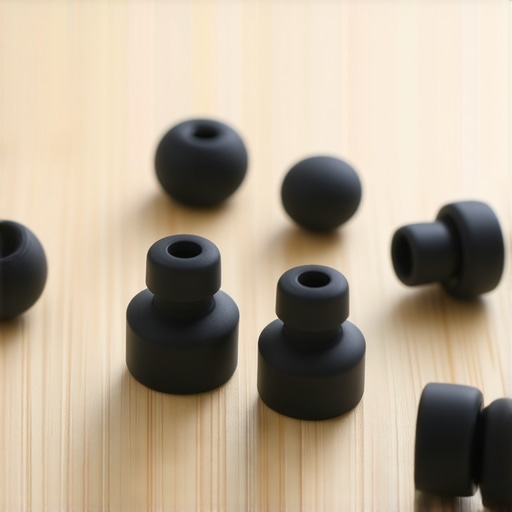
Ditch the stock cable if it is microphonic
Sometimes the hardware itself is not the primary issue, but the mechanical noise the accessories create. If every time you move your head you hear a thumping or scratching sound in your ears, your cable is the culprit. This is called microphonics, and it ruins the immersion of high-fidelity audio. While you do not need to buy silver-plated boutique wires, a supple braided copper cable can eliminate that mechanical interference. It is a bit like how why your headphones feel tight and the safe way to stretch them is about physical comfort—the cable is about acoustic comfort. A cable that does not fight your movements allows the driver to do its job without external vibration.
Fix the frequency response with digital surgery
Once the physical seal is perfect, the next step is to address the aggressive tuning that budget brands often use to hide driver limitations. This is where equalization (EQ) becomes your most powerful tool. I used to be an audio purist who refused to touch a software slider, but I eventually realized that even a thousand-dollar monitor is simply a specific EQ curve applied to a high-quality driver. If your budget buds sound too harsh, a surgical 3dB dip at the 3kHz mark can work wonders to remove that ‘shouting’ quality. If you are struggling with a source that feels weak or noisy, how to use an old phone as a dedicated high-res music player is a fantastic way to get a clean digital-to-analog conversion without the background hiss of your primary smartphone.
Clean the path for better signal clarity
It sounds mundane, but a dirty connection is a silent fidelity killer. I once spent twenty minutes wondering why my left earbud was noticeably quieter than the right, fearing a blown driver or a manufacturing defect. It turned out to be a tiny piece of pocket lint lodged in the connector. Learning how to clean dust out of your headphone jack without damaging pins is a foundational skill for anyone using wired gear. It follows the same logic as checking your power supply; if the electricity cannot get through cleanly, the sound cannot either. If you find your audio is still lacking punch after a cleaning, check your power delivery. You might find that the 50 dollar amp that drives high impedance cans without a struggle can provide that extra headroom your phone’s internal chip lacks. It is all about ensuring your gear has the ‘breath’ it needs to move those diaphragms effectively, much like how to tell if your amplifier has enough headroom for your speakers in a high-end home theater setup.We have covered the fundamentals of fit and basic equalization, but now we need to dismantle some of the expensive myths that frequently lead budget-conscious audiophiles astray. One of the most common beliefs is that you must upgrade to a balanced cable to ‘unlock’ the true potential of your earphones. Everyone says that a silver-plated cable will brighten your sound, but in my experience, this is often more about aesthetics than acoustics. The real performance benefit of using balanced XLR cables or 4.4mm connectors is primarily about noise rejection and higher power output, not an inherent change in frequency response. If your budget IEMs are already driven to sufficient volumes by your phone, spending fifty dollars on a cable is a classic ‘oops’ moment where you are better off saving that cash for your next pair of transducers. 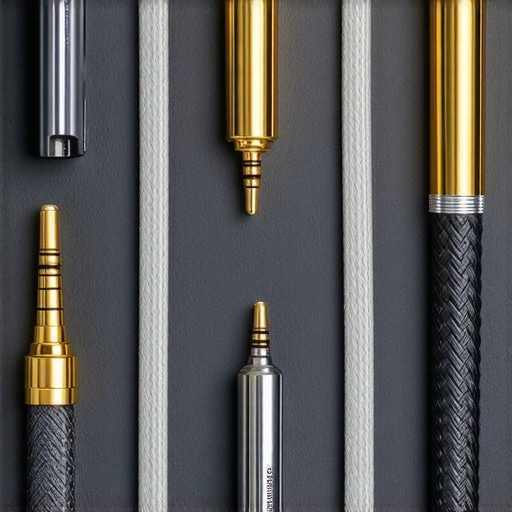
Balanced cables won’t fix a bad driver
I have seen countless beginners fall into the trap of thinking a different metal in their wire will resolve a muddy midrange. It is important to realize that is gold-plated hardware really worth the extra cash for anything other than corrosion resistance? Usually, the answer is no. According to research by Dr. Sean Olive at Harman International, a listener’s preference for an audio device is almost entirely dictated by its frequency response curve relative to a target—not the boutique materials in the signal path. If your IEMs have a massive dip at 5kHz, no amount of expensive copper will bring it back. This is where you should stop blaming your wires and start looking at your digital-to-analog conversion. However, do not overspend here either. Another common mistake is obsessing over high-resolution 192kHz files when your entry-level hardware cannot even reproduce a clean noise floor. This is often why your speakers sound harsh when you play high-res files; the budget DAC might be struggling with intermodulation distortion that you wouldn’t even hear with a standard CD-quality file.
Can you actually hear the difference between a DAC and a dongle?
For the majority of high-sensitivity IEMs, a simple Apple or Google dongle provides a cleaner output than many mid-range desktop units. A sophisticated trap to avoid is ‘over-amping.’ Because budget buds are so efficient, a powerful amplifier can actually introduce a noticeable ‘hiss’ or noise floor. This is a primary reason why your headphone volume is limited on your smartphone; it is a way to keep you in the cleanest part of the amp’s dynamic range. Before you buy more power, you must learn how to tell if your amplifier has enough headroom for your speakers or headphones. If you are already at 50% volume with no distortion, an external amp won’t change your life—it might just make your background noise more apparent. Focus your resources on the physical seal and precise EQ before chasing the diminishing returns of high-end accessories. Have you ever fallen into this trap and spent more on accessories than the headphones themselves? Let me know in the comments.
Keep your signal clean or prepare for frustration
The most common reason a great-sounding budget setup starts to fail isn’t the hardware giving up; it is simple neglect. I have seen enthusiasts spend hundreds on gear only to let dust and oils ruin the experience. For instance, how to clean dust out of your headphone jack without damaging pins is something you should be doing every few months, especially if you carry your source in your pocket. I also recommend checking your connections for that tell-tale green gunk; learning how to clean green oxidization off your copper speaker terminals or IEM pins ensures you are not losing signal to simple chemical reactions. If you use over-ear headphones as well, pay attention to the materials. Understanding why your headphone pads are flaking and how to prevent it can save you forty bucks in replacement parts every year. It is all about moisture management and surface oils. I even keep a small bottle of dry lubricant handy because knowing how to stop your high-end headphones from creaking when you move makes a massive difference in the perceived build quality during quiet listening sessions. 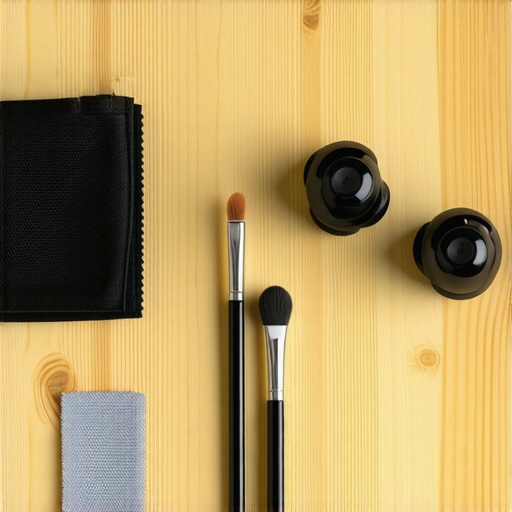
The software secret that levels the playing field
If there is one tool I recommend above all others, it is a dedicated EQ interface like Peace Equalizer on Windows or Wavelet on Android. These tools allow you to import pre-calculated profiles from the AutoEQ project, a massive open-source database developed by Jaakko Pasanen that uses algorithmic compensation to bring almost any headphone closer to a neutral target. This is the ultimate ‘hack’ for budget audiophiles. Instead of guessing which sliders to move, you are using high-resolution measurement data to fix the specific flaws of your budget drivers. When you combine this with a clean source, you might find that how to tell if your amplifier has enough headroom for your speakers or headphones becomes your next obsession, as you finally have the clarity to hear the limits of your current power supply. I predict that in the next few years, this kind of ‘computational audio’ will become the standard, with budget buds shipping with built-in DSP that automatically corrects their own frequency response via an integrated app.
How do I keep my budget setup sounding like new?
Consistency is key. Do not wait for the sound to crackle or the volume to dip before you take action. Use a dry microfiber cloth after every long listening session to remove skin oils from your tips and cables. For those of you scaling up to a desk setup, remember that why your bookshelf speakers need more power than you think often applies to high-end headphones too; if you plan on using heavy digital EQ, you are going to need more gain to compensate for the negative preamp offset required to prevent digital clipping. My challenge to you is this: download a parametric EQ today, find your specific headphone model in the AutoEQ database, and apply the recommended settings. It will feel like you just bought a brand-new pair of flagship monitors for zero dollars.
The Hardest Lessons I Learned Chasing Sonic Perfection
Spending years in the audio world has taught me that the price of admission to high fidelity isn’t nearly as high as the marketing departments want you to believe. One of the most important things I realized is that our own biology plays a role; sometimes why your headphones sound slightly different in each ear has more to do with your ear canal shape than a faulty budget driver. I also learned that the environment matters even for in-ears. For example, if you find yourself using wireless adapters, knowing the 5-minute fix for crackling bluetooth signals on your laptop can save you from a headache when your budget setup starts to stutter. The biggest takeaway? Trust your ears over the spec sheet. I once convinced myself a pair of earbuds sounded ‘dark’ just because they were cheap, only to realize I was wearing them with glasses which was breaking the seal—a classic case of why your headphones sound thin when you wear glasses. [image_placeholder]
My Essential Toolkit for Audio Alchemy
To truly transform your budget gear, you need a few reliable resources in your back pocket. First, always keep a set of multi-sized silicone and foam tips; I personally trust brands like SpinFit or Final Audio because their bore shape actually improves soundstage. Second, use the AutoEQ database—it is the great equalizer that makes a twenty-dollar IEM sound like a studio monitor. Third, if you ever branch out into home audio, apply the same ‘placement first’ logic you’ve learned here; for instance, why your bookshelf speakers sound better when you move them off the desk is the same acoustic decoupling principle we use when choosing dense foam tips for IEMs. I also recommend a simple USB-C dongle DAC, as it provides a cleaner floor than most laptop jacks.
The Future of Your Listening Journey
You are now equipped with the knowledge to stop the endless cycle of ‘upgrading’ and start actually enjoying your music collection. High-end sound is a journey of discovery, not a destination reached by a credit card swipe. By mastering the physical fit, cleaning your connections, and using surgical EQ, you have unlocked the true potential of your budget IEMs and earbuds. Remember, the goal of this hobby is to get lost in the music, not the hardware. Now that you know how to fix the sound, you can focus on the songs. Have you ever performed a simple tweak that completely changed how you felt about a ‘cheap’ piece of gear? Let me know in the comments below.