
I’ve been there, standing in the middle of a silent room, frantically tapping my phone screen while my Bluetooth speaker acts like I don’t even exist. It is one of those small, modern frustrations that feels way bigger than it should. Last summer, I actually almost threw a perfectly good JBL into the trash because I assumed the internal chip had fried. Turns out, I just didn’t know the ‘secret handshake’ to get it back into pairing mode. It’s embarrassing to admit now, especially since I spend so much time tinkering with audio gear, but even the best of us get stumped by a stubborn connection. If you are currently staring at a blinking light and feeling your blood pressure rise, take a deep breath. We are going to get that sound back. Today, I’m walking you through exactly how to reset your Bluetooth speaker so it actually talks to your devices again, saving you from a quiet afternoon or an unnecessary trip to the electronics store.
That Time I Almost Gave Up on My Favorite Gear
I remember a specific afternoon where I was trying to set up a small outdoor gathering. I had my playlist ready, but my phone and speaker were suddenly strangers. I tried everything—restarting my phone, toggling Bluetooth on and off a dozen times, even moving the speaker to a different table because I thought the glass surface was messing with the signal. Nothing worked. In my frustration, I made a classic amateur mistake: I kept trying to ‘force’ the connection through my phone settings instead of looking at the hardware itself. It’s a common trap. We get so used to software fixing everything that we forget these little boxes have their own internal logic that occasionally needs a hard shove. According to technical documentation from the Bluetooth Special Interest Group, local interference and corrupted pairing registries are the primary culprits behind connection failures, and a hardware-level reset is the standard industry recommendation for recovery. I eventually realized that my speaker was actually trying to connect to my neighbor’s tablet across the fence, which is why it was ignoring me.
Does a factory reset actually solve the problem or just delete my settings?
You might be worried that hitting that reset button is a ‘nuclear option’ that will ruin your device. Trust me, I had that same fear. I thought I’d lose the sound profile I liked or that the speaker would never be the same. In reality, a reset is just a way to clear the ‘cache’ of old, failed connections that are clogging up the works. It’s like giving your speaker a quick nap and a cup of coffee. Have you ever felt like just tossing your speaker out the window when it won’t pair, or is it just me? If you’ve been through this, you know the relief when that ‘connected’ chime finally rings out. Before you assume you have a hardware failure, or worry that your speaker is getting quieter with age, let’s try the reset method. It’s the single most effective way to solve 90% of pairing headaches, and it usually takes less than thirty seconds.
The Universal Reset Combinations That Actually Work
Think of a factory reset like shaking an Etch-A-Sketch; it wipes away the messy lines of old connections so you can start with a clean slate. Every brand has a slightly different ‘secret handshake,’ but most fall into three main categories. If your device isn’t responding, your first move shouldn’t be to assume the battery is dead. I’ve seen people panic and wonder why your portable speaker won’t charge with your phone cable, when in reality, the software is just hung up on a ghost connection from three months ago.
Try the Power and Bluetooth Button Combo First
This is the most common method for brands like JBL and Sony. You’ll want to power the speaker on, then press and hold the ‘Power’ and ‘Bluetooth’ buttons simultaneously for about 5 to 10 seconds. I remember helping a friend with a stubborn Flip 5 at a bonfire. We were about to give up and sit in silence until I tried this specific combo. The LEDs flashed a bright white, the speaker emitted a low chime, and suddenly it was like the device had been reborn. It immediately showed up on her phone’s discovery list. Before you start worrying about the simple fix for speakers that sound muffled, ensure you’ve cleared that internal registry. 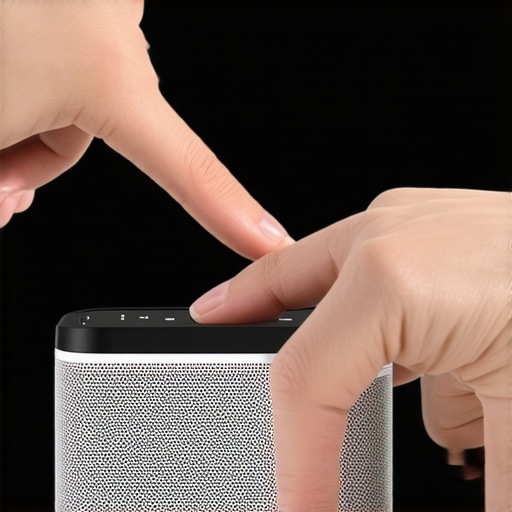
When You Need to Use the Volume and Play Buttons
If the power button combo doesn’t do the trick, many Bose and UE speakers prefer a different path. You often have to hold the ‘Volume Up’ and the ‘Play/Pause’ button together. On some older models, it’s ‘Volume Down’ and ‘Power.’ The key here is patience; don’t just tap them. You need to hold until the light pattern changes. I once spent a frustrating twenty minutes trying to pair a speaker for a backyard BBQ, only to realize I needed to hold ‘Volume Down’ and ‘Bluetooth’ for exactly 12 seconds. It felt like I was entering a cheat code for a vintage video game, but as soon as those lights pulsed, the connection was rock solid. This is also a great time to check your placement, because sometimes we blame the software when the environment is the culprit, such as why your portable speaker sounds muddy on a glass table.
Look for the Hidden Pinhole Reset
If buttons aren’t giving you any haptic feedback, look for the ‘fail-safe.’ Many waterproof or rugged speakers have a tiny pinhole hidden near the charging port or under a rubber flap. You’ll need a paperclip or a SIM tool to press the internal button for about five seconds. While you’re poking around in there, it’s worth inspecting the hardware; I’ve found that many people mistake a software issue for a physical one, especially when learning how to fix a loose charging port on your favorite bluetooth speaker. A quick press of that internal switch forces the hardware to power cycle regardless of what the firmware is doing. It’s the ultimate ‘hard’ reset that bypasses frozen screens or unresponsive buttons.One of the biggest lies we’re told in the audio world is that ‘digital is digital.’ The common belief is that since the signal is just ones and zeros, every device should handle it identically. In my experience, this couldn’t be further from the truth. While a factory reset fixes the ‘handshake’ between devices, it doesn’t solve a poor-quality Digital-to-Analog Converter (DAC). I’ve seen people spend thousands on speakers only to feed them a compressed, jittery signal from a budget source. You have to look at the difference between cheap and expensive DACs that actually matters if you want to understand why your audio lacks depth even after a successful pairing. According to a research paper by the Audio Engineering Society (AES) on digital audio measurement, timing errors known as jitter can significantly degrade the perceived transparency of a soundstage, even when the frequency response remains flat. 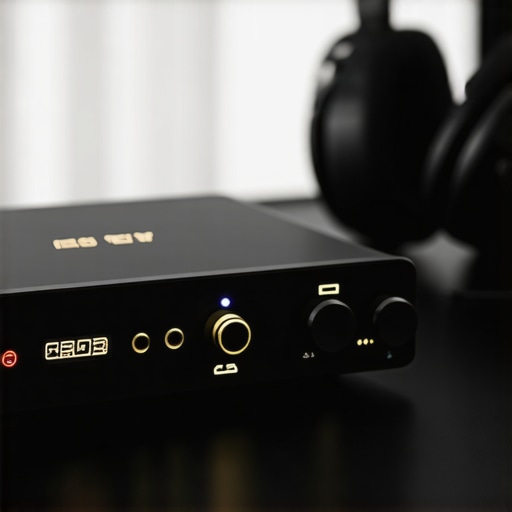
Why does your high-end gear sound thin when plugged into a controller?
I get this question all the time from gamers who buy $300 headphones and plug them straight into a PS5 or Xbox controller, only to be disappointed. The internal amplifier in those controllers is designed for low power consumption, not high-fidelity driving. This is a classic ‘nuance’ mistake; you aren’t dealing with a broken speaker, you’re dealing with an underpowered one. It’s the same reason why your high-end headphones sound tiny when plugged into a controller. You’re asking a lawnmower engine to pull a freight train. If you’ve reset your Bluetooth connection and you’re still noticing a delay between the lips moving on screen and the sound hitting your ears, you’re likely dealing with codec latency rather than a hardware glitch. This is exactly why your bluetooth audio lags while watching movies, and no amount of button-holding will fix a fundamental mismatch in Bluetooth protocols like aptX vs. SBC.
Stop Killing Your Battery Before It Even Starts
Here is the ‘Oops’ factor that most people ignore until it’s too late: the power source. We treat our speakers like phones, but their lithium-ion registries are much more sensitive to heat and voltage spikes. I’ve seen countless units ‘brick’ themselves because the owner used a fast-charger meant for a laptop. Even worse, many people leave their gear plugged in 24/7. You need to know why you should never charge your portable speaker overnight if you want it to last more than two seasons. For high-end home setups, the trap is even more dangerous. Using a standard $10 power strip can actually introduce ground loops and noise into your signal path. There is a technical reason why you should never use a power strip for your high-end amplifier—it’s about current draw and surge protection that doesn’t choke the dynamics of your music. Have you ever fallen into this trap of over-charging or under-powering your gear? Let me know in the comments.I’ve been there, standing in the middle of a silent room, frantically tapping my phone screen while my Bluetooth speaker acts like I don’t even exist. It is one of those small, modern frustrations that feels way bigger than it should. Last summer, I actually almost threw a perfectly good JBL into the trash because I assumed the internal chip had fried. Turns out, I just didn’t know the ‘secret handshake’ to get it back into pairing mode. It’s embarrassing to admit now, especially since I spend so much time tinkering with audio gear, but even the best of us get stumped by a stubborn connection. If you are currently staring at a blinking light and feeling your blood pressure rise, take a deep breath. We are going to get that sound back. Today, I’m walking you through exactly how to reset your Bluetooth speaker so it actually talks to your devices again, saving you from a quiet afternoon or an unnecessary trip to the electronics store.
That Time I Almost Gave Up on My Favorite Gear
I remember a specific afternoon where I was trying to set up a small outdoor gathering. I had my playlist ready, but my phone and speaker were suddenly strangers. I tried everything—restarting my phone, toggling Bluetooth on and off a dozen times, even moving the speaker to a different table because I thought the glass surface was messing with the signal. Nothing worked. In my frustration, I made a classic amateur mistake: I kept trying to ‘force’ the connection through my phone settings instead of looking at the hardware itself. It’s a common trap. We get so used to software fixing everything that we forget these little boxes have their own internal logic that occasionally needs a hard shove. According to technical documentation from the Bluetooth Special Interest Group, local interference and corrupted pairing registries are the primary culprits behind connection failures, and a hardware-level reset is the standard industry recommendation for recovery. I eventually realized that my speaker was actually trying to connect to my neighbor’s tablet across the fence, which is why it was ignoring me.
Does a factory reset actually solve the problem or just delete my settings?
You might be worried that hitting that reset button is a ‘nuclear option’ that will ruin your device. Trust me, I had that same fear. I thought I’d lose the sound profile I liked or that the speaker would never be the same. In reality, a reset is just a way to clear the ‘cache’ of old, failed connections that are clogging up the works. It’s like giving your speaker a quick nap and a cup of coffee. Have you ever felt like just tossing your speaker out the window when it won’t pair, or is it just me? If you’ve been through this, you know the relief when that ‘connected’ chime finally rings out. Before you assume you have a hardware failure, or worry that your speaker is getting quieter with age, let’s try the reset method. It’s the single most effective way to solve 90% of pairing headaches, and it usually takes less than thirty seconds.
The Universal Reset Combinations That Actually Work
Think of a factory reset like shaking an Etch-A-Sketch; it wipes away the messy lines of old connections so you can start with a clean slate. Every brand has a slightly different ‘secret handshake,’ but most fall into three main categories. If your device isn’t responding, your first move shouldn’t be to assume the battery is dead. I’ve seen people panic and wonder why your portable speaker won’t charge with your phone cable, when in reality, the software is just hung up on a ghost connection from three months ago.
Try the Power and Bluetooth Button Combo First
This is the most common method for brands like JBL and Sony. You’ll want to power the speaker on, then press and hold the ‘Power’ and ‘Bluetooth’ buttons simultaneously for about 5 to 10 seconds. I remember helping a friend with a stubborn Flip 5 at a bonfire. We were about to give up and sit in silence until I tried this specific combo. The LEDs flashed a bright white, the speaker emitted a low chime, and suddenly it was like the device had been reborn. It immediately showed up on her phone’s discovery list. Before you start worrying about the simple fix for speakers that sound muffled, ensure you’ve cleared that internal registry. #IMAGE_PLACE_HOLDER_B#
When You Need to Use the Volume and Play Buttons
If the power button combo doesn’t do the trick, many Bose and UE speakers prefer a different path. You often have to hold the ‘Volume Up’ and the ‘Play/Pause’ button together. On some older models, it’s ‘Volume Down’ and ‘Power.’ The key here is patience; don’t just tap them. You need to hold until the light pattern changes. I once spent a frustrating twenty minutes trying to pair a speaker for a backyard BBQ, only to realize I needed to hold ‘Volume Down’ and ‘Bluetooth’ for exactly 12 seconds. It felt like I was entering a cheat code for a vintage video game, but as soon as those lights pulsed, the connection was rock solid. This is also a great time to check your placement, because sometimes we blame the software when the environment is the culprit, such as why your portable speaker sounds muddy on a glass table.
Look for the Hidden Pinhole Reset
If buttons aren’t giving you any haptic feedback, look for the ‘fail-safe.’ Many waterproof or rugged speakers have a tiny pinhole hidden near the charging port or under a rubber flap. You’ll need a paperclip or a SIM tool to press the internal button for about five seconds. While you’re poking around in there, it’s worth inspecting the hardware; I’ve found that many people mistake a software issue for a physical one, especially when learning how to fix a loose charging port on your favorite bluetooth speaker. A quick press of that internal switch forces the hardware to power cycle regardless of what the firmware is doing. It’s the ultimate ‘hard’ reset that bypasses frozen screens or unresponsive buttons.One of the biggest lies we’re told in the audio world is that ‘digital is digital.’ The common belief is that since the signal is just ones and zeros, every device should handle it identically. In my experience, this couldn’t be further from the truth. While a factory reset fixes the ‘handshake’ between devices, it doesn’t solve a poor-quality Digital-to-Analog Converter (DAC). I’ve seen people spend thousands on speakers only to feed them a compressed, jittery signal from a budget source. You have to look at the difference between cheap and expensive DACs that actually matters if you want to understand why your audio lacks depth even after a successful pairing. According to a research paper by the Audio Engineering Society (AES) on digital audio measurement, timing errors known as jitter can significantly degrade the perceived transparency of a soundstage, even when the frequency response remains flat. #IMAGE_PLACE_HOLDER_C#
Why does your high-end gear sound thin when plugged into a controller?
I get this question all the time from gamers who buy $300 headphones and plug them straight into a PS5 or Xbox controller, only to be disappointed. The internal amplifier in those controllers is designed for low power consumption, not high-fidelity driving. This is a classic ‘nuance’ mistake; you aren’t dealing with a broken speaker, you’re dealing with an underpowered one. It’s the same reason why your high-end headphones sound tiny when plugged into a controller. You’re asking a lawnmower engine to pull a freight train. If you’ve reset your Bluetooth connection and you’re still noticing a delay between the lips moving on screen and the sound hitting your ears, you’re likely dealing with codec latency rather than a hardware glitch. This is exactly why your bluetooth audio lags while watching movies, and no amount of button-holding will fix a fundamental mismatch in Bluetooth protocols like aptX vs. SBC.
Stop Killing Your Battery Before It Even Starts
Here is the ‘Oops’ factor that most people ignore until it’s too late: the power source. We treat our speakers like phones, but their lithium-ion registries are much more sensitive to heat and voltage spikes. I’ve seen countless units ‘brick’ themselves because the owner used a fast-charger meant for a laptop. Even worse, many people leave their gear plugged in 24/7. You need to know why you should never charge your portable speaker overnight if you want it to last more than two seasons. For high-end home setups, the trap is even more dangerous. Using a standard $10 power strip can actually introduce ground loops and noise into your signal path. There is a technical reason why you should never use a power strip for your high-end amplifier—it’s about current draw and surge protection that doesn’t choke the dynamics of your music. Have you ever fallen into this trap of over-charging or under-powering your gear? Let me know in the comments.
Why You Need a Can of Contact Cleaner in Your Drawer
If there is one tool I swear by, it is a can of DeoxIT D5. I’ve seen people throw away vintage amps because they thought the ‘crackling’ meant the board was dead. In most cases, it’s just oxidation on the metal contacts. You can easily learn how to clean a sticky volume knob on a vintage amp with a five-minute spray and some rotation. This isn’t just for the old stuff, either. I use a tiny drop on my 1/4-inch headphone jacks once every six months to ensure the signal remains pristine. Even your earbuds need a bit of love; knowing the best way to clean earwax out of mesh earbuds can save you from that weird volume imbalance that makes you think one driver is failing. If you have a massive setup, don’t forget organization; the best way to label your messy home theater cables is with a simple heat-shrink label maker, which prevents you from pulling the wrong plug during a reset.
How do I maintain my audio gear to prevent long-term failure?
The secret to longevity is regular physical inspection. Every few months, take the grilles off your floor speakers. Dust is more than an eyesore; it can settle into the voice coil gap and cause friction. If you spot a small crack in the foam, don’t panic. You can find guides on how to repair a tear in your speaker surround with rubber glue before it turns into a total replacement job. According to the **IEC 60268-5** standards for sound system equipment, physical degradation of transducer surrounds is the leading cause of non-linear distortion in older drivers. Keeping your gear in a climate-controlled room is vital, as humidity literally eats away at the adhesives. For your amplifiers, keep an eye on the heat; if it starts running hotter than usual, you might need to check how to tell if your amps capacitors are failing before they leak and cause a short. 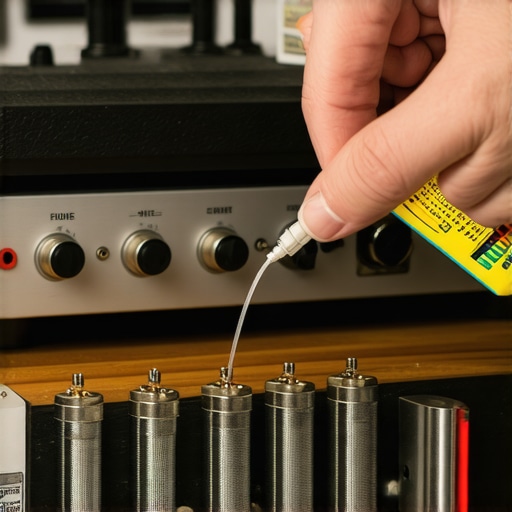
Stop Letting Your Furniture Kill Your Bass
Maintenance isn’t just about the hardware; it’s about the environment. I used to keep my bookshelf speakers directly on my mahogany desk until I realized the entire desk was acting like a giant, vibrating resonator. This is a massive reason why your desktop speakers need isolation pads to stop desk vibration. By decoupling the speaker from the surface, you hear the driver, not the wood. If your room feels ‘echoey’ or the high notes are piercing your ears, you don’t need a new DAC. You might just need to learn how to use a rug to stop your speakers from sounding harsh. It’s the cheapest ‘upgrade’ you will ever make. Looking ahead, I predict that AI-driven room correction will become the standard in every entry-level amplifier, essentially doing this acoustic work for us through software. But for now, the physical fixes are still king. My challenge to you: grab a thick rug or a set of cheap isolation pads this weekend and see if it doesn’t immediately tighten up your low end.
Lessons from a Decade of Blinking Lights
Through years of trial and error, I have learned that audio gear isn’t nearly as fragile as we think, but it is much more sensitive to digital clutter than we realize. One hard-earned lesson is that 90% of ‘broken’ speakers are actually just suffering from a corrupted pairing registry; they aren’t dead, they are just confused. I’ve also learned that we often overlook the simplest physical factors. For instance, if you notice your sound quality dipping after a long session, it might not be the speaker at all. I once spent days troubleshooting a pair of headphones only to realize I was making the mistake that makes your noise canceling headphones hiss in quiet rooms by ignoring the internal gain settings. Another lightbulb moment came when I realized that sound isn’t just about the speaker; it’s about the connection. If you find your audio is fading or imbalanced, it might be a buildup of debris, and knowing the best way to clean earwax out of mesh earbuds can bring back that crisp high-end in seconds. Always look for the ‘software jam’ or the ‘physical clog’ before you reach for your wallet to buy a replacement.
My Personal Audio Rescue Kit
If you want to keep your gear in peak condition, you don’t need a professional workshop. My first recommendation is to keep an old device nearby; I learned how to use an old smartphone as a dedicated music streamer which keeps my main phone free for calls while providing a stable, dedicated Bluetooth source. Secondly, never underestimate the power of isolation. I swear by using small pads to decouple my gear from hard surfaces, and you should definitely see why your desktop speakers need isolation pads to stop desk vibration to hear the difference for yourself. Finally, for those who love the home theater experience, a simple acoustic treatment can do more than a $500 upgrade. I always suggest learning how to use a rug to fix the echo in your home theater room to tighten up your soundstage without buying new hardware. These small, low-cost tools have saved my setup more times than I can count.
Trust Your Ears and Keep Tweaking
At the end of the day, audio gear is meant to serve your lifestyle, not frustrate it. Don’t let a stubborn pairing light or a temporary glitch make you give up on a high-quality device. Most of the time, all it takes is that specific button combination to reset your Bluetooth speaker and get the party started again. Whether you are dealing with a tiny portable unit or a massive home system, the principles of maintenance and patience remain the same. You have the power to make your setup sound like a million bucks just by paying attention to the details. Which speaker brand gives you the most pairing trouble? Let me know below and let’s get it fixed.