
It was 11:30 PM on a Tuesday, the kids were finally fast asleep, and I had a bowl of popcorn the size of a hubcap ready for a movie night with my wife. We were dying to watch that new blockbuster, but our living room shares a thin wall with the nursery. I thought I was a genius because I had a $5 plastic splitter I’d found in a junk drawer. I plugged it in, we sat down, and within thirty seconds, I realized I’d made a massive mistake. My wife’s headphones were booming, while mine sounded like a distant radio station at the bottom of a well. We spent the next forty minutes tangling ourselves in cords, trying to adjust volumes that wouldn’t budge, and eventually, we just gave up and went to bed annoyed. It was a classic ‘home audio fail’ that could have been avoided if I’d actually understood the tech involved. Today, I’m going to make sure that doesn’t happen to you. I’ll show you exactly how to get two different pairs of headphones—whether they are wired, wireless, or a mix of both—singing in perfect harmony with your television. [image_placeholder_1]
Stop Fighting Over the Volume and Start Sharing the Sound
Why are we even talking about this? Because shared silence is a superpower in a modern home. Whether you’re trying to keep the peace with sleeping toddlers or you’re living in a small apartment where your late-night gaming sessions are driving your partner crazy, having a dual-audio setup is a game-changer. I used to think it was just about buying a long cable, but after dealing with [why your noise-canceling headphones hiss in quiet rooms](https://premiumsounddeals.com/why-your-noise-canceling-headphones-hiss-in-quiet-rooms), I realized that signal strength and latency are the real enemies here. If you’ve ever tried to watch an action movie where the explosions happen two seconds after the screen flashes, you know the frustration. In fact, a study by the Audio Engineering Society suggests that audio latency below 40ms is the sweet spot for a truly immersive experience, and achieving that with two separate devices is where things get tricky. We’re going to solve the lip-sync issues and the volume imbalances once and for all. Have you ever tried to share a movie only to realize your TV’s single output just isn’t enough for two people?
Is it really possible to sync two totally different brands?
This is the big hurdle most of my neighbors ask me about. They think because they have one pair of Sony cans and a pair of Bose earbuds, they’re doomed to failure. I used to think the same thing! Early on, I tried to force two different Bluetooth versions to talk to a cheap transmitter and it was a disaster. I even worried about [bluetooth lag while watching movies on my laptop](https://premiumsounddeals.com/how-to-fix-bluetooth-lag-while-watching-movies-on-your-laptop) infecting my TV setup. But here is the truth: with the right dedicated transmitter or a modern smart TV’s built-in features, the brand doesn’t matter nearly as much as the protocol. Once you have a solid place to rest your gear—maybe even using a [simple DIY headphone stand](https://premiumsounddeals.com/how-to-build-a-simple-diy-headphone-stand-for-10) to keep things organized—you’ll see that the solution is much simpler than the ‘wire-spaghetti’ nightmare I lived through that Tuesday night. Let’s get into the actual gear you need to make this work.
Upgrade Your Hardware Instead of Your Frustration
To get two pairs of headphones working without one person being blasted out of their seat, you need to stop thinking about simple wires and start thinking about power distribution. Think of your TV’s audio output like a single water pipe. If you just stick a plastic ‘Y’ splitter on it, you’re cutting the pressure in half for both people. This is exactly [the reason your passive speakers sound quiet with a digital amp](https://premiumsounddeals.com/the-reason-your-passive-speakers-sound-quiet-with-a-digital-amp); there simply isn’t enough juice to drive two sets of drivers effectively. I remember a rainy Sunday when I tried to use a basic $3 splitter to share a documentary with my dad. He couldn’t hear a word of the narration, while I was wincing at every sharp ‘S’ sound. The solution isn’t a bigger cable; it’s a powered headphone amplifier or a dedicated transmitter that can handle multiple streams.
Pick a Dedicated Bluetooth Transmitter for Zero Lag
If you want to go wireless, your TV’s built-in Bluetooth is usually your worst enemy. Most TVs are designed to talk to one device at a time. When you force a second connection, the processor often struggles, leading to that dreaded lip-sync delay. You want a dedicated dual-link Bluetooth transmitter that plugs into your TV’s optical or 3.5mm port. These little boxes are like dedicated traffic controllers for your sound. They ensure that both signals are sent out using AptX Low Latency protocols. If you’ve been struggling with [how to fix the audio delay on your soundbar](https://premiumsounddeals.com/how-to-fix-the-audio-delay-on-your-soundbar), you’ll find that a dedicated transmitter solves the same problem for your ears by bypassing the TV’s slow internal processing. 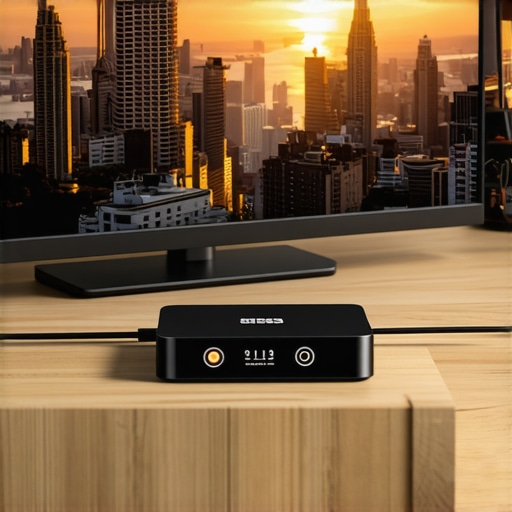
Avoid the Wired Spaghetti Nightmare
If you prefer the reliability of wires, don’t just let them dangle across the floor where the dog can trip on them. Beyond the physical danger, long unshielded cables act like antennas for interference. I once ran twenty feet of cheap 3.5mm extension cord across my basement, only to hear a weird buzzing every time the refrigerator kicked on. It reminded me of [the real reason your cars alternator makes your speakers whine](https://premiumsounddeals.com/the-real-reason-your-cars-alternator-makes-your-speakers-whine)—electrical noise is everywhere. Use a small, powered headphone splitter box placed right by the couch. This allows you to run one high-quality cable from the TV to the box, and then two short cords to your headsets. It also keeps things tidy so you don’t end up wondering [why your headphone cord is always tangled and how to stop it](https://premiumsounddeals.com/why-your-headphone-cord-is-always-tangled-and-how-to-stop-it) every time you want to watch a movie.
Consider the Room and the People Around You
Remember that not all headphones are built for shared spaces. If you are sitting on the couch next to someone while using open-back headphones, they are going to hear every explosion and line of dialogue almost as clearly as you do. This is the fundamental trade-off of that design; [why your open-back headphones leak sound even at low volumes](https://premiumsounddeals.com/why-your-open-back-headphones-leak-sound-even-at-low-volumes) is simply down to the lack of a physical barrier. For a true ‘silent cinema’ experience, both of you should stick to closed-back models or high-quality in-ear monitors. This ensures the sound stays in your ears and doesn’t bleed out into the room, defeating the purpose of using headphones in the first place.
I see it in the forums all the time: people spending hundreds of dollars on fancy setups only to complain about a ‘thin’ sound or a strange buzzing. Most ‘experts’ will tell you that you need a $200 optical cable to fix it, but here is the contrarian truth: you should stop wasting money on expensive optical cables because, in the digital realm, a $5 cable carries the exact same ones and zeros as the one wrapped in braided silk. The real culprit is usually signal degradation caused by poor power management or a hidden ground loop.
What happens when you mix wireless and wired connections?
This is where things get really technical. If you are trying to run one pair of Bluetooth headphones alongside a wired pair, you are fighting two different physics battles at once. The wired pair is getting an analog signal instantly, while the Bluetooth pair is waiting for a processor to encode, transmit, and decode the data. This creates a ‘phasing’ effect that can make the room feel like it’s spinning if you take one ear cup off. To fix this, you need a transmitter that allows for an ‘audio delay’ adjustment specifically for the wired output. According to the International Telecommunication Union (ITU) in their BT.1359-1 recommendation, the human brain starts to notice audio lagging behind video after just 125ms, but we are even more sensitive to audio leading video. If you don’t account for this processing gap, one of you will always feel like you’re watching a badly dubbed 70s kung fu movie.
One massive ‘trap’ I fell into early on was the ground loop hum. I had two headphone amps plugged into different outlets, and the buzzing was loud enough to drown out the dialogue. Before you go crazy buying new gear, you need to learn how to get rid of ground loop hum in your audio setup by ensuring all your gear shares a common ground. If you’re using long runs to reach across the room, understanding the difference between balanced and unbalanced cables for home studios can also save you a lot of headache. A balanced cable can cancel out the noise picked up by that long wire acting as an antenna.
Lastly, be careful when buying high-end gear to solve these issues. The market is flooded with knockoffs. I once bought what I thought were premium Sennheisers at an estate sale, only to realize the drivers were garbage. Knowing how to identify a fake pair of premium headphones is a skill every home theater enthusiast needs. Have you ever fallen into the trap of buying a ‘premium’ cable only to realize it didn’t change a thing? Let me know in the comments below!
Once you’ve spent the weekend dialing in your dual-headphone paradise, the last thing you want is a fuzzy connection or a dead battery to ruin the mood. I’ve learned the hard way that high-end gear requires a bit of ‘preventative medicine.’ For example, I used to ignore the slow degradation of my ear pads until I realized they were affecting the seal and ruining the bass response. You should keep an eye on the 7 signs your headphone pads need replacing today because comfort is only half the battle; sound isolation is the other. I personally keep a small bottle of DeoxIT D5 handy for any physical connections. If you start hearing a crackle when you adjust your levels, you can use the same techniques for how to fix a scratchy volume knob on an old amp to clean the contacts on your headphone splitter or amplifier.
Keep Your Signal Clean and Your Pads Fresh
The secret is in the connections. I’ve seen people lose their minds trying to figure out why one side of their headphones stopped working, only to find a microscopic break in the wire. This is where you need to stop guessing and start measuring. I recommend learning how to use a multimeter to find a short in your speaker wires or headphone cables. It’s a ten-minute skill that saves you from throwing away a $300 set of cans just because a $10 cable went bad. Also, remember that gold-plated tips aren’t just for show—they resist corrosion—but they still get oily from your fingers. Knowing how to clean gold-plated connectors without ruining the finish ensures that the ‘handshake’ between your TV and your transmitter stays rock solid.
How can I keep this dual-audio setup working for years?
Maintenance isn’t just about cleaning; it’s about checking for structural fatigue. If your setup involves a lot of plugging and unplugging, those ports will eventually loosen. I always suggest using ‘pigtail’ adapters to take the strain off the TV’s main motherboard. It’s much cheaper to replace a $5 adapter than to repair a TV’s internal audio board. I also suggest periodically checking the battery health of your wireless units. If you are using wireless buds for your late-night sessions and they keep slipping out during an intense scene, check out the real reason your wireless earbuds keep falling out—it’s often a simple matter of tip material degradation rather than the tech itself. Regular inspections keep your cinematic nights from ending in frustration.
The Future of Shared Audio is Already Here
Looking ahead, I predict we are about to see a massive shift in how we share sound. The Bluetooth Special Interest Group (SIG) has recently finalized the specifications for Auracast™ broadcast audio. This technology will eventually allow a single TV to broadcast to an unlimited number of headphones without any extra transmitters or splitters. It is essentially ‘Wi-Fi for audio,’ allowing for seamless sharing across different brands and devices. But until every TV and pair of earbuds supports LE Audio, our current hardware-based solutions are the most reliable way to go. Don’t wait for a failure to happen. Grab a multimeter this weekend and test the continuity of your longest extension cables. It’s the only way to be 100% sure you won’t be interrupted during your next movie marathon.
The Hardest Lessons I Learned Managing Two Audio Streams
Setting up two pairs of headphones simultaneously isn’t just about the hardware; it’s about the subtle physics of shared space. Over the years, I’ve realized that the ‘loudness’ of a room is often dictated by the person with the most sensitive hearing. If you are mixing brands, one set might have a higher impedance, meaning it needs more power to reach the same volume. This is why you should look into the trick to buying high-end audio at estate sales to find a match for your existing gear at a fraction of the cost. Another lightbulb moment came when I stopped trying to use the TV’s headphone jack and the optical port at the same time—many TVs disable one when the other is active! Finally, always remember to learn how to find the source of a ground loop in home theater because nothing ruins a movie faster than a shared buzz that neither of you can turn off.
The Tools I Trust to Keep the Peace
If you want to move beyond the ‘trial and error’ phase, there are a few items you should always have in your drawer. First, a reliable multimeter is non-negotiable for testing those long extension cables before you tuck them under the rug. Second, I swear by high-quality pigtail adapters to prevent the weight of heavy headphone cables from snapping your TV’s audio ports. Third, if you are moving into a more permanent setup, check out my guide on how to set up a 2.1 system for the ultimate gaming audio for those times when you aren’t trying to be quiet. I trust these tools because they focus on signal integrity rather than marketing fluff. Don’t believe the hype about ‘instant’ sound improvements; even the truth about speaker break-in periods suggests that patience and proper setup trump expensive ‘magic’ cables every time.
#IMAGE_PLACEHOLDER_FINAL#
Start Your Silent Cinema Tonight
You don’t need a degree in acoustics to enjoy a blockbuster with your partner without waking the neighbors. By focusing on low-latency transmitters, powered splitters, and basic maintenance, you can turn any living room into a private theater. The peace of mind that comes from knowing you aren’t bothering anyone is worth every minute of setup time. Go ahead, plug in those headphones, grab the popcorn, and experience what you’ve been missing. Have you ever tried to use two different brands of headphones together only to find the volume levels were completely mismatched? Let me know your workaround in the comments below!