
I’ll never forget the Fourth of July barbecue where I single-handedly ruined the vibe. I had my brand-new portable speaker perched on the deck rail, and as the sun went down, I figured it was time to really get the party started. I pushed that volume slider up to about 85%, expecting a surge of energy. Instead? I got a raspy, garbled mess that made my favorite rock anthem sound like it was being broadcast from the bottom of a well. It was embarrassing. I thought I’d bought a dud, but the truth was much simpler: I was hitting the ‘wall’ of what my hardware could actually handle. We are going to dig into why your gear rebels when you push it too hard and how you can get that crisp sound back without buying a whole new setup.
The Moment My Summer Jam Turned Into a Static Nightmare
We’ve all been there, reaching for that extra bit of ‘oomph’ only to be met with a cringing distortion. It’s that fuzzy, crackling layer that sits on top of your music, masking the detail and making the vocals sound like they’re shouting through a pillow. If you’ve ever wondered how to fix a buzzing sound in your portable speaker at high volumes, you first have to realize that your speaker isn’t necessarily broken—it’s just exhausted. Most people assume that if a volume knob goes to ten, the speaker should sound perfect at ten. Sadly, that’s almost never the case with consumer Bluetooth gear. I made the classic rookie mistake of ignoring the ‘red line.’ I thought more volume always meant more fun. It took me blowing a perfectly good driver to realize that the relationship between power and clarity is a delicate dance. According to engineering experts at Audioholics, once an amplifier is pushed beyond its linear operating range, it begins ‘clipping’ the waveform, which is the technical way of saying it’s chopping the tops off your music notes and replacing them with pure distortion.
Is This Little Plastic Box Actually Capable of High Fidelity?
You might be skeptical. Can a speaker the size of a soda can really deliver clean audio at party levels? The short answer is usually ‘no,’ but there are ways to make it sound a whole lot better than it does right now. Before you go out and spend another three hundred dollars on a larger unit, we need to look at what’s actually happening inside that casing. Many of these devices prioritize portability over raw power, and that comes with a trade-off in headroom. Have you ever felt that sudden dip in quality right when the party was getting good? It’s a total mood killer, isn’t it? Drop a comment below if you’ve ever had a speaker give up on you mid-song.
Why Your Amp Is Throwing a Digital Temper Tantrum
The heart of the issue usually lies in the struggle between peak and RMS power. If you don’t know the difference between peak and RMS power, you’re likely asking your speaker to do something it wasn’t built for. Your speaker has a ‘sweet spot’—usually between 50% and 70% volume. Go beyond that, and the tiny internal amplifier starts to run out of voltage. It’s like trying to run a marathon while breathing through a straw; eventually, something has to give. When the amp hits its limit, it stops producing a clean sine wave and starts producing a square wave. This is what we hear as that ‘crunchy’ distortion. It’s not just annoying; it’s actually dangerous for your hardware over long periods. I’ve found that why your portable speaker sounds better when placed in a corner often comes down to using physics to boost your volume naturally rather than forcing the electronics to do the heavy lifting. By understanding these limits, we can start finding the actual solution to your volume woes.
Start by Cleaning Up Your Source Signal
The first step to louder, cleaner sound isn’t actually on the speaker—it is on your phone or laptop. Think of your audio signal like water in a pipe; if the water is already muddy at the source, no amount of filtering at the end will make it clear. Most people crank their phone volume to 100% and then try to push the speaker even further. This often forces the phone’s internal digital-to-analog converter to clip the signal before it even reaches the Bluetooth transmitter. I once spent twenty minutes troubleshooting what I thought was a blown driver at a beach campfire, only to realize my phone’s Spotify EQ was set to a ‘Bass Boost’ profile that was clipping the signal internally. As soon as I set the EQ to flat and let the speaker’s internal digital signal processor do its job, the crunch vanished. If you feel like your device is holding you back, you might notice why your headphone volume is limited on your smartphone, which is often a software-level protection that also affects Bluetooth output levels.
Check Your Device EQ Before Blaming the Hardware
Digital equalizers are the most common culprits for ‘fake’ distortion. When you boost the bass frequencies in an app, you are telling the software to exceed the standard digital ceiling. This creates a squared-off waveform that sounds like gravel. Instead of boosting the lows, try cutting the highs and mids slightly and then raising the overall volume. This gives the amplifier more headroom to breathe. If you are using a computer, check the 5-minute fix for crackling bluetooth signals on your laptop to ensure your wireless driver isn’t struggling to maintain a high-bitrate stream, which can mimic the sound of a blown speaker. 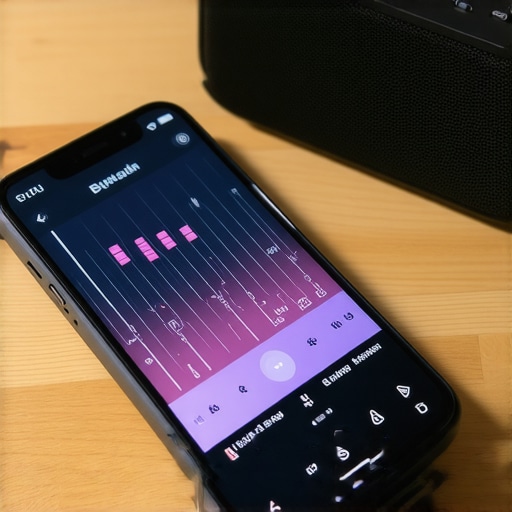
Physical Placement Changes Everything
You can get a massive volume boost for free just by moving the speaker. Sound waves, especially bass, need surfaces to reflect off of to gain intensity. Placing a speaker in the middle of a yard is the hardest way to listen to music because the energy dissipates in every direction. If you place that same speaker on a solid wooden deck near a wall, you’ve just created a natural amplifier. However, be careful about the material. This is exactly why your portable speaker has no bass when you place it on glass or other resonant, thin materials; the glass starts to vibrate at the same frequency as the music, canceling out the low end and adding a nasty metallic rattle to your high-volume jams.
Feed Your Amp the Right Amount of Juice
Portable speakers rely on lithium-ion batteries that have a specific ‘discharge curve.’ As the battery dies, the voltage drops. When the voltage drops, the amplifier inside can no longer produce the same peak power it could when the battery was full. This results in the speaker sounding ‘thin’ or distorting much earlier than usual. If you’re planning a long session, keep the speaker plugged into a power bank. Just be sure to read up on the truth about using a fast charger for your portable speaker to ensure you aren’t stressing the internal power management system, which can lead to heat-related throttling.
Kill the Rattles Before They Kill the Vibe
Sometimes the ‘distortion’ you hear isn’t electronic at all—it’s mechanical. At high volumes, the vibration of the driver can shake the plastic casing or the metal grille. I had a ruggedized speaker that sounded terrible until I realized a single grain of sand was trapped between the grille and the chassis, buzzing like a chainsaw every time the bass hit. Knowing the easiest way to fix a rattling speaker grill for good can save a speaker you thought was trashed. Often, a tiny piece of foam or a tightened screw is the only thing standing between you and crystal-clear audio at 90% volume.
It’s a common trap to assume that throwing money at a problem fixes it. I’ve seen enthusiasts drop five grand on floorstanding towers only to hook them up to a budget receiver and wonder why the bass feels like wet cardboard. The truth is, why your bookshelf speakers need more power than you think often boils down to sensitivity ratings. A high-end speaker with low sensitivity is actually harder to drive than a cheap, efficient one. If you don’t know how to tell if your amplifier has enough headroom for your speakers, you’re basically putting a Ferrari engine in a lawnmower. You’ll get noise, but you won’t get performance. This lack of headroom is the silent killer of clarity, forcing your amp into clipping territory long before you hit a ‘loud’ volume level.
Why does your high-end gear sound worse with high-res files?
Here is a nuanced reality: high-fidelity gear is like a microscope. It shows you the beauty, but it also shows you the dirt. I’ve had readers complain that their new, expensive setup makes their favorite albums sound thin or brittle. This is exactly why your speakers sound harsh when you play high-res files; if the original recording was poorly mastered, high-res formats just make the flaws and digital artifacts more prominent. According to research by Dr. Floyd Toole, a pioneer in speaker acoustics, listener preference is often dictated by the smoothness of the speaker’s off-axis response and room interaction rather than the raw bit-depth of the digital file itself. Sometimes, ‘stepping up’ your gear reveals that your favorite music was never recorded well to begin with.
Another big ‘oops’ moment is the power source. People often hide their gear behind cabinets and run long, thin extension cords to reach the nearest outlet. This is a massive mistake for your sound quality. Why you should avoid using an extension cord for your power amp comes down to simple physics: voltage drop. When your amp needs to deliver a big bass hit, it requires a sudden surge of current. If it’s pulling through twenty feet of cheap, thin copper, it starves, the voltage dips, and you get distortion or even a thermal shutdown. It is the same underlying electrical stress that explains the reason your expensive receiver makes a clicking sound when it starts—it is the protection relay checking for stable current before it engages. Have you ever fallen into this trap of thinking a better speaker would solve what was actually a power or source issue? Let me know in the comments.
Maintenance isn’t just about a quick wipe with a microfiber cloth; it is about preventing the slow creep of chemical degradation and mechanical failure. I’ve seen more speakers ruined by neglected contacts than by actual accidents. Every six months, I do what I call a ‘terminal audit.’ I pull every cable and check the metal for that dull, greenish tint that signifies trouble. Learning how to clean green oxidization off your copper speaker terminals is arguably the highest-ROI maintenance task you can perform. For my high-end setups, I use DeoxIT D5—a specific contact cleaner recommended by professional engineers at Hosa—because it doesn’t just clean; it leaves a protective layer that keeps the connection airtight. If you skip this, that ‘crackle’ you hear might not be your speaker dying, but just your signal struggling to bridge a layer of corrosion.
How do I keep my audio gear alive for the long haul?
Physical preservation goes beyond the electronics. If you have a collection of high-end cans, you’ve likely dealt with the dreaded ‘black dandruff’ of disintegrating ear cushions. Understanding why your headphone pads are flaking and how to prevent it can save you fifty bucks a year in replacements. It usually comes down to skin oils and sweat breaking down the synthetic leather. I keep a pack of fragrance-free baby wipes nearby and give my pads a quick dab after every long session. The same logic applies to your main drivers; if you have vintage gear with rubber gaskets, you need to know how to clean sticky speaker surrounds without damaging the rubber. Once that rubber dries out and cracks, your bass response is toast.

The Tools Every Audio Nerd Should Own
You don’t need a degree in electrical engineering to troubleshoot like a pro, but you do need a basic toolkit. I never set up a new system without a cheap digital multimeter and a simple 9V battery. It sounds primitive, but you can how to use a 9v battery to check your speaker polarity in seconds, ensuring your drivers are pushing ‘out’ at the same time. If one is ‘in’ and one is ‘out,’ your bass will cancel itself out, and you’ll be left wondering why your expensive towers sound like a tinny radio. I also recommend keeping an ‘audio-only’ device in your rack. Instead of relying on a phone that’s constantly buzzing with notifications, learn how to use an old phone as a dedicated high-res music player. This keeps your signal chain clean and ensures your battery-hungry streaming apps aren’t competing for resources.
What the Future of Home Audio Looks Like
We are moving toward a world where ‘dumb’ speakers are becoming a thing of the past. In the next five years, expect to see AI-driven room correction integrated into even the most basic amplifiers. We are already seeing the beginnings of this with Dirac Live and Audyssey, but soon, your speakers will likely ‘ping’ your room and adjust their own crossover points in real-time to compensate for your furniture. It’s the ultimate solution for those of us who can’t turn our living rooms into dedicated acoustic labs. This trend towards smarter power management also means we have to be more careful with how we charge. Don’t fall for the trap of high-speed bricks without checking the truth about using a fast charger for your portable speaker first. If you want to see an immediate improvement in your current setup, I challenge you to try the battery polarity test on your speakers tonight—you might be surprised to find your system has been wired ‘out of phase’ for years.
Three Harsh Truths about Audio Power I Learned the Hard Way
Over the years of testing everything from soda-can speakers to high-end home theaters, I’ve realized that most of our frustrations come from a few simple misunderstandings. First, the volume knob is not a speedometer; it is a gain control. Just because it goes to 100% doesn’t mean the amplifier can maintain a clean signal at that level without clipping. I also learned that heat is the silent killer of clarity. If you’ve noticed your music getting muddier after an hour of play, it’s likely the real reason your amp is getting hot to the touch: thermal compression is kicking in to protect the circuits. Finally, I stopped being afraid of physical repairs. Many people toss a speaker because of a tiny rattle, but learning how to fix a small rip in a speaker surround with glue can bring a dead driver back to life for pennies.
The Tools that Saved My Sanity and My Setup
You don’t need a lab full of oscilloscopes to get great sound, but a few specific items will make your life much easier. I always keep a 9V battery in my drawer; it is the fastest way to how to use a 9v battery to check your speaker polarity and ensure my drivers are in phase. If you’re dealing with a sealed cabinet and suspect a lack of punch, try the simple paper test for finding air leaks in your speaker cabinet. It’s an old-school trick that beats any digital diagnostic tool. For those on a budget, look into 3 budget upgrades that make cheap speakers sound expensive. Sometimes, a better set of isolation pads or a simple cable swap does more for your high-volume clarity than a brand-new unit ever could.
Take the Leap into Better Audio Quality
The journey to perfect sound isn’t about having the deepest pockets; it’s about having the most curiosity. Whether you are trying to squeeze more life out of an old portable speaker or dialing in a complex home theater, the principles of power management and physical placement remain the same. Don’t be afraid to move your gear, tweak your EQ, or clean those oxidized terminals. Your ears will thank you for the effort, and your music will finally sound the way the artist intended, even when you decide to turn it up a little too loud. Have you ever pushed your volume so high that you actually smelled something burning or heard a physical ‘pop’? Tell me your speaker horror stories in the comments below!