
I still remember the distinct, metallic scent of ozone drifting from behind my media console during a summer BBQ years ago. I had tried to be the “smart guy” by wiring two old receivers together to power a massive set of outdoor towers. I thought I was a genius until the music cut out and the smell of toasted silicon filled the air. I had made the ultimate rookie mistake: I tried to feed a high-level speaker signal into a low-level input. It was a costly lesson that ended with a trip to the repair shop and a very quiet party. Today, I am going to show you how to link two units together without the smoke show so you can expand your power with zero anxiety.
Stop Fearing the Magic of More Power
If you are reading this, you probably have an extra amp sitting in a closet or you have just realized your current setup is gasping for air when you crank the volume. You want more headroom, or maybe you are trying to connect four speakers to a two-channel amplifier safely. The good news is that daisy chaining—or “stacking” amplifiers—is actually quite simple if you follow the “Pre-Out” rule. I am going to walk you through the exact steps I use now to avoid that dreaded “Protection Mode” light. We are going to focus on passing the signal, not the raw power, between your units. [image-placeholder]
Will this setup actually sound worse than a single amp?
This is the big fear, right? That by adding more “stuff” to the signal path, you are going to introduce a ton of hiss or distortion. In reality, as long as you understand the difference between balanced and unbalanced cables, the signal degradation is virtually non-existent to the human ear. The key is using the right ports. Early on, I used to think any RCA jack was fair game. I was very wrong. Using a “Tape Out” or a dedicated “Pre-Out” is the only way to ensure you are not sending a distorted, clipped signal to your second amp. If you have ever wondered why your receiver’s protection mode keeps triggering, it is often because of these mismatched gain levels. According to the experts at Sound on Sound, maintaining proper gain staging is the difference between professional-grade audio and a muddy mess. By daisy chaining correctly, you are not just making things louder; you are letting each amplifier breathe, which often results in much tighter bass. Have you ever felt like your speakers were “starving” for power during loud movie scenes? Let me know if you have tried linking gear before and what happened. Now, let us get into the cables you actually need to pull this off without a fire extinguisher on standby.
Find the Pre-Out Ports Before You Plug Anything In
The most important rule in stacking gear is distinguishing between a signal and actual power. Think of your primary receiver as the “brain” and the second unit as the “muscle.” To connect them, you must find the “Pre-Out” section on the back of the brain. These ports send a low-level signal that hasn’t been amplified yet. When I first tried this with an old Marantz receiver, the sound was glorious but plagued by pops because I hadn’t learned how to fix a scratchy volume dial with electrical contact cleaner yet. Every time I adjusted the volume on the brain, the muscle amp turned that tiny bit of static into a deafening thunderclap. Once I cleaned the internals and used the Pre-Outs, that vintage unit could suddenly drive massive towers with ease. You are essentially bypassing the internal power section of the first amp to let the second one do the heavy lifting.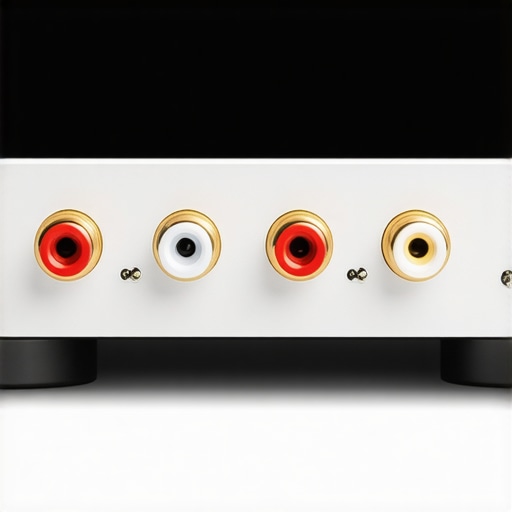
Decide Which Knob Rules the Room
Once the RCA cables are running from the Pre-Out of the first amp to the “Main-In” or a standard “Line-In” on the second, you face the volume dilemma. If your second amp has a “Main-In” port, its volume knob will usually be bypassed, meaning the first amp controls everything. However, if you are plugging into an “Aux” or “CD” input on the second unit, you now have two volume knobs in play. The trick I use is to set the second amplifier’s volume to about 60% or 70% and leave it there. This is known as setting a fixed gain. If you crank the second amp too high, you might hear a constant hiss; if it’s too low, you’ll find yourself pushing the first amp into distortion, which is why your receiver’s protection mode keeps triggering in the first place.
Shield Your Signal from the Hum
By adding a second piece of hardware, you are effectively doubling the chance of electronic noise. I remember a setup in my garage where every time the refrigerator kicked on, the speakers emitted a low-frequency buzz that made the music unlistenable. I had created a ground loop. If you experience this, you need to look into how to get rid of ground loop hum in your audio setup by ensuring both units are plugged into the same power strip. Also, since you are dealing with low-level signals between the two units, the quality of the interconnect matters more than usual. Using poorly shielded cables over long distances is like trying to whisper through a windstorm. Stick to short, high-quality runs and keep them away from power bricks to maintain that crystal-clear signal.
Verify Your Ohms Before You Crank It
Just because you have two amps doesn’t mean you can ignore the physics of your speakers. Each amp still has a limit on the load it can handle. Before you start hooking up every speaker in the house, make sure you understand the secret to choosing the right ohm rating for your amp. If you try to bridge the second amp to get even more power, proceed with caution. I once saw a friend try to double his wattage without checking the impedance, and he learned how to bridge a two-channel amp without blowing a fuse the hard way—by blowing three of them in ten minutes. The goal of daisy chaining is to distribute the workload, not to push a single component past its breaking point.Most enthusiasts believe that doubling your amplifier count is the quickest path to sonic nirvana. Honestly? It is a lie if you ignore the environment. You can spend thousands on a secondary power block, but if your listening space is full of hard reflections, you are simply making the echoes louder and more intrusive. In my experience, you should use a rug to fix a bright-sounding room before you even think about buying more hardware. The real nuance that most ‘gear-heads’ overlook isn’t the price of the copper cables; it is the phase relationship between your units. When you daisy chain, especially if you are mixing different circuit designs—like a vintage tube pre-amp into a modern solid-state power amp—there is a high chance of signal inversion. If one amp pushes while the other pulls, your bass will vanish into thin air. I always tell people to learn how to tell if your speakers are out of phase in 30 seconds before they blame their equipment for sounding thin or hollow. According to research by the Audio Engineering Society, phase incoherence at the crossover point is the leading cause of ‘muddy’ mids in multi-amp setups. 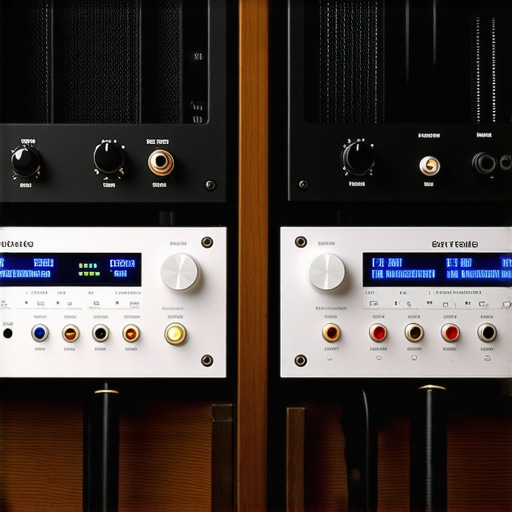
Does mixing different amplifier brands ruin the timing?
This is a sophisticated concern because every circuit has its own propagation delay. If your primary receiver processes the signal faster than the secondary ‘muscle’ amp, you might lose that razor-sharp stereo imaging. However, for most home setups, this delay is measured in microseconds—far below the threshold of human hearing. The bigger risk is what I call the ‘Toaster Effect.’ I have seen people stack two heavy units directly on top of each other with zero airflow, which is why your vintage amp gets hot even when you aren’t playing music. You are essentially baking the capacitors of the bottom unit with the heat from the top one. If you are going to stack, give them at least three inches of vertical clearance or use an open-air rack. Also, if you are running this setup from a computer, make sure you know how to use a DAC to improve your desktop computers audio so you aren’t just amplifying the electrical noise of a cheap motherboard. Have you ever fallen into this trap of chasing wattage while ignoring basics like phase or heat? Let me know in the comments. The ‘Oops’ factor usually hits when you try to get too clever with bridging without checking the manual. If you don’t how to match your subwoofer phase with your main speakers, the extra power from a second amp will actually make your system sound less impactful. Precision and placement beat raw power every single time.
Clean Electricity is the Secret to Amp Longevity
Once you have the signal flowing perfectly between your units, the real battle begins: fighting the slow decay of electronic components. I have seen more great systems die from neglect than from actually being played too loud. The first thing I tell anyone stacking gear is to invest in a dedicated power conditioner. It is not just about surge protection; it is about filtering out the ‘noise’ from your home’s electrical grid that can cause internal components to hum. If you notice your speakers acting up, you should check how to tell if your speaker capacitors are starting to leak, because heat from a secondary amp can accelerate the drying out of those electrolytic fluids. I personally keep a can of DeoxIT D5 on my workbench at all times. It is a specific chemical cleaner that doesn’t just wash away dust; it deoxidizes the metal. If you are dealing with vintage gear, knowing how to fix a scratchy volume knob on an old amp with the right contact cleaner is the difference between a functional system and a paperweight.
How do I maintain this complex audio chain over time?
Maintaining a multi-amp setup requires a bit more vigilance than a standard all-in-one receiver. Every six months, I pull my racks out and inspect the connections. Dust is a silent killer; it acts as an insulator, trapping heat inside the chassis and causing the thermal sensors to trip. This is often why your receiver’s protection mode keeps triggering even when the volume is low. I also make it a point to how to clean gold-plated connectors without ruining the finish using a microfiber cloth and a tiny drop of high-purity isopropyl alcohol. According to the Audio Engineering Society (AES), even a microscopic layer of oxidation on an RCA jacket can increase contact resistance enough to introduce audible floor noise in high-gain systems. 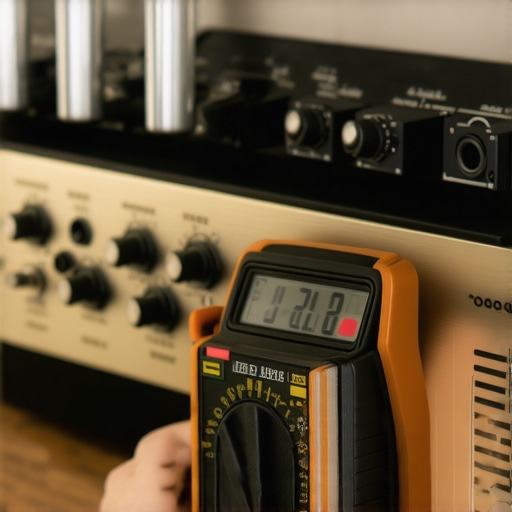
The Tools Every Serious Audiophile Needs in Their Drawer
Beyond the cleaners, you need a way to verify your work. I don’t trust my ears alone anymore. I use a cheap digital multimeter to check for DC offset at the speaker terminals—if you see more than 50mV, your amp is ‘leaking’ electricity that will eventually cook your voice coils. For the acoustic side, you don’t need a thousand-dollar microphone to start; you can learn how to use your phone to measure your rooms frequency response using apps like Spectroid or REW. This helps you identify if the extra power from your second amp is actually creating standing waves that muddy the sound. If you suspect your cabinets are losing punch, try the simple paper towel trick for finding speaker air leaks around the gaskets. It’s a low-tech way to ensure your ‘muscle’ amp isn’t just pushing air through a loose screw. Looking forward, I predict we will see more ‘smart’ analog-to-digital bridges that allow us to monitor the health of our vintage amps via smartphone apps in real-time. For now, your best bet is a hands-on approach. I challenge you to go to your setup right now and feel the top of your primary amp—if it’s too hot to keep your hand on for five seconds, you need to reorganize your rack for better airflow today.
What I Learned After Blowing Three Fuses and a Set of Tweeters
One thing I wish I had known earlier is that volume and power aren’t the same. Just because you have two amps doesn’t mean you should double your gain. You also have to watch for signal clipping. If you start hearing distortion, check if how to tell if your speaker is actually blown or just rattling before you blame the amp. Also, don’t forget that your speakers might be the bottleneck; the trick to making cheap bookshelf speakers sound expensive often lies in the source and placement, not just the raw wattage you throw at them. Stacking gear requires a balance of thermal management and gain staging that only comes with practice.
[image-placeholder]
The Gear I Keep Within Arm’s Reach of My Bench
To keep your stacked system running, you need a few essentials. I always keep a bottle of electrical cleaner handy; knowing how to fix a scratchy volume dial with electrical contact cleaner has saved me hundreds in repair bills. I also recommend using a dedicated DAC if you’re using a computer as a source—learn how to use a DAC to improve your desktop computers audio to ensure the signal entering your first amp is as clean as possible. Finally, keep a spare roll of high-quality wire; knowing how to choose the right gauge of wire for long outdoor speaker runs is vital for signal integrity between rooms or large setups.
Let Your Ears Be the Final Judge
Setting up a multi-amp system is a rite of passage for any serious audiophile. It transforms your listening experience from a simple playback session into an immersive event. Remember, the ultimate goal isn’t just to see lights flickering or feel the floor shake; it’s to hear the music exactly as the artist intended. Whether you are using this extra power to drive a home theater or just trying to get more punch out of your vinyl collection, take it slow and double-check your connections. Daisy chaining is a powerful tool when used with precision. Have you ever tried to link two different brands of amplifiers together? Let me know in the comments if you ran into any weird buzzing or phase issues!