
It was about 9:00 PM on a crisp October night, and I had the perfect playlist going on my favorite rugged portable speaker. We were all gathered around the fire, drinks in hand, when that soul-crushing ‘low battery’ chime rang out. No big deal, right? I reached into my bag, pulled out my high-end Samsung phone charger, and plugged it in. I waited for that reassuring glow of the charging LED. And I waited. And I waited. Nothing. The speaker stayed dead, my phone cable felt like a useless piece of plastic, and the vibe was officially ruined. I felt like a total amateur, especially since I’ve spent years obsessing over audio gear.
My Speaker Just Sat There Like a Dead Weight
In that moment, I realized that the ‘universal’ promise of USB-C is sometimes a giant, frustrating lie. I’ve seen this happen to so many people lately, and honestly, it’s a mess. We’re going to get to the bottom of why your speaker is snubbing your phone cord today. I’m going to explain the ‘handshake’ that isn’t happening and how you can find a cable that actually works without spending a fortune. It reminds me of the time I realized my bluetooth speaker was quieter than it used to be because I wasn’t giving it the right juice.
Is This All Just a Marketing Scam to Make Us Buy More Cords?
It certainly feels that way when you have a drawer full of cables that look identical but act completely differently. But it’s not always a conspiracy; usually, it’s just a conflict in charging protocols. Back when I first started tinkering with sound systems, I actually fried a cheap speaker by forcing a high-wattage laptop charger into it—talk about a costly mistake. It’s a similar learning curve to figuring out how to identify a fake pair of premium headphones; you have to look past the surface. Have you ever been stuck in a situation where your expensive gear refused to talk to your everyday cables?
The Hidden Physics Behind the Port
The reality is that many modern phone cables use ‘Power Delivery’ (PD) standards that require a digital conversation between the charger and the device. According to research by Android Authority, some USB-C implementations lack the specific resistors needed to tell the charger to send power to a ‘dumb’ device like a simple portable speaker. If that handshake doesn’t happen, the charger simply refuses to send any current to protect your hardware. It’s a safety feature that feels like a bug. It’s just as finicky as finding the best distance to sit from your bookshelf speakers—if you aren’t in the sweet spot, the whole experience falls apart. We’re going to look at the specific cable types that fix this once and for all.The issue usually boils down to a lack of a 5.1k Ohm resistor on the speaker’s USB-C port. I remember one specific Saturday where I spent forty-five minutes trying to ‘jumpstart’ a rugged outdoor speaker using my 100W MacBook brick. I was convinced the internal lithium cells had finally given up the ghost. Just as I was about to toss it, I dug out an old, fraying USB-A to USB-C cable from a junk drawer, plugged it into a standard 5V wall wart, and—boom—the charging light flickered to life. It was a classic case of the charger being too advanced for the device. If the charger doesn’t ‘see’ that resistor, it stays in a low-power safety state to prevent damage. This is similar to how the reason your passive speakers sound quiet with a digital amp often comes down to an impedance mismatch that limits power transfer.
The Fix That Costs Less Than a Cup of Coffee
The most reliable way to bypass this ‘smart’ lockout is to use a USB-A to USB-C cable. These cables are ‘dumb’ by design; they don’t engage in the complex Power Delivery (PD) negotiations that modern Samsung or Apple chargers require. They just send a steady stream of 5V power, which is exactly what your speaker is expecting. In a USB-C to USB-C setup, the ‘Configuration Channel’ pin is looking for a signal that many cheaper or older speakers simply aren’t designed to send. While we often talk about high-end connections, like the real difference between gold and silver plated connectors, sometimes the most basic copper wire is the only one that actually gets the current flowing. 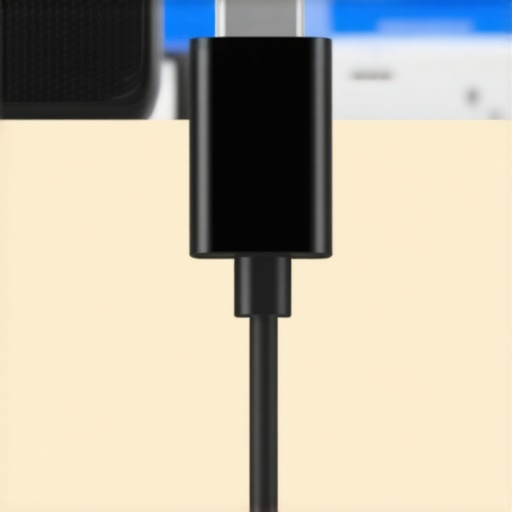
Check the Heat and the Resistance
If you’ve swapped the cable and it’s still not working, you might be dealing with a physical fault in the port itself or a deeper circuit issue. I’ve seen ports get wobbly and lose their internal connection after just a few months of being tossed into a beach bag. You can actually learn how to use a multimeter to find a short in your speaker wires or internal ports to see if electricity is actually reaching the battery terminals. While you’re at it, feel the back of the speaker near the charging port. If it’s getting excessively warm to the touch but the battery level isn’t budging, stop immediately. Just as knowing how to tell if your amp is running too hot can save your home theater from a meltdown, monitoring the temperature of your portable gear can prevent a catastrophic battery failure.
The Wall Wart Matters Just as Much
Don’t just focus on the cord; the block in the wall is the other half of the equation. Many modern ‘Gallium Nitride’ (GaN) chargers are incredible for rapidly charging a laptop, but they can be too ‘smart’ for their own good when it comes to audio tech. I always keep a stash of old-school 5V/2A ‘legacy’ chargers around specifically for my headphones and speakers. These older blocks don’t try to negotiate voltages; they just provide the power asked of them. It saves me the constant headache of wondering why my premium gear is acting like a expensive paperweight on a Friday night. Plus, using a lower-wattage charger is often gentler on the battery over the long term, preventing that early degradation that makes people think they need a new speaker every two years.
High Wattage Isn’t Always a Power Move
Most people assume that a 65W laptop charger should charge a 5W speaker twelve times faster. In reality, you’re more likely to see a ‘no-go’ than a ‘go-fast.’ This is the core of what I call the Wattage Trap. It’s a bit like the logic behind why your new speakers sound better after 20 hours of use—it’s not magic; it’s physics. While speakers need a ‘break-in’ period for the mechanical parts to loosen up, charging circuits have their own rigid rules that don’t allow for flexibility. If you’ve ever wondered why your expensive gear feels fickle, it’s often because the manufacturer prioritized audio components over the charging controller. It’s one of those nuances that mirrors the hidden cost of buying a cheap tube amplifier; on the surface, it looks like a deal, but the internal power management is where they saved those fifty bucks.
Why Does My Smart Charger Fail on ‘Dumb’ Audio Gear?
The answer lies in the ‘Power Delivery’ (PD) protocol. According to technical analysis from SoundGuys, the USB-C PD standard requires a specific digital handshake where the device and the charger agree on a voltage. Many portable speakers lack the required logic chips to respond to these requests, so the charger sends zero power as a safety precaution. This ‘all-or-nothing’ approach is meant to protect your hardware, but it results in a dead speaker if you don’t have a ‘dumb’ cable handy. 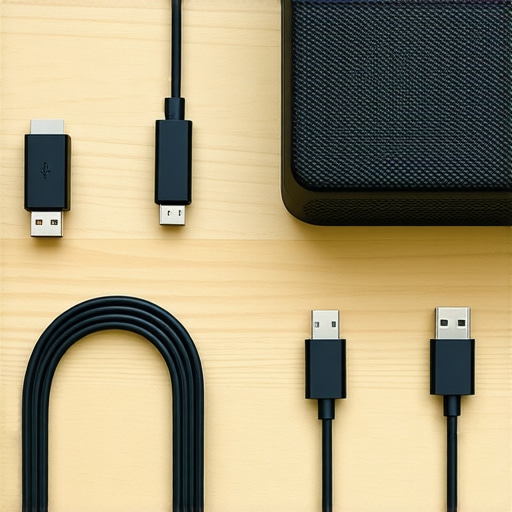
Don’t Force a Handshake That Isn’t There
A common mistake I see is people buying high-end ‘e-marked’ cables thinking they are solving the problem. These cables actually have their own chips inside that make the handshake even more complex. If you’re dealing with a speaker that just won’t wake up, stop trying to use your MacBook’s pro-grade wire. It’s a similar mismatch to the reason your passive speakers sound quiet with a digital amp; the power is there, but the delivery system is fundamentally incompatible. This is also where you need to be careful with heat. If you use a high-wattage block and the speaker starts to feel hot without the battery percentage rising, you are likely stressing the voltage regulator. Just as you need to know how to tell if your amp is running too hot to prevent a fire, you must monitor these small lithium devices. If things don’t feel right, you can always learn how to use a multimeter to find a short in your speaker wires or charging ports. Have you ever fallen into this trap where your ‘best’ charger was actually the worst one for the job? Let me know in the comments.I actually started keeping a rescue kit in my glove box for exactly these moments. It’s not just about having the right ‘dumb’ cable; it is about making sure the physical connection is pristine. I’ve found that even the most expensive cord won’t help if your speaker’s port is packed with pocket lint from a summer at the beach. When the pins can’t make full contact, the resistance spikes, and the charging logic just shuts down to be safe.
Clear the Path for a Better Charge
I use a non-conductive wooden toothpick and a quick blast of air to keep my ports clean. Never use a metal needle or a paperclip, as you risk shorting the pins and frying the motherboard. This type of preventative maintenance is just as important as knowing the best way to clean earwax out of mesh earbuds to keep your sound quality from dipping. If your charging port feels loose or the cable wiggles too much, you are looking at a future failure point that is much more annoying than how to fix a loose speaker terminal on your cabinet, because USB-C ports are surface-mounted and incredibly difficult to resolder without professional gear.
How do I maintain my audio gear’s power health over time?
The secret is staying away from the ‘extreme ends’ of the battery cycle. I try to keep my portable speakers between 20% and 80% charge. Letting a speaker sit at 0% for months is the fastest way to kill the lithium cells. For my older gear, I also keep an eye out for physical signs of aging, similar to how a vintage collector checks how to tell if your speaker capacitors are starting to leak. For cleaning actual connections, I swear by DeoxIT D5; it is the gold standard for removing oxidation. It is essential when you need to know how to clean gold-plated connectors without ruining the finish on your high-end cables. 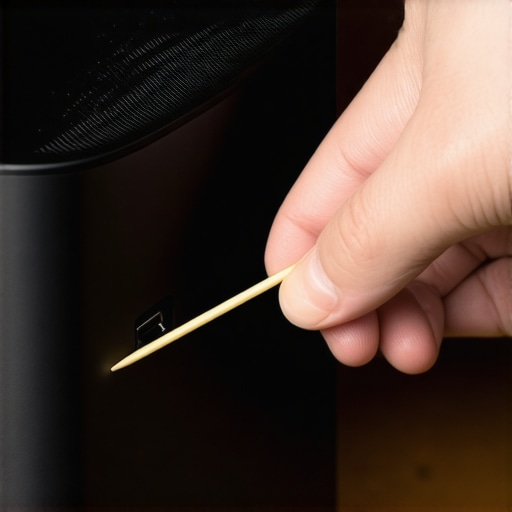
What the Future Holds for Universal Charging
According to the technical specifications from the USB Implementers Forum (USB-IF), the next generation of USB-C (2.1 and beyond) is pushing for better ‘backward compatibility’ for low-power devices. I predict that within two years, the ‘handshake’ issues we see today will be a relic of the past as new controller chips become cheap enough for even budget speaker manufacturers to include. We are moving toward a world where a single cable truly handles everything from a 140W laptop to a 2W set of earbuds without a single hiccup. Until then, my best advice is to stop throwing away those cheap, basic USB-A to USB-C cables that come in the box. They are often the most reliable tool in your arsenal. Tonight, I want you to try this: take a bright flashlight and look inside your speaker’s charging port. If you see any gray fuzz, use a wooden pick to gently pull it out. You might find that your ‘broken’ speaker suddenly starts charging perfectly again.
The Lessons I Learned the Hard Way About Mobile Audio Power
First, stop assuming that a higher price tag on a cable means it will work better for simple speakers. I wasted so much money on ‘Pro’ cables that were simply too smart for their own good. Second, keep a ‘legacy’ charging kit. It might feel like you are moving backward, but a standard USB-A brick is much more reliable for audio gear than a high-wattage laptop charger. This avoids the same frustration you feel when you realize the hidden cost of buying a cheap tube amplifier is often in the corners they cut on the internal power board. Finally, never underestimate the power of a physical clean. A tiny bit of grit can block a handshake just as easily as a missing resistor.
My Essential Toolkit for Power and Maintenance
I personally never leave for a trip without a few essentials. I always have a can of DeoxIT D5 to ensure my connections stay clean; it’s a must-have once you know how to clean gold-plated connectors without ruining the finish. I also keep a set of labeled cords using the same logic as the best way to label your messy home theater cables so I never grab a ‘smart’ PD cable by mistake. Finally, a small digital multimeter is the only way to be 100% sure if the power is actually reaching the internal battery terminals. #IMAGE_PLACE_FINAL#
Take Charge of Your Audio Gear
Technology should serve you, not the other way around. By understanding the physics of that ‘handshake’ and keeping the right tools in your bag, you’ll never be the one sitting in silence because your phone charger decided to be too smart for its own good. Once you get that power flowing again, remember that placement is everything—check out why your bluetooth speaker sounds better on a wooden table to really make your victory lap sound sweet. Have you ever had a piece of tech that absolutely refused to charge with a high-end cable? Let me know in the comments.