
I’ll never forget the first time I tried to use my Sennheiser HD600s with my Xbox controller. I’d read all the reviews. People talked about the “veils lifting” and the “expansive soundstage.” I spent a good chunk of my savings on those cans, expecting to be transported directly into the heart of the game. I sat down, plugged the 3.5mm jack into the bottom of the gamepad, and… nothing. Well, not nothing, but a weak, thin, tinnier-than-a-phone-speaker sound that made me want to cry. I genuinely thought I had bought a counterfeit pair. I spent hours wiggling the cable, convinced there was a loose connection somewhere. It took me an embarrassing amount of time to realize that the problem wasn’t the headphones—it was the tiny battery powering my controller.
Your Controller is Starving Your Headphones
That “tiny” sound you’re hearing isn’t a hardware failure; it’s a power mismatch. Most high-end headphones are designed to be driven by a dedicated amplifier, not a device that runs on two AA batteries or a small internal lithium pack. When you plug a 250-ohm pair of headphones into a controller, it’s like trying to water a massive garden with a squirt gun. The controller simply cannot provide the voltage needed to move those heavy drivers effectively. You might get volume, sure, but you lose the “meat.” The bass disappears, the mids sound recessed, and the highs get sharp and unpleasant. If you’re wondering if you’ve been tricked by marketing, you should first learn how to tell if your headphones need an external amp before you send them back. I made the mistake of thinking that as long as I could hear sound, it was “working.” But audio is about dynamic range. When your controller is struggling, it compresses that range. You lose the impact of a grenade blast and the subtle footsteps of an enemy sneaking up behind you. It’s a common frustration, especially since many gamers eventually realize that a standard gaming headset is actually bad for listening to music or high-fidelity game tracks because they are tuned for chat, not immersion.
Is Adding an Amp Just a Waste of Money?
I get it. You just dropped a few hundred dollars on the headphones themselves. The last thing you want to hear is that you need a “stack” or a dongle to make them work. You might be skeptical—can a little box really change the sound that much? According to measurements from RTINGS, many console controllers have high output impedance and low power delivery, which can significantly alter the frequency response of your headphones. It’s not “placebo” audiophile magic; it’s physics. If the impedance of your headphones is much higher than the output of your source, you’re going to get that hollow, lifeless sound every single time. Have you ever experienced that sinking feeling where your expensive gear sounds worse than the cheap stuff? I’d love to hear your “buyer’s remorse” stories in the comments. The good news is that the fix is often simpler (and cheaper) than you think. We’re going to look at how the difference between cheap and expensive DACs affects your gaming experience and why a simple bridge between your console and your ears can change everything.
Stop Blaming the Headphones and Start Checking the Ohms
To fix the ‘thin’ sound, you first need to understand that volume and power are not the same thing. Think of it like a car: you can hit 60 mph in a lawnmower engine, but it’s going to scream and vibrate the whole way there. A V8 engine hits 60 mph without breaking a sweat, providing a smooth, full-bodied ride. Your controller is the lawnmower. To get that V8 sound, you need to look at the impedance (ohms) of your gear. If your headphones are over 50 ohms, the controller’s internal amp is likely clipping or rolling off the bass frequencies to save its own battery. I once tried to ‘brute force’ the volume on my old Beyerdynamics by maxing out every setting I could find; the result was a distorted, hissing mess that sounded like a windstorm. I eventually realized that clean power is the only way to restore the soundstage you paid for. You can often find [the trick to making 50 headphones feel like 300 monitors] lies in how you manage this power delivery rather than the price tag of the drivers themselves.
The Hardware Bridge That Saves Your Audio
The most effective fix is a dedicated DAC/AMP combo that can bypass the controller entirely. For PS5 users, many USB DACs are ‘plug and play’ because of the console’s UAC1 support. For Xbox, it’s a bit trickier due to proprietary USB locks, often requiring an optical out from your TV or a specific licensed device. When I finally moved my setup from the 3.5mm jack to a dedicated desktop unit, the difference was immediate. The ‘veil’ didn’t just lift; it felt like I’d moved from a foggy window to a 4K view. You don’t necessarily need to spend a fortune to see a change, but understanding [the difference between cheap and expensive DACs that actually matters] will help you avoid buying a paperweight. If you are stuck using the controller for now, ensure your console’s internal audio settings are set to ‘Uncompressed’ or ‘Stereo’ rather than a virtual surround mode that might be further digitalizing an already weak signal.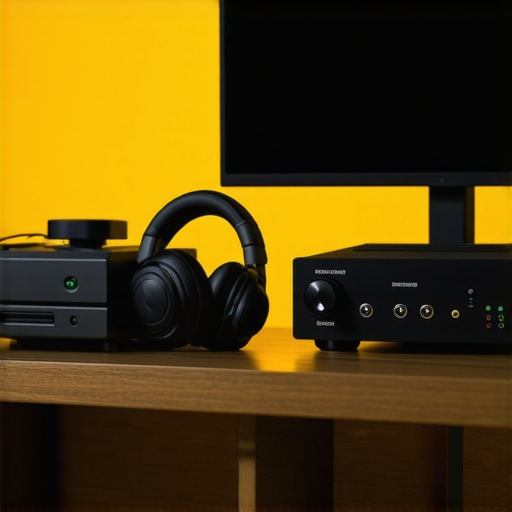
Small Tweaks That Make a Big Impact
Sometimes the hardware is fine, but the physical interface is failing you. If your audio feels distant, check your ear pads. I spent weeks wondering why my bass had vanished, only to realize my velour pads had flattened out, breaking the seal around my ears. Understanding [why leather pads sound different than velour ones] can be a game-changer for your specific genre of gaming—leather usually offers more punch for shooters, while velour stays cool during long RPG sessions. Also, keep your workspace clean. Nothing ruins immersion faster than a cord that’s constantly catching on your arm or chair. If you’re constantly fighting your gear, you should look into [why your headphone cord is always tangled and how to stop it] to keep your focus on the game. Finally, if you’ve just bought new gear and it sounds ‘stiff,’ give it time. Many enthusiasts swear by a break-in period, and it might be [why your new speakers sound better after 20 hours of use] as the diaphragms loosen up. If the fit is the problem, don’t be afraid to adjust the frame; learning [how to stretch a tight headphone headband without snapping it] saved me from the dreaded ‘audiophile headache’ during a 6-hour marathon session.
One of the biggest lies I fell for early on was the idea that ‘digital is digital’ and that the hardware handling the signal doesn’t matter as long as the bits get there. While you should definitely stop wasting money on expensive optical cables, thinking that every DAC or receiver handles those bits identically is a major oversight. High-end audio is less about the data and more about how that data is translated back into the physical world. If your system feels ‘sterile’ or ‘lifeless,’ you aren’t alone. In fact, many people find that why your studio monitors sound flat and how to add some life often comes down to the environment rather than the gear itself.
The Hidden Trap in Chasing a Vintage Sound
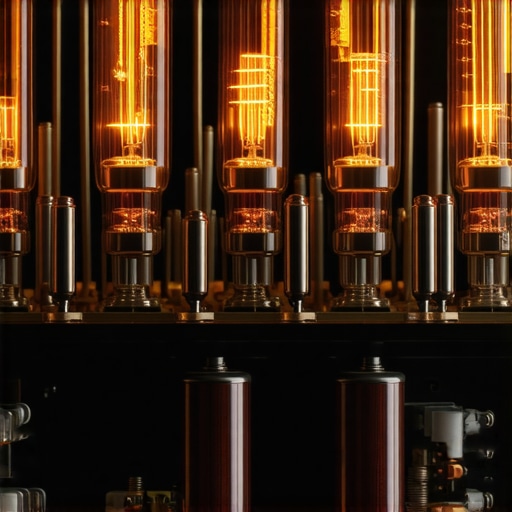
Everyone wants that ‘analog warmth,’ but few are prepared for the reality of owning it. I once spent a month’s rent on a budget tube amp because I wanted my setup to look like a 1970s hi-fi shop. I quickly learned about the hidden cost of buying a cheap tube amplifier—the constant hum, the heat, and the realization that ‘warmth’ is often just a fancy word for harmonic distortion. If you aren’t careful, you’re just paying for a high noise floor. This is similar to why your noise canceling headphones hiss in quiet rooms; you are hearing the electronics struggling to maintain a clean signal. Before you dive into the ‘vintage’ world, you should learn how to tell if your amps capacitors are failing, because a leaking component can turn your dream setup into a fire hazard or a muddy mess in a heartbeat.
Can Your Ears Really Tell the Difference Between Gold and Silver?
This is where the ‘snake oil’ conversations usually start. Enthusiasts will argue for hours about conductivity, but let’s look at the science. Silver is technically more conductive than gold, yet gold is preferred for connectors because it doesn’t oxidize. When you look at the real difference between gold and silver plated connectors, you’re usually paying for durability and long-term signal integrity, not a magical boost in treble. A landmark study by Dr. Floyd Toole at the National Research Council of Canada proved that room reflections and speaker placement have a far greater impact on perceived quality than most electronic ‘upgrades’—yet we keep buying new cables instead of moving our chairs. Have you ever fallen into this trap of buying a shiny new accessory instead of fixing your room acoustics? Let me know in the comments.
Don’t Ignore the Thrift Store Gems
The ‘oops’ factor for most beginners is assuming that price equals performance. We once took a gamble and documented how we made a 20 thrift store speaker sound like a pro monitor just by replacing the internal dampening and fixing the crossover. The industry wants you to believe you need a four-figure budget, but the physics of sound haven’t changed much in forty years. Often, a ‘broken’ vintage unit just needs a little TLC. Whether you are troubleshooting a modern soundbar or trying to figure out how to tell if your speaker capacitors are starting to leak on an old set of floorstanders, the goal is the same: clean, uninterrupted signal flow. Don’t let the marketing hype trick you into overcomplicating a simple problem.
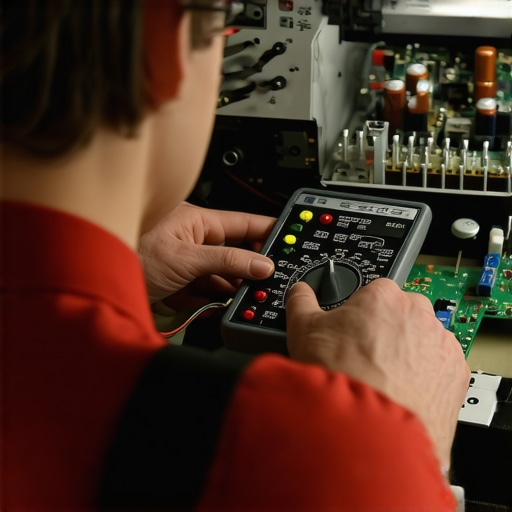
After you’ve rescued those thrift store gems or invested in a high-end desktop stack, the real work begins. I’ve seen too many people drop a grand on a system only to let it rot because they didn’t know the basics of upkeep. Audio gear is mechanical as much as it is electronic; things move, things vibrate, and things eventually wear out. My most-used tool isn’t a fancy calibrated microphone; it’s a simple $20 multimeter. I learned the hard way that knowing how to use a multimeter to find a short in your speaker wires can save you from accidentally frying a rare vintage receiver. It’s about being proactive rather than reactive.
The Secret to Longevity isn’t a Warranty
Maintenance isn’t just about fixing what’s broken; it’s about preventing the inevitable. If you have an old system, you must keep an eye on the internals. For instance, knowing how to tell if your speaker capacitors are starting to leak is a skill that separates the hobbyists from the pros. I personally make it a habit to open my vintage amps once a year just to blow out the dust and check for bulging caps. If you’re a vinyl lover, don’t wait for the sound to degrade; check your mechanical parts often. I’ve helped friends who thought their turntable was dying, only to find that the reason your record player belt keeps slipping off was just a bit of accumulated oil that could be cleaned in seconds. Even digital gear needs love—you would be surprised how many ‘broken’ units just need you to learn how to clean the lens on an old CD player properly.
How do I keep my audio setup running for decades?
The key is temperature and cleanliness. According to the Audio Engineering Society (AES) standards on thermal management, heat is the primary catalyst for component failure in power amplifiers. I always ensure my gear has at least three inches of breathing room. If your system is acting up, don’t panic. Many issues that seem like hardware failures are actually just simple physical fixes. I’ve seen people throw away incredible speakers because of a small rip, but how to repair a tear in your speaker surround with rubber glue is a technique that can restore them to factory performance for the price of a cup of coffee. Likewise, if one channel sounds quieter than the other, you might just need to learn how to fix channel imbalance on a vintage stereo amplifier by cleaning the potentiometers with a contact cleaner like DeoxIT D5.
The Future of Audio Maintenance is Smart Monitoring
Looking ahead, I predict we are moving toward a world where ‘self-diagnosing’ audio gear becomes the norm. We’re already seeing high-end active monitors that can alert your phone if a driver is overheating or if the internal DSP detects a frequency response deviation. Until then, you are the diagnostic tool. Don’t let your investment fade away. If you’ve noticed your portable gear isn’t hitting like it used to, check the simple things first—you might find that why your bluetooth speaker is quieter than it used to be is a software volume limit or a battery health issue rather than a blown driver. My challenge to you today: pick one piece of gear you’ve been neglecting, give it a thorough cleaning, and check those wire connections. You might just find the ‘clarity’ you’ve been missing was hiding behind a little bit of oxidation.
Hard Lessons from My Most Expensive Audio Mistakes
Over the years, I’ve realized that the most expensive cable in the world won’t fix a fundamental power mismatch. If you’re plugging high-end headphones into a weak source, you aren’t hearing the gear; you’re hearing the limitation of the port. Another big one? Your room is a component. You can spend thousands, but if your speakers are poorly placed, it’s all for nothing. I learned the easy way to test if your speakers are out of phase only after thinking my brand-new towers were defective for three months. Finally, don’t let the ‘upgrade itch’ distract you from maintenance. A clean connection often provides more clarity than a $500 ‘audiophile’ power cord ever could.
#IMAGE_PLACEHOLDER_E#
Tools That Saved My Sanity and My Speakers
I don’t believe in magic, but I do believe in the right tools. My first recommendation is a solid multimeter; knowing how to use a multimeter to find a short in your speaker wires is the ultimate defense against gear failure. Secondly, if you are experiencing a persistent hum, you need to learn how to find the source of a ground loop in home theater setups before you start buying new filters. Lastly, invest in a quality DAC. Seeing the difference between cheap and expensive DACs that actually matters first-hand helped me stop overspending on marketing and start spending on actual engineering.
Stop Tweaking and Start Listening
Building the perfect audio setup isn’t a search for a finish line; it’s about making the most of the gear you have. Don’t be discouraged by a thin-sounding controller or a buzzing amp—these are just puzzles waiting for a solution. With a little patience and the right knowledge, you can transform your listening space into a high-fidelity sanctuary. The goal isn’t to have the best gear in the world; it’s to have the gear that makes you forget you’re wearing it at all. Let the music take center stage.
Have you ever found a simple fix—like a better cable or moving a speaker—that completely changed how your system sounds? Let me know your biggest ‘aha!’ moment in the comments below!