
The popcorn was buttery, the room was dark, and I was exactly three minutes into the most anticipated thriller of the year. I reached for my remote to nudge the volume up just a hair—and nothing. The soundbar sat there, a cold, black slab of indifference. I pointed, I clicked, I waved my arm in increasingly desperate arcs, but the sync was gone. It’s one of those modern-day irritations that can turn a relaxing evening into a troubleshooting marathon. If you’ve ever felt that spike of blood pressure when your tech refuses to do the one thing it was built for, you’re in the right place. We are going to fix this today, and we’re going to do it without you having to buy a single new piece of gear.
My TV and Soundbar Suddenly Decided to Get a Divorce
I’ll admit, when this first happened to me, I panicked. I assumed the infrared sensor had died or that I’d somehow fried the motherboard by playing my music too loud. I even went through a phase where I thought the cable was the culprit, but I quickly learned to stop wasting money on expensive optical cables because the problem was almost always a software handshake issue. It’s a classic “Helpful Neighbor” lesson: don’t throw money at a problem that just needs a digital reset. We’re going to walk through the exact steps to re-establish that connection so your remote actually does its job.
Is my soundbar actually broken or just being stubborn?
It’s a fair question. You spent good money on that audio setup, and it feels like a slap in the face when it stops responding. But here’s the reality: these devices are more like computers than old-school analog speakers. Sometimes they just get “stuck.” Before you start shopping for a replacement, have you noticed if the range has been getting shorter? I’ve found that many people struggle with why your soundbar remote doesn’t work from the couch, which is often the first sign that the sync is about to drop entirely. Have you ever had to perform a “remote dance” just to change the channel? Please let me know in the comments if you’ve ever been tempted to throw the remote at the wall!
The Invisible Tech That Keeps Breaking Your Connection
Most of our gear communicates through a protocol called HDMI-CEC. It’s a wonderful idea on paper—one remote controls everything—but in practice, it’s about as reliable as a chocolate teapot. Brands don’t always play nice together. According to reporting by Consumer Reports, HDMI-CEC remains a top source of frustration because manufacturers implement the standard differently across brands. When your TV gets a background firmware update, it can change how it “talks” to your soundbar, leading to that sudden silence. You might even find that the truth about why your soundbar dialogue is still muddy is tied to these same sync errors resetting your sound profiles. It’s frustrating, but it’s manageable once you know which “ghosts” to chase out of the machine. Now, let’s get into the nitty-gritty of how we force these two to start talking again.
Kickstart the Handshake With a Cold Reboot
To fix a soundbar that has gone rogue, you need to go beyond a simple power button press. Think of your TV and soundbar like two people who had a massive argument and stopped speaking; they need a complete ‘cooling off’ period before they can reconcile. I call this the Cold Reboot. Unplug the power cables for both your TV and your soundbar from the wall outlet—not just the back of the device. Let them sit there, completely powerless, for at least two full minutes. This allows the capacitors to fully discharge, essentially wiping the slate clean for a fresh digital handshake. I remember a particularly rainy Tuesday when my own setup refused to play anything but static. I was on the floor, flashlight gripped in my teeth, sweat on my brow, convinced I had a hardware failure. After a two-minute ‘time out’ from the power grid, they hummed back to life in perfect unison. It’s a low-tech solution for a high-tech headache. 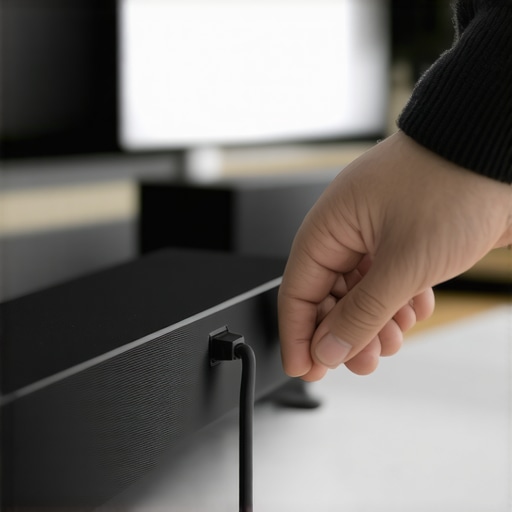
Reseating the Cables Like You Mean It
While the power is off, it is the perfect time to audit your physical connections. Don’t just look at the cables; pull them out and push them back in until you hear or feel that satisfying click. HDMI ports are notorious for loosening over time due to the weight of the cables or minor vibrations. If you have a cluttered cabinet, it’s easy for things to shift. You might find that why your soundbar is blocked by your tv stand isn’t just about the IR signal, but about the physical strain on the ports behind the unit. While you’re back there, take a second to organize. Using the best way to label your messy home theater cables will save you from pulling the wrong wire the next time this happens.
Tame the HDMI-CEC Protocol Once and For All
Once everything is powered back up, it’s time to address the ‘Babel’ in the room: HDMI-CEC. This is the feature that allows your TV remote to control your soundbar volume. To force a new handshake, go into your TV settings and toggle HDMI-CEC (often called Anynet+, BRAVIA Sync, or SimpLink) to ‘Off.’ Wait ten seconds, then toggle it back to ‘On.’ This forces the TV to broadcast a ‘search’ signal to find all connected devices. If the handshake fails to hold, you might notice the reason your home theater receiver keeps shutting off randomly is often tied to these conflicting CEC commands.
Stop Your Wireless Subwoofer From Ghosting You
If the soundbar is working but your bass has disappeared, you’re dealing with a secondary sync issue. Most subwoofers connect via a proprietary 2.4GHz signal that is prone to interference from Wi-Fi routers. I’ve seen setups where placing a router too close to the audio gear caused constant drops. If your low-end is stuttering, check out why your wireless sub keeps disconnecting from the soundbar for specific pairing button sequences. You’ll also want to monitor the temperature of your gear; knowing how to tell if your amp is running too hot can prevent the thermal throttling that often masquerades as a simple sync error.We need to move past the surface-level fixes and talk about the ‘Premium Cable’ myth. Many enthusiasts believe that a $150 HDMI cable will “tighten up” the handshake between a TV and an audio system. It’s largely a digital placebo. In the digital realm, data is binary; it either arrives or it doesn’t. If you’re experiencing sync drops, the culprit is usually the eARC (Enhanced Audio Return Channel) protocol failing to negotiate the handshake, not the metal in your wire. Before you head to the store, understanding the real difference between gold and silver plated connectors can save you a small fortune.
Stop throwing money at high-end HDMI cables
The real “oops” factor that catches people off guard is ‘Dynamic Range Compression’ or ‘Night Mode.’ When this is accidentally toggled on, it flattens the audio peaks, making the sound feel disconnected from the action on screen. You might think the timing is off, but really, the audio lacks the punch to match the visuals. This is a common reason why the truth about why your soundbar dialogue is still muddy—it’s a software setting masquerading as a hardware failure. If you’ve tried everything and the sound still feels “small,” you might have missed a core hardware requirement: why you should never buy a soundbar without a dedicated subwoofer to fill out that soundstage properly.
Can your Wi-Fi router actually knock your soundbar offline?
In my experience, this is the most overlooked nuance in modern home theater. Most wireless subwoofers and rear speakers communicate on frequencies that overlap with your home Wi-Fi. A study by the Audio Engineering Society (AES) notes that local network congestion is a primary driver for latency and signal drops in consumer-grade wireless audio. If your router is sitting directly next to your soundbar, it’s essentially shouting over the audio signal. This interference is often why your wireless sub keeps disconnecting from the soundbar.  I’ve also seen users get frustrated when their system enters a protect mode. If you find the reason your home theater receiver keeps shutting off randomly, it might be due to a stray wire strand touching the chassis or an impedance mismatch, not a software bug. Furthermore, the physical environment plays a massive role. For instance, why your soundbar sounds thin in a room with high ceilings often comes down to sound waves dissipating before they reach your ears, creating a perceived delay. Have you ever fallen into this trap where a simple setting or moving a router fixed your ‘broken’ tech? Let me know in the comments.Once you have chased the ghosts out of your HDMI-CEC handshake, you need to transition from ‘fixing’ to ‘preserving.’ I have spent too many years watching friends let their $1,200 systems degrade simply because they ignored the maintenance. One tool I never go without is a high-quality electronic contact cleaner like DeoxIT D5. I use it every six months on my HDMI ports and speaker terminals. Oxidation is the silent killer of sound quality, creating microscopic layers of resistance that can lead to those annoying sync drops we talked about. If you are noticing a slight hiss or intermittent signal, don’t buy a new cable—clean the one you have first.
Get These Tools Before Your Next Audio Crisis
I also keep a digital multimeter in my media console. You don’t need an electrical engineering degree to use one; it is primarily for checking cable continuity and ensuring your speakers are working at the correct impedance. In fact, if your system sounds hollow or the bass feels ‘thin,’ you might be dealing with a wiring error. You can use the easy way to test if your speakers are out of phase to see if your wires are swapped. It is a common mistake that can make even a five-figure setup sound like a tin can.
How do I maintain my home audio system for the long haul?
Maintenance isn’t just about the electronics; it’s about the hygiene of the components that actually touch your body. I make it a habit to inspect my headphones every few weeks. If you’re an IEM user, knowing the best way to clean earwax out of mesh earbuds is non-negotiable for both sound quality and ear health. For your larger speakers, heat is the ultimate enemy. Just as I mentioned checking your amp temperature earlier, you should also be vigilant about the age of your hardware. Learning how to tell if your amps capacitors are failing can save your speakers from a catastrophic DC offset surge that could fry your voice coils. 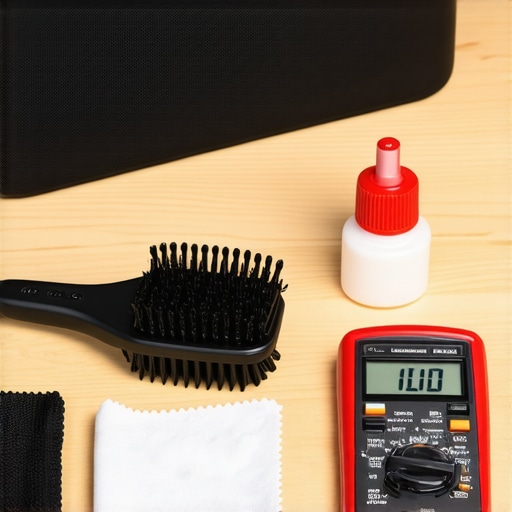
Keep the Gunk Out of Your High-Fidelity Gear
As we look toward the future, the ‘maintenance’ of our systems is shifting from physical cleaning to network management. I predict that within the next few years, the biggest audio ‘tool’ won’t be a screwdriver, but a dedicated Wi-Fi 6E/7 scanner. With more devices competing for airwaves, keeping your audio signal clear will require managing your home’s ‘air traffic.’ If you find your speakers are picking up interference, you might need to learn how to stop your neighbors bluetooth from connecting to your speaker to prevent unwanted intrusions. Dr. Floyd Toole of Harman International, a titan in the world of psychoacoustics, has frequently noted in his technical white papers that the listener’s environment and the ‘health’ of the equipment signal path are the two most overlooked variables in sound reproduction. If you’re pushing high-end cans, always check how to tell if your headphones need an external amp to ensure you aren’t underpowering them, which causes its own type of long-term hardware stress. Finally, don’t let your setup turn into a ‘rat’s nest’ behind the cabinet. Using the best way to label your messy home theater cables will make your future troubleshooting five times faster. My challenge to you: go grab a simple AA battery right now and perform a quick pop-test to ensure your speakers are in phase. It is the single fastest way to potentially double your sound quality for zero dollars.
The Hardest Lesson I Learned About Setup Fatigue
After years of troubleshooting high-end systems, I’ve realized that 90% of our audio problems aren’t caused by hardware failure, but by “digital exhaustion.” We often over-calibrate until the devices can no longer communicate. One specific insider tip: if your soundbar won’t sync, unplug every other HDMI device from your TV except the soundbar. Sometimes a sleeping game console or an old cable box sends a “stay active” signal that hijacks the handshake. I once spent an entire Saturday morning fighting my TV before realizing the easy way to test if your speakers are out of phase was the key to fixing a muffled sync issue that I thought was a software bug.
The Gear That Actually Stays in My Media Cabinet
You don’t need a toolbox the size of a suitcase, but a few curated items will save you from future headaches. I always keep a roll of velcro ties and labels nearby; using the best way to label your messy home theater cables makes it impossible to mix up your eARC and your standard HDMI inputs. I also trust simple room treatments over expensive digital signal processing settings. If your sound feels disconnected from the screen, try how to use a rug to fix the echo in your home theater room to ground the audio. Lastly, for personal listening, knowing how to tell if your headphones need an external amp is the difference between hearing the music and feeling the music.
Stop Overthinking and Start Listening
At the end of the day, your home audio deals should bring you relaxation, not a spike in blood pressure. Once you have established that handshake and tidied your cables, put the remote down. Technology is a tool, not the destination. If your system is currently humming along in perfect harmony, don’t touch a single setting—just enjoy the show. Have you ever discovered a phantom device in your setup that was causing all your sync issues? Let me know in the comments below!