
I’ll never forget the silence that greeted me at the beach last July. I had “fully charged” my favorite rugged Bluetooth speaker the night before, tucked it into my bag, and drove three hours with visions of a perfect summer playlist. When I finally hit the power button under the sun, the speaker didn’t just fail to play; it didn’t even wake up. It was a brick. I stood there, toes in the sand, feeling like I’d been betrayed by my own gear. It’s a specialized kind of annoyance, isn’t it? You do the work, you see the 100% indicator, and yet, the device somehow bleeds out while sitting completely still. If you have ever reached for your speaker only to find it stone-cold dead, believe me, you are not alone.
Where Does the Power Actually Go When the Lights Are Off?
We often assume that “off” means “zero power consumption,” but in the world of modern home audio and portable gadgets, that is rarely the truth. Most Bluetooth speakers are actually in a “soft-off” or standby mode so they can wake up instantly or maintain their pairing memory. I used to think my gear was faulty, but more often than not, it is a combination of how the hardware is designed and how we treat it. If you have noticed your speaker is struggling to hold a charge, you might even find that your Bluetooth speaker is quieter than it used to be, which is frequently a symptom of a degrading internal cell. One of the biggest mistakes I made when I first got into high-end portable audio was trying to “force” a charge using whatever cable was closest. I learned the hard way that why your portable speaker wont charge with your phone cable matters because voltage mismatches can wreak havoc on the battery’s chemistry. Today, we are going to dig into this “phantom drain” phenomenon and look at the real-world fixes that actually work—no technical degree required.
Is Your Battery Just Junk Now?
It is the question that keeps us from buying expensive gear: “Am I just paying for something that is going to die in two years?” It is a fair skepticism. While it is true that all Lithium-ion batteries have a shelf life, the “drain while off” issue is usually preventable. According to experts at Battery University, a Li-ion battery typically loses about 5% of its charge in the first 24 hours after a full charge, followed by about 1-2% per month naturally. However, if your speaker is dead within three days of sitting on a desk, you aren’t dealing with natural discharge—you are dealing with parasitic draw or a hardware flaw. Have you ever grabbed your speaker for a party only to find it completely drained? Tell me about your most frustrating “dead battery” moment in the comments; I am curious if it happened as suddenly as mine did. Understanding this behavior is the first step toward saving your hardware. Before you assume you need to fix a loose charging port on your favorite Bluetooth speaker, let’s look at the hidden settings and habits that are likely sucking the life out of your device while you sleep.
Kill the Always-Listening Features
The number one reason your speaker is hemorrhaging power is that it never actually goes to sleep. Many modern units are constantly “listening” for a wake word like “Hey Siri” or “Alexa.” This requires the internal microphone and the processor to remain powered on, even when the music has stopped. It is like leaving your car engine idling in the driveway just in case you decide to go to the store later. I did this with my kitchen speaker, and it went from lasting two days on the counter to nearly two weeks once I disabled the assistant. While you are at it, check if your device supports “Multipoint” Bluetooth. This feature keeps the speaker scanning for two different devices simultaneously, which is a massive battery hog. If you find your connection is spotty anyway, learning how to reset your bluetooth speaker when it wont pair can often clear out the cache and stop unnecessary background scanning that drains the cell while you sleep.
Stop Cooking Your Battery in the Sun
Batteries are like living organisms; they hate extreme temperatures. I learned this the hard way when I left my favorite portable amp on the dashboard during a hike last August. When I came back, the casing was hot enough to fry an egg, and the battery had dropped from 80% to 10% without playing a single note. Heat causes the chemical reactions inside a Lithium-ion cell to accelerate, leading to a rapid loss of energy. Think of it like a soda can—when it gets too hot, the internal pressure builds until something gives. If you are a car enthusiast, you already know how to stop your car battery from draining with a high powered amp, and the same principles of thermal management apply to your portable gadgets. Keep your speakers in a cool, shaded spot, and never leave them in a locked car.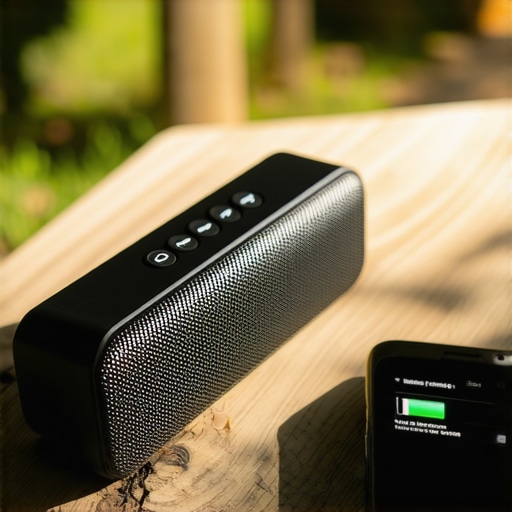
The Five-Second Reset That Saves Your Battery
Sometimes the “drain” is not a physical leak, but a digital one. I once had a speaker that would lose 30% of its charge overnight for no reason. I spent days looking for a physical short, but it turned out the firmware was stuck in a “boot loop” that I could not see because the LEDs were off. The processor was working overtime trying to update itself while the speaker was supposed to be powered down. Most speakers have a specific button combination—usually holding Volume+ and Power for 10 seconds—that forces a hard reboot. This is different from just turning it off and on; it clears the RAM and resets the power management controller. Much like how you might need to how to fix a loose charging port on your wireless headphones to ensure a clean energy flow, a software reset ensures the brain of the device knows when to actually go to sleep.
Better Habits for Long-Term Storage
It is tempting to keep your speaker plugged in 24/7 so it is always ready, but this is the fastest way to degrade the total capacity. Constant trickle charging keeps the battery at high voltage, which stresses the internal chemistry. It is much better to let the battery breathe between 20% and 80%. I used to be a chronic over-charger until I realized why you should never charge your portable speaker overnight—it is not just about safety, it is about keeping the battery from losing its ability to hold a charge in the first place. If your speaker is already struggling, it is worth checking if the hardware itself is failing; just like knowing how to tell if your amps capacitors are failing, recognizing the signs of a weak internal cell can save your hardware from a permanent trip to the landfill.Let’s dig deeper into what’s actually happening inside that plastic shell. I often see people spending a fortune on high-end cables because they think it will “save” their signal. While it’s true that quality matters, most of the marketing around gold-tipped cables is a distraction. In reality, the real difference between gold and silver plated connectors is negligible compared to the health of your internal circuit components. If you are hearing pops or noticing a high noise floor, it is far more likely that you need to learn how to tell if your amps capacitors are failing than it is a problem with your $50 HDMI or AUX cable. High-end audio is about the integrity of the power supply and the DAC, not just the shiny bits on the end of the wire.
Why Does Your Speaker Sound So Thin the Moment You Step Outside?
This is a nuance that drives many enthusiasts crazy. They buy a premium speaker, love it in the living room, but the second they hit the backyard, it sounds like a tin can. This is rarely a battery issue; it is pure physics. Indoors, your walls provide “room gain,” which reflects low frequencies back to your ears. Outdoors, those waves travel forever into the void without reflection. This is precisely why your portable speaker sounds thin when used outdoors and why you will notice that why your portable speaker loses all its bass when you move outdoors is a common complaint even for expensive rugged gear. 
The Lithium-Ion Trap Most Owners Fall Into
Here is the contrarian truth: keeping your speaker at 100% charge is actually one of the worst things you can do for its longevity. We are conditioned to want that full battery icon, but Lithium-ion cells are under the most chemical stress when they are at their absolute maximum or minimum voltage. According to research from Battery University, a Li-ion battery kept at a high state-of-charge (SoC) experiences “voltage stress” that significantly accelerates the degradation of the electrolyte. This is exactly why you should never charge your portable speaker overnight. You are essentially cooking the battery from the inside out by forcing it to maintain its peak capacity for hours. If you couple this with the wrong power source—which is why your portable speaker wont charge with your phone cable in many cases due to amperage negotiation failures—you are effectively cutting your device’s lifespan in half. Have you ever fallen into this trap? Let me know in the comments.
The Secret Liquid That Resurrects Dead Amps
I used to think that when a speaker started crackling or a volume dial felt ‘crunchy,’ the device was headed for the landfill. That was before I discovered contact cleaners like DeoxIT D-Series. Most of the time, your audio issues aren’t caused by a blown component, but by simple oxidation. According to technical documentation from CAIG Laboratories, the manufacturer of DeoxIT, atmospheric moisture creates a thin layer of non-conductive oxide on metal surfaces that can increase contact resistance by over 200% before you even hear a physical crackle. This is why learning how to clean a sticky volume knob on a vintage amp is the single most important skill you can have. I personally keep a can of D5 in my drawer at all times; it has saved me thousands in ‘repairs’ that were actually just five-minute cleaning jobs.
How do I maintain my audio gear over time?
Maintenance is not about a once-a-year deep clean; it is about environment management. Dust is the silent killer of amplifiers and active speakers. It acts as an insulator, trapping heat inside the chassis and causing the electrical components to bake. If you are pushing your system hard, you need to know how to tell if your amp is running too hot. A hot amp is an amp that is slowly killing its own capacitors. I recommend using a can of compressed air every three months to blow out the rear vents of your receiver or powered subwoofers. It sounds trivial, but keeping those cooling fins clear can literally double the lifespan of the internal circuitry. 
Scale Your System Without Blowing the Fuse
As you get deeper into the hobby, you will inevitably want more power. Whether you are adding a second sub or a dedicated power amp, the complexity of your wiring grows exponentially. One of the biggest pitfalls for home theater enthusiasts is daisy-chaining power strips. I have seen high-end setups fail because the owner didn’t understand how to wire multiple subwoofers without blowing your home receiver. The sudden current draw of two 12-inch subs hitting a deep bass note simultaneously can easily exceed the headroom of a budget receiver. If your sound feels muffled or lacks punch after an ‘upgrade,’ it might be because your speakers are effectively starving for current. This is even more apparent in vehicles, where bad wiring makes why your car speakers sound like they are underwater a common frustration.
The Future of Intelligent Battery Management
I predict that within the next three to five years, the ‘phantom drain’ issue will be largely solved by AI-integrated BMS (Battery Management Systems). We are already seeing the first wave of speakers that can learn your listening habits and only charge to 80% if they know you aren’t leaving the house that day, only topping off to 100% when you have a calendar event labeled ‘Beach Trip.’ Until that tech is standard, the responsibility is on us. My challenge to you this week: Go find that one piece of gear you haven’t used in months, check its charge level, and give those input jacks a quick wipe with a microfiber cloth. You will be surprised how much better it sounds when it isn’t fighting through a layer of grime and neglect.
What Your Battery Indicator Is Not Telling You
Over the years, I have realized that the software on our devices often estimates rather than measures. A 100% charge is rarely a true 100% capacity once a device is a year old. Here are a few things I wish someone had told me earlier: many speakers claim to have an auto-off feature, but they remain in a low-power listening state for weeks. If you are not using it for more than 48 hours, use the physical switch if it has one. Also, companion apps are hidden culprits; they often ping your speaker via Bluetooth Low Energy (BLE) even when it is ‘off,’ causing a slow 2-3% daily drain. If you find the reason your wireless earbuds wont charge in their case anymore is similar to your speaker issues, it is often just a matter of cleaning the contacts with isopropyl alcohol.
Tools That Keep My Sound Rig Alive
If you want to move beyond just using your gear to actually maintaining it, I recommend keeping a few specific items in your kit. First, a dedicated 5V/1A charging brick is essential; modern fast-chargers can sometimes be too aggressive for older BMS chips and shorten their lifespan. Second, silicone anti-dust plugs keep moisture out of the sensitive charging port. Finally, I always suggest using a dedicated source device—you can even learn how to use an old smartphone as a dedicated music streamer to keep your primary phone from draining while you enjoy your tunes. #IMAGE_PLACEHOLDER_E# This setup has saved my batteries more times than I can count.
Reclaim Your Audio Independence
Audio gear should serve you, not the other way around. It is incredibly empowering to take a device that feels like it is failing and bring it back to life with a simple reset or a focused cleaning session. By understanding these small habits, you ensure that your Bluetooth speaker is always ready for the next adventure, whether that is a backyard BBQ or a quiet evening on the porch. Don’t let a little phantom drain stop you from enjoying the music you love. Remember that the simple fix for speakers that sound muffled or drained is usually right at your fingertips if you know where to look. Have you ever had a speaker die on you at the worst possible moment? Let me know your horror stories in the comments below!