
I was just starting to feel the groove. There I was, strutting toward the fridge for a mid-afternoon snack, headphones on, feeling like the star of my own music video. Then, I hit the ‘Start’ button on the microwave to heat up some leftover pizza. Instant chaos. My crisp, clear audio turned into a glitchy, digital mess that sounded more like a dial-up modem than my favorite playlist. I actually panicked for a second. I thought my hardware was failing. I’ve spent plenty of time worrying about my gear, even obsessing over things like [the mistake that kills your portable speaker battery life](https://premiumsounddeals.com/the-mistake-that-kills-your-portable-speaker-battery-life), but this felt different. It was stuttery, rhythmic, and incredibly frustrating. I felt like I was losing my mind, or at least my connection to the music.
The Invisible Battle for Airspace in Your Kitchen
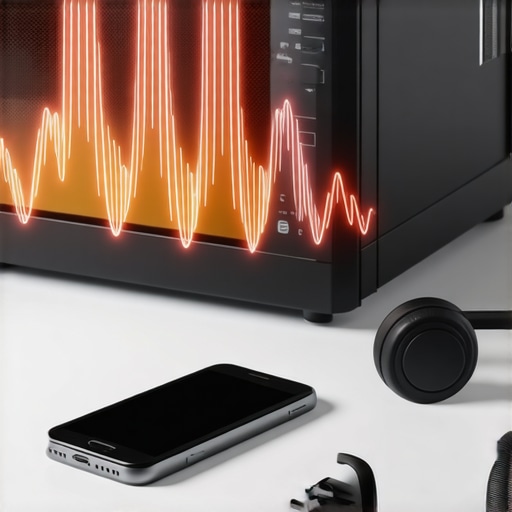
The truth is, your kitchen is a radio frequency war zone. We often forget that our wireless gadgets are essentially tiny radios sending invisible messages back and forth. When you’re using Bluetooth, you’re operating on the 2.4 GHz frequency. Guess what else loves that exact same frequency? Your microwave oven. Even though those kitchen beasts are shielded, they leak just enough ‘noise’ to drown out the relatively weak signal coming from your phone to your ears. It’s like trying to have a whisper-quiet conversation at a heavy metal concert. I made a huge mistake early on by assuming my equipment was junk. I actually tried to [test your headphones for a blown driver at home](https://premiumsounddeals.com/how-to-test-your-headphones-for-a-blown-driver-at-home) because I was convinced the stuttering was a hardware failure. I almost threw away a perfectly good pair of noise-canceling cans before I realized the culprit was my lunch.
Is the microwave actually ruining your expensive gear?
It’s a valid fear. If your audio is cutting out, is it doing permanent damage to the Bluetooth chip? The short answer is no, but it is a massive headache. This phenomenon happens because Bluetooth uses something called ‘frequency hopping.’ It tries to find a clear path, but when the microwave is running, there simply isn’t a clear path left. Have you ever stood by the microwave and watched your connection drop entirely, or does yours just stutter like mine did? It’s a common frustration that can make even the best equipment feel cheap. If you’ve been struggling with [the hidden reason your wireless headphones lag during gaming](https://premiumsounddeals.com/the-hidden-reason-your-wireless-headphones-lag-during-gaming), you’ve already felt a version of this pain, but the microwave is the ultimate boss of interference. It emits waves of energy that vibrate water molecules, but those same waves spill over into the data stream of your favorite podcast.
According to the Federal Communications Commission (FCC), the 2.4 GHz band is part of the Industrial, Scientific, and Medical (ISM) spectrum, which is unlicensed and notoriously crowded. This means your microwave doesn’t just ‘use’ the frequency; it dominates it with raw power that your tiny Bluetooth signal can’t compete with. I used to think I needed a whole new house layout, but it turns out the fixes are much simpler. Today, I’m going to show you exactly how to rearrange your setup—and your habits—to stop the stutter for good. We aren’t just going to move the microwave; we’re going to optimize how your devices talk to each other so you can enjoy your leftovers and your tunes at the same time.
Stop the Stutter Without Moving Your Kitchen
The first thing you have to do is establish a clear line of sight, or as close to it as possible. I remember trying to meal prep a massive batch of chili while listening to a long-form podcast. Every time the 1000W monster in my kitchen kicked in, my headphones sounded like they were underwater. I eventually moved my phone from the kitchen counter to the far side of the dining room table, about fifteen feet away. It was a night-and-day difference. By increasing the distance between the source (my phone) and the interference (the microwave), I gave the Bluetooth signal a fighting chance to maintain its handshake. If your source is a computer, you might need to look at how to fix bluetooth lag while watching movies on your laptop to ensure software isn’t compounding your hardware interference.
Switch Your Router to the 5GHz Band
Most modern routers are dual-band, meaning they broadcast on both 2.4 GHz and 5 GHz. Since Bluetooth is stuck on 2.4 GHz, the best thing you can do is move everything else off that frequency. Think of the 2.4 GHz band like a single-lane dirt road that’s currently occupied by a tractor (your microwave) and your bicycle (your music). By switching your phones, tablets, and smart TVs to the 5 GHz band, you’re essentially building a multi-lane highway for those devices, leaving the dirt road much less crowded for your Bluetooth connection. This won’t stop the microwave’s ‘noise,’ but it removes the extra traffic that makes the interference even worse.
Boost Your Range with Hardware Tweaks
Sometimes, the internal antenna in your device just isn’t cutting it. If you’re using a dedicated home setup, you can actually learn how to add an external antenna to a bluetooth receiver for better range. This acts like a megaphone for your audio signal, allowing it to punch through the electromagnetic fog created by your kitchen appliances. I’ve found that even a small physical adjustment to the receiver can prevent that rhythmic clicking that happens when the microwave starts spinning. If you’re using a PC, consider how to use a dac to improve your desktop computers audio, which can provide a cleaner signal path and often more stable connectivity than cheap built-in motherboards.
Check Your Seal and Fit
It sounds strange, but physical isolation matters. If you are using earbuds, the seal in your ear canal can drastically change how you perceive interference. If the signal drops for a microsecond, a poor seal makes the transition from ‘music’ to ‘silence’ much harsher. Many people find the reason your wireless earbuds sound different after changing the tips is because better isolation helps the brain ignore minor digital artifacts. When your ears are properly sealed, the ‘glitches’ feel less intrusive because you aren’t also hearing the physical hum of the microwave’s motor. This small change doesn’t fix the radio waves, but it fixes the listener’s experience, which is often half the battle.
The Power Management Trick
Some Bluetooth devices have a ‘power save’ mode that weakens the radio strength to save battery. If your headphones are low on juice, they often struggle more with interference. I once noticed my speaker stuttering like crazy only to realize I’d been ignoring the low-battery warning for an hour. To keep your signal strong, avoid the mistake that kills your portable speaker battery life by keeping your devices properly charged. A full battery ensures the Bluetooth chip is operating at its maximum transmission power, giving it the best possible chance to survive the microwave’s onslaught.
We tend to think of digital audio as a binary world—either the sound is perfectly there, or it’s totally gone. But as I learned while fighting my microwave’s interference, the reality is far more nuanced. Most people assume that if their Bluetooth signal is ‘locked,’ they are getting the best possible quality. This is the first major myth to bust. Even when you aren’t hearing blatant stutters, electromagnetic noise can introduce jitter, which subtly smears the timing of your music. If you’ve ever wondered why your high-end dac sounds exactly like your laptops headphone jack, it’s often because your environment is so electrically noisy that the delicate improvements of a high-end converter are being masked before they reach your ears.
The Big Digital Signal Lie
The contrarian truth is that ‘more’ isn’t always better in the world of audio hardware. Many beginners over-invest in expensive cables or DACs while ignoring the fundamentals of their environment. For instance, you might be tempted to blame your speakers for a lack of clarity, but the culprit could be the mechanical tension of the drivers themselves. I’ve seen countless enthusiasts return perfectly good gear because it sounded ‘stiff’ out of the box. They fail to realize that mechanical components need time to settle. I’ve spent years debating this with fellow audiophiles, and while some claim it’s all placebo, a study by Dr. Sean Olive at Harman International suggests that while the measurable frequency response shifts are small, they are often enough for a trained ear to detect a change in ‘suppleness’ over the first few hours of use.
Does breaking in your headphones actually change the sound?
This is the question that sets audio forums on fire. In my experience, it’s less about ‘magic’ and more about the physical materials. The surround of a speaker or the diaphragm of a headphone is a physical part that moves. Just like a new pair of shoes, it needs to flex. Instead of using aggressive synthetic sounds, I recommend learning how to properly break-in new headphones without using white noise. Simply playing your favorite music at a slightly higher-than-average volume for a day or two does the trick. If you go too hard too fast, you risk damaging the delicate voice coils before they’ve had a chance to seat properly. It’s a common ‘oops’ moment for beginners who think they can speed up the process with max-volume static. To get a deeper look at the physics, check out the truth about speaker break-in periods to see where the science meets the hype.
Protect Your Gear by Matching the Right Ohms
Another advanced trap involves power management beyond just battery life. People often think any amp can drive any speaker as long as the plugs fit. This is a dangerous assumption that leads to blown fuses or overheating receivers. I once helped a friend who was convinced his new speakers were ‘broken’ because his amp kept shutting off during bass-heavy tracks. He was trying to push 4-ohm speakers with a budget receiver only rated for 8 ohms. Understanding the secret to choosing the right ohm rating for your amp is the difference between a system that sings and one that smokes. It isn’t just about volume; it’s about the electrical ‘resistance’ that determines how much heat your equipment generates.
The Used Gear Trap to Avoid
Finally, if you’re looking to upgrade your setup by hunting for deals on the used market, there is one specific mistake I see people make constantly: buying the hardware but forgetting the interface. You might find a flagship receiver for pennies on the dollar, but why you should never buy a used receiver without the remote becomes clear the moment you try to access the calibration menus. Many modern and vintage-digital units lock their most advanced settings—like crossover slopes and room EQ—behind remote-only buttons. Without it, you’re stuck with the previous owner’s settings, which might be why your sub sounds muddy or your highs are too bright. Have you ever fallen into this trap or bought a piece of gear that just wouldn’t play nice with your kitchen appliances? Let me know in the comments below!
Once you’ve tackled the big issues like microwave interference and frequency hopping, you realize that owning a great audio system isn’t a one-time event; it’s an ongoing relationship. I spent years thinking my gear was just getting ‘old’ when the volume knob started making a terrifying crackle every time I touched it. I thought the internal components were dying, but it was just simple oxidation. Learning how to fix a scratchy volume dial with electrical contact cleaner changed my perspective entirely. It’s about being proactive rather than reactive with your hardware.
Blast Away the Static Before It Kills Your Vibe
The most important tool in my kit isn’t a fancy screwdriver; it’s a can of specialized deoxidizer. According to technical documentation from Caig Laboratories, even gold-plated connectors aren’t immune to ‘fretting,’ which are microscopic cracks where oxidation can hide and degrade your signal. I make it a habit every six months to unplug everything and learn how to clean gold plated connectors without ruining the finish. This keeps the electrical path as clean as the day I bought the gear. If you’ve noticed why your vintage receivers lights are flickering with the music, it’s often a sign that internal resistance is building up due to dirty contacts or failing capacitors.
How do I maintain my high-end audio setup over time?
Maintenance is about both the electrical and the physical. For my headphones, the biggest long-term fail point isn’t the driver—it’s the pads. Skin oils are surprisingly acidic and will eat through synthetic protein leather in a heartbeat. I’ve found that knowing how to clean your headphone ear pads without ruining the leather can double the life of your cans. Beyond cleaning, keep an eye on your cables. Tension is the enemy. I’ve seen $500 headphones ruined because someone let the cable dangle at a sharp 90-degree angle off a desk. Use a stand, keep the cables coiled loosely, and your gear will last a decade.
Your Smartphone is Actually a Pro-Grade Acoustic Sensor
One of the coolest transitions I’ve made in my hobby is moving from ‘guessing’ to ‘measuring.’ Most people spend thousands on speakers only to put them in a room that eats half the frequencies. You don’t need a $1,000 calibrated microphone to start. You can learn how to use your phone to measure your rooms frequency response using free apps. This will show you exactly where your room is creating ‘boomy’ bass or ‘dead’ highs. It’s the ultimate reality check for your ears. Often, a simple adjustment—like moving a chair or adding a rug—does more for your sound than a new amplifier ever could.
Stop Buying Cables and Start Measuring Your Room
I predict that within the next five years, we’ll see a massive shift where even budget soundbars and portable speakers will use built-in AI-driven microphones to perform ‘self-healing’ room correction in real-time. We are already seeing the beginnings of this with high-end receivers, but the tech is trickling down. Until then, you have to be the brain of the operation. If you really want to level up your experience, my challenge to you is this: stop looking at new gear for a second. Go download a frequency response app tonight, run a sweep, and see what your room is actually doing to your music. You might be surprised to find that the ‘thin’ sound you’ve been complaining about is just a standing wave that can be fixed by moving your speakers four inches to the left.
The Hardest Lesson I Learned About Wireless Interference
Over the years, I’ve realized that interference is rarely about your hardware being ‘broken.’ It’s almost always a symptom of your environment. I spent months thinking my favorite earbuds were failing, only to realize the issue was the 2.4 GHz clutter in my apartment building. I finally understood that distance is the only real cure for a microwave’s electromagnetic shadow. Also, don’t ignore the physical state of your gear; if you’ve ever wondered why your vintage receiver makes a loud hum with no music playing, it’s often a sign that environmental noise is finding its way into your circuits. Digital signals are resilient, but they aren’t invincible, and once I stopped blaming my hardware and started looking at the invisible signals in the room, everything clicked.
My Essential Toolkit for Better Sound
When my audio starts acting up, I don’t go to a store; I go to my specialized maintenance kit. My first stop is always a can of electrical contact cleaner. Learning how to fix a scratchy volume knob on an old amp has saved me hundreds in unnecessary repair costs and frustration. For measuring my room’s quirks, I swear by Room EQ Wizard because it provides a visual map of where the bass is getting trapped and where the ‘dead zones’ are. Finally, if you’re using portable gear and find that why your portable speaker is losing its charge faster than usual, it’s a clear signal to check your charging cycles rather than the wireless connection. These tools turn guesswork into a science and keep your equipment running at peak performance.
Your Turn to Take Back the Kitchen
You shouldn’t have to choose between a hot meal and high-fidelity sound. By understanding how frequencies travel and how to maintain your connections, you take back control of your listening experience. Don’t let a microwave dictate your playlist. Take these tips, rearrange your router, and give your headphones the clean, interference-free signal they deserve. The music is waiting for you to clear the air and finally enjoy the depth of your favorite tracks without the digital hiccups. Have you ever had a specific appliance—maybe a microwave or even a baby monitor—totally kill your Bluetooth signal when you least expected it? Let me know your funniest kitchen-interference stories in the comments below!