
I spent three months’ worth of “fun money” on a pair of high-end monitors, only to have them sound like they were trapped inside a soggy cardboard box. My desk—a solid piece of oak I was quite proud of—was buzzing so hard it made my mouse hand go numb. I was devastated. I thought I’d bought a lemon. It took me a week of frustration, two headaches, and a lot of late-night forum lurking to realize the speakers weren’t the problem; my desk was. I felt like such a fool for assuming gravity would do the work of a proper mount.
Your Desk is Actually a Giant Speaker and That is a Bad Thing
When you place a speaker directly on a hard surface, those powerful vibrations don’t just stop at the bottom of the cabinet. They bleed. This energy transfers into your desk, turning the entire surface into a secondary, uncontrolled radiator. I used to think the logic behind why your bluetooth speaker sounds better on a wooden table applied to my studio setup, but I was dead wrong. For tiny, low-powered speakers, a little extra resonance might add some fake warmth, but for anything high-quality, it’s an absolute clarity-killer. The desk starts vibrating at its own resonant frequency, which clashes with the music, muddying the mids and making the bass sound bloated and “slow.”
Are isolation pads just an expensive gimmick?
I’ll be honest with you: I initially thought isolation pads were a total scam designed to separate audiophiles from their cash. I even tried the “cheapskate” route first, propping my speakers up on old textbooks and some kitchen sponges to save twenty bucks. It looked terrible and did exactly zero for the sound quality. It wasn’t until I actually bit the bullet and bought a set of high-density foam pads that the “veil” finally lifted. The difference wasn’t subtle; it was like the audio finally snapped into sharp focus. If you’ve ever wondered why your studio monitors sound flat and how to add some life, the answer usually starts with decoupling them from your furniture.
The Real Magic of Decoupling Your Audio
Mechanical isolation is essentially the process of breaking the physical connection between the speaker and the desk. By using specialized materials, you ensure that the energy stays where it belongs: in the speaker driver. This isn’t just “voodoo” science; it is a concept backed by the Audio Engineering Society, which notes that unwanted cabinet-to-surface vibrations can lead to significant intermodulation distortion. By stopping the rattle, you’re finally hearing the secret to getting deep bass from tiny desktop speakers without those annoying “boomy” artifacts that ruin the mix. Plus, most pads have a wedge shape that allows you to angle the speakers upward toward your ears. This is a complete game-changer when you’re figuring out the best height for your desktop speakers on a small desk. Have you ever felt your desk “singing” along with your music in a way that just felt muddy? I’d love to hear about your setup struggles in the comments. Next, let’s look at the exact types of pads that actually work and how to set them up for the best results.
Point the Sound Exactly Where You Sit
To get this right, you have to think of your speakers like flashlights rather than lightbulbs. A lightbulb fills a whole room with a soft glow, but a flashlight needs to be aimed to be useful. High frequencies—the stuff that makes music feel ‘airy’ and ‘crisp’—are extremely directional. If your speakers are sitting flat on your desk, they are likely firing sound directly into your ribcage. I remember a specific Tuesday when I finally tilted my monitors upward by just fifteen degrees using a set of foam wedges. The difference was staggering; it felt like a curtain had been pulled back from the speakers. I realized I had been missing out on half the ‘shimmer’ of my favorite tracks just because I was listening with my chest instead of my ears. This alignment is arguably more important than the brand of speaker you own when you are trying to find the best height for your desktop speakers on a small desk. 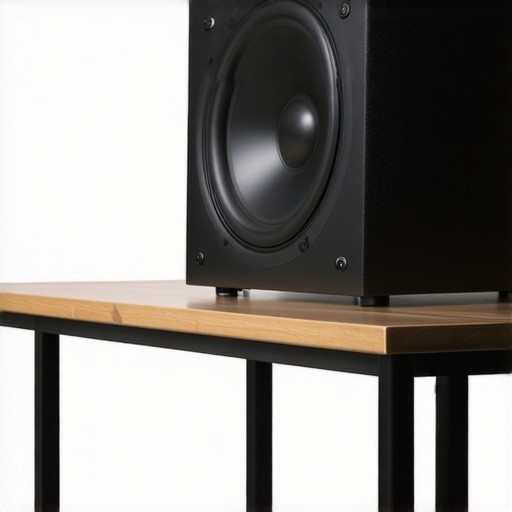
Why Squishy Stuff Is Actually Your Enemy
There is a common misconception that anything soft will isolate a speaker. I once tried to use extra-thick yoga blocks thinking I was a DIY genius. Within an hour, I noticed the bass felt ‘lazy’ and the speakers actually started to lean as the foam compressed unevenly. Real isolation pads are made of high-density acoustic foam that feels surprisingly stiff to the touch. This stiffness is vital because it needs to support the weight of the cabinet without collapsing, while still acting as a thermal break for kinetic energy. If your pads are too soft, the speaker cabinet will actually move slightly back and forth as the woofers fire, which eats up your impact and clarity. High-quality isolation is one of the easiest ways to learn how to get better bass from a bookshelf speaker without a sub because it prevents that energy from being wasted on vibrating your coffee mug.
Eliminate the Ghost in the Desk
Once the speakers are decoupled, your job isn’t quite done. You need to do what I call the ‘Vibration Sweep.’ Put on a track with a heavy, consistent bassline and slowly run your hand across your desk. If you still feel a buzz, check your cables. I once spent two hours diagnosing a ‘blown driver’ only to realize my speaker wire was vibrating against a metal desk leg. Using some basic cable management can prevent these phantom noises. If the rattle is coming from the speaker itself, you might need to look at how to fix a rattling speaker grill without using messy glue to keep things silent. Also, while you are moving everything around to install your pads, take five minutes to use the easy way to test if your speakers are out of phase. It is incredibly common to accidentally swap a wire during a desk overhaul, and no amount of expensive foam will fix the hollow sound of out-of-phase drivers. Remember that even with perfect isolation, your speakers might need some break-in time if they are fresh out of the box; why your new speakers sound better after 20 hours of use is a real phenomenon that can change how you perceive the final setup.
Soft Foam Might Be Ruining Your Mix
Most people assume that as long as there is something squishy between the speaker and the desk, they are safe. This is a massive mistake. If you use foam that is too compliant—like those cheap packing materials or low-grade sponges—you aren’t isolating the speaker; you’re creating a springboard. When the woofer moves forward, the entire cabinet moves backward. This ‘recoil’ effect softens the impact of your transients, making your drums sound like they are hitting a wet paper bag. It is a similar logic to the difference between cheap and expensive dacs that actually matters; it is all about precision and control. Dr. Floyd Toole, a renowned expert in acoustics, notes in his research that cabinet resonance and instability can introduce measurable colorations that no EQ can fix. You need a material with enough ‘give’ to stop vibrations, but enough ‘grip’ to keep the speaker stationary.
Don’t Fall for the Weight Trap
Another common nuance people miss is the relationship between the speaker’s mass and the pad’s density. I’ve seen enthusiasts buy professional-grade isolation pucks meant for 50-pound floorstanders and put them under 5-pound desktop monitors. Because the speaker isn’t heavy enough to compress the material to its ideal operating range, the vibrations just pass straight through as if the puck were a solid piece of wood. It is essentially the mistake you’re making when positioning your subwoofer but on a smaller, more frequent scale. If the isolation isn’t ‘loaded’ correctly, it simply won’t work. 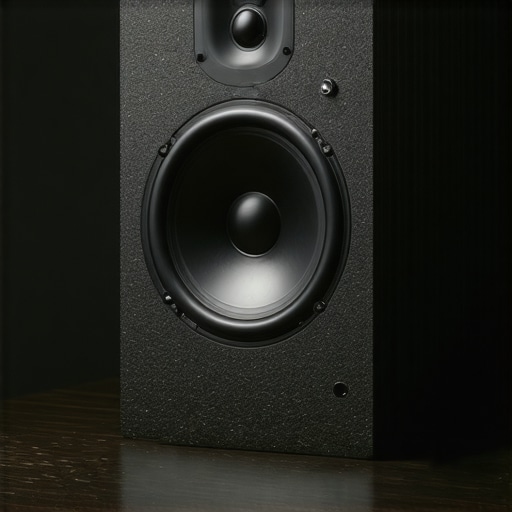
Does the weight of your speaker change the type of pad you need?
Absolutely. To get the most out of your gear, you have to match the ‘spring rate’ of the isolator to the weight of the speaker. This is why high-end setups often look so complex; they are balancing physics, not just aesthetics. If you find that your audio still feels thin even after adding pads, you might be looking at how to get better bass from a bookshelf speaker without a sub to compensate for the lost energy. Have you ever fallen into this trap of buying the most expensive ‘pro’ foam only to find it didn’t change a thing? Let me know in the comments.
Why Your Desk Needs a Reality Check
Sometimes the issue isn’t the isolation, but the desk itself. Even with great pads, a hollow, thin desk can act as a resonator for ambient sound in the room. This is particularly true if you are using the trick to making 50-dollar headphones feel like 300-dollar monitors and then switching back to your speakers, only to realize the speakers sound significantly worse. Just as you’d learn how to tell if your headphones need an external amp to drive them properly, your speakers need a stable, non-resonant foundation to perform their best. If your desk is thin, consider adding a heavy weight, like a granite slab, under your isolation pads to increase the local mass. It sounds like overkill until you actually hear the difference in clarity.I have realized that the ‘set it and forget it’ mentality is why most home studios eventually start sounding like an AM radio station. Once you have got your pads and your angles right, the real work is fighting the slow decay of environmental factors. I keep a specialized kit nearby because even a thin layer of grime on your connectors can cause a frustrating channel imbalance. If you have ever dealt with how to fix channel imbalance on a vintage stereo amplifier, you know that a dirty potentiometer or a slightly oxidized connector can ruin an otherwise perfect soundstage. Beyond the physical, there is the electronic health of your system to consider. I have started using a multimeter every six months to check for impedance shifts; it is one of the best ways to how to use a multimeter to find a short in your speaker wires before a minor fault turns into a catastrophic failure that takes your amp with it. Speaking of amps, heat remains the silent killer of audio fidelity. I always ensure there is at least three inches of clearance around my gear to prevent the how to tell if your amp is running too hot scenario that led to my first receiver meltdown. Looking forward, I predict we are moving toward ‘active isolation’—pads with integrated sensors that can adjust their density in real-time or alert you via an app if your speakers have shifted out of the sweet spot due to desk vibrations. Until that tech becomes affordable, manual upkeep is king. If you really want to level up, look into Room EQ Wizard (REW). It is a free software that, when paired with a calibrated microphone like the UMIK-1, shows you exactly where your desk or room is still causing frequency spikes. Dr. Sean Olive’s research at Harman International has shown that room-speaker interaction accounts for a massive percentage of listener preference, so measuring your output is non-negotiable for serious listening.
How do I maintain my speaker physical health over time?
It starts with the cones. You cannot just go in there with a vacuum or a wet rag. I learned the hard way that how to clean your speaker cones without ruining the paper requires a soft-bristled brush and a very steady hand to avoid puncturing the surround. Also, keep a watchful eye on your capacitors if you are using powered monitors. Learning how to tell if your speaker capacitors are starting to leak can save you from a nasty surprise when you power on your system one morning. 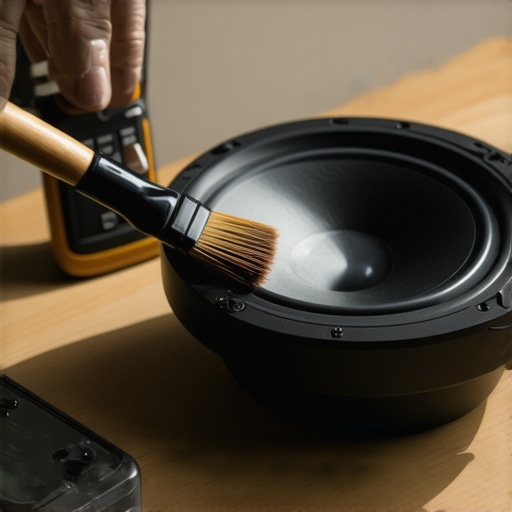 One tool I never build a setup without is a simple bubble level. If your speaker isn’t perfectly level on its isolation pad, the center of gravity shifts, and the drivers will not fire on a true horizontal plane. This subtle tilt messes with your stereo imaging and causes the phantom center to drift. My challenge to you: grab a level and a tape measure this weekend. Check if your speakers are truly equidistant from your ears and perfectly level to the floor. It is a ten-minute task that costs zero dollars but yields more acoustic ‘focus’ than a five-hundred-dollar cable ever could.
What I Finally Learned After Three Desk Overhauls
If there is one thing three years of tweaking has taught me, it is that gear cannot fix basic physics. You can buy the most expensive monitors in the world, but if they are decoupling improperly, you are basically listening to your desk’s vibrating opinion of the music. Symmetry is your best friend. I spent weeks moving my left speaker an inch at a time until I realized the reflections off my side wall were the real culprit. This taught me that the best distance to sit from your bookshelf speakers is often much closer than you think. Also, trust your gut: if a setup looks precarious or feels ‘wobbly,’ it will sound ‘wobbly.’ I have even seen how we made a 20-thrift-store-speaker-sound-like-a-pro-monitor just by using proper isolation and positioning—proof that technique beats price tags every single time.
My Tiny Toolkit for Giant Sound Improvements
You don’t need a thousand-dollar acoustic treatment budget to fix a muddy desk. My personal ‘cheat sheet’ for a perfect desktop experience includes three simple things. First, heavy-duty adhesive putty; it is a miracle worker for stopping small rattles in speaker grills or loose cables. Second, a digital SPL meter app on your phone to ensure both speakers are hitting your ears at the exact same volume. Third, a simple laser pointer to check the exact ‘aim’ of your tweeters. I often tell people that checking these basics is as vital as knowing how to tell if your headphones need an external amp. Without a solid foundation, you are just throwing power at a problem that requires precision. #IMAGE_PLACEHOLDER_E#
Take the Leap Into Real High-Fidelity Audio
It is easy to get lost in the weeds of isolation foam densities and degrees of tilt, but do not forget why you started this journey. The goal is to hear the music exactly as the artist intended, without the ‘desk-colored’ filter. Once you have got your pads in place and your angles set, give your ears time to adjust. Remember, why your new speakers sound better after 20 hours of use is largely about your brain learning the new sound signature. Take a breath, play your favorite record, and enjoy the clarity you have earned. Improving your speaker isolation is the most effective way to learn how to get better bass from a bookshelf speaker without a sub while keeping your workspace clean and professional. Have you noticed your desk vibrating when the bass kicks in, or did isolation pads actually solve a problem you didn’t even know you had? Let me know your setup struggles below!