
I was running ten minutes late for work last Tuesday, coffee precariously balanced in the cup holder, when I twisted the key and waited for my morning podcast to take over the cabin. Instead? Total silence. My phone stayed stubbornly disconnected, and I spent five minutes idling in the driveway, digging through sub-menus while my stress levels spiked. It is the kind of modern-day friction that feels small until it happens every single morning. We buy these systems for convenience, but when the ‘handshake’ between your phone and your head unit fails, it feels like the technology is actually working against you.
Stop Fighting with Your Dashboard Every Single Morning
I have spent years tinkering with car audio, from high-end installs to basic factory upgrades, and I have learned that a Bluetooth connection isn’t just a signal—it is a conversation. Sometimes, your car is shouting ‘Hello?’ while your phone is fast asleep. Often, the culprit isn’t a broken radio but a conflict in how your devices prioritize each other. I have seen folks deal with strange glitches, like why your car speakers pop when you turn the key, only to find out their Bluetooth module was trying to draw power before the system was ready. In this guide, I am going to show you exactly how to force that auto-connect feature to actually do its job, so you can keep your hands on the wheel and your eyes on the road. Have you ever found yourself screaming at a ‘No Device Found’ screen while sitting at a red light? You are definitely not alone.
Is Modern Bluetooth Actually a Broken Mess?
You might be skeptical that a simple software tweak can fix a hardware headache, but the reality is that most auto-connect failures are logic errors. Early in my journey, I made the embarrassing mistake of replacing a perfectly good aftermarket head unit because I thought the Bluetooth chip had fried. It turns out, I just had too many devices in my phone’s ‘paired’ list, and the car was getting confused about which one to grab first. According to a report by J.D. Power, infotainment and connectivity issues—specifically Bluetooth pairing—remain the most cited problem by vehicle owners today, proving that even the big manufacturers struggle to get this right. Before you go thinking your gear is junk, we need to look at ‘Battery Optimization’ settings and ‘Device Visibility’ protocols that often throttle your signal. If you have ever noticed why your bluetooth audio quality drops when you open a mic app, you already know that these wireless connections are finicky and sensitive to background tasks. We are going to strip back the clutter and give your car the priority it deserves.
Wipe the Slate Clean First
Ditch the Bluetooth Ghosts
First thing is first: you need to perform a digital exorcism on your head unit. Every car stereo has a limited amount of memory for ‘handshakes,’ and once you hit that wall, the logic starts to crumble. I once spent three hours pulling apart the dashboard of my old sedan because the Bluetooth refused to pair with my new phone. I was convinced it was a hardware failure or a loose wiring harness. It wasn’t. It was simply that the system was still holding onto the profiles of my wife’s phone, two of my friends’ phones, and my previous two devices. The car was so busy looking for those ‘ghost’ devices that it timed out before it ever saw my new one. Go into your car’s settings and delete every single paired device until the list is empty. Do the same on your phone—’forget’ the car connection entirely. This fresh start is non-negotiable because firmware conflicts are more common than actual hardware breakages. In fact, if you have a DIY setup, a cluttered list can lead to glitches as strange as why your cars aftermarket radio is draining your battery overnight, as the system stays partially awake trying to ping non-existent devices. 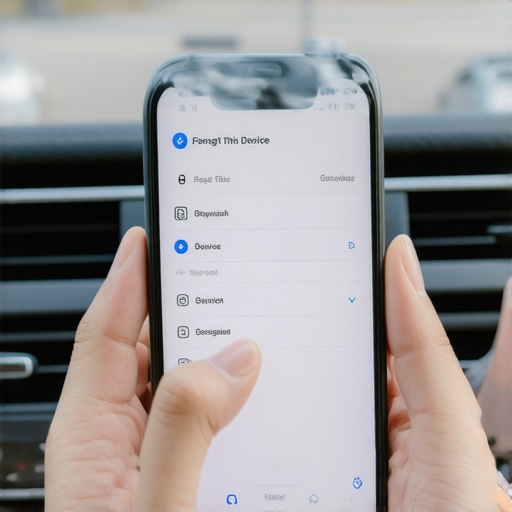
Give Your Phone Permission to Talk
Disable the Hidden Power Savers
Next, you have to tackle your phone’s aggressive battery management. Modern smartphones are designed to kill background processes to eke out a few more minutes of life, and the Bluetooth radio is often the first victim. On Android, you need to find the ‘Battery Optimization’ menu, select ‘All Apps,’ and toggle ‘Bluetooth’ and your primary music app to ‘Don’t Optimize.’ If your phone is ‘sleeping’ the Bluetooth module to save juice, the car won’t find it when you turn the key. It is the same logic that explains why your bluetooth headphones stutter when your phone is in your pocket—the signal strength is being throttled to save power.
The Connection Priority Hack
Many head units allow you to set a ‘Priority Device’ or ‘Primary Phone.’ If your partner’s phone is set as the top priority, your car will spend the first thirty seconds of every drive searching for a device that isn’t there. Set your own phone as the primary connection. While you are in those deep menus, check the ‘Media Audio’ toggle on your phone’s Bluetooth settings for that specific car connection. Sometimes a software update will toggle ‘Phone Calls’ on but ‘Media Audio’ off, leaving you with a hands-free system that refuses to play your tunes. If you still hear static or lag once connected, remember that the the 5-minute fix for crackling bluetooth signals on your laptop often applies here too: toggle the Bluetooth off and on again quickly to force a fresh data stream. Finally, once you are connected, don’t forget to check your levels. If why your car speakers sound thin when you turn up the treble is bothering you, it is often because the Bluetooth volume on the phone is too low, forcing the car’s amp to work harder and introducing hiss; keep the phone at 90% and use the car’s knob for the rest.Once you have cleared those ‘Bluetooth ghosts’ and the connection is stable, you might notice that the battle for perfect sound has only just begun. Many people get frustrated when their auto-connect finally works, only to realize the music sounds ‘thin’ or lacks punch. The mistake I see most often—and I fell for this for years—is improper gain staging. We tend to crank our phone volume to 100% and then use the car’s volume knob to adjust the rest. This often introduces digital clipping before the signal even reaches your amp. Research from the Audio Engineering Society (AES) has shown that many smartphone DACs (Digital-to-Analog Converters) struggle with ‘inter-sample peaks’ when set to maximum output, which adds a subtle, harsh distortion to your favorite tracks. This is exactly why your expensive headphones sound thin on a basic smartphone; you are clipping the signal at the source. Try backing your phone off to about 90% and letting the car’s amplifier do the heavy lifting.
Can Your Phone Actually Drive Pro-Level Hardware?
The short answer is: probably not as well as you think. If you have upgraded your factory speakers but kept the stock head unit, you might find that why your bookshelf speakers need more power than you think applies to car cabin setups too. High-quality drivers often have lower sensitivity, meaning they need more current to move the cone accurately. If your amp is underpowered, you lose the ‘attack’ of the music. This is where people get confused by marketing jargon. Understanding the difference between peak and rms power explained simply is crucial here. Peak power is a fantasy number; RMS is the reality of what your system can handle long-term.  When you mismatch these, you aren’t just getting quiet sound—you’re risking heat damage. In fact, the real reason your amp is getting hot to the touch is often that it’s working at 100% capacity just to produce moderate volume levels because the speakers are too demanding. Let’s address the elephant in the room: cables. Please, stop overspending on gold-plated everything. While it looks fancy, why gold plated connectors arent always better comes down to the fact that gold is actually a worse conductor than copper or silver; its only benefit is corrosion resistance. If your car is dry, basic high-purity copper is all you need. Instead of pricey wires, spend that budget on vibration damping. No amount of expensive cable will fix the annoyance of why your car door panels buzz with every bass hit. Have you ever fallen into the trap of buying a ‘premium’ accessory only to realize it didn’t change the sound at all? Let me know in the comments—I’d love to hear your ‘oops’ moments so we can all learn together.
I have realized over the years that the most expensive systems are often the most fragile when it comes to simple neglect. It is not just about software updates; the physical world eventually catches up to your electronics, especially in the harsh environment of a vehicle. I always keep a can of compressed air and a bottle of DeoxIT D5 contact cleaner in my maintenance kit because I have seen more ‘broken’ head units fixed by a simple cleaning than by actual repair. If you use a physical connection occasionally, learning how to clean dust out of your headphone jack without damaging pins can save you from a lot of intermittent signal headaches that people often mistake for Bluetooth interference.
Oxidation is the Secret Enemy of Your Signal
In a car, humidity and temperature swings are constant. This leads to a slow build-up of non-conductive film on your terminals. If you’ve ever looked at your wiring and seen a dull or greenish tint, you need to know how to clean green oxidization off your copper speaker terminals immediately. That layer of gunk adds resistance, which makes your amplifier work harder and heat up faster. I once tracked down a ‘mysterious’ volume drop in a friend’s truck only to find that the main ground wire had oxidized so badly it was barely making contact. A five-minute scrub with a wire brush and some contact protector saved him from buying a new $400 amp. 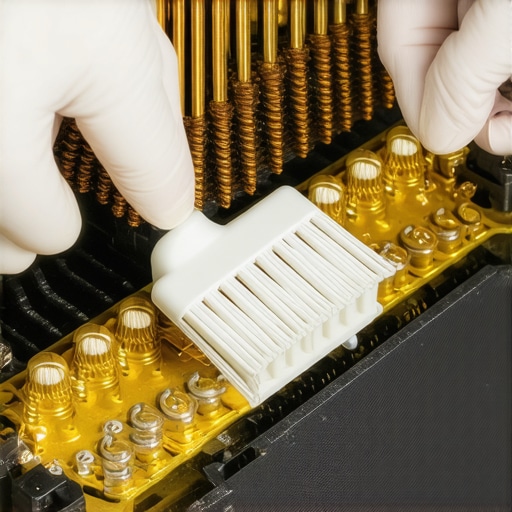
How can I keep my car audio system sounding brand new for years?
Consistency is the name of the game. Every six months, I do a ‘walk-around’ of my system. I check the mounting screws on the door panels because vibrations naturally loosen them over time—this is a common reason why your car door speakers rattle even at low volume. I also perform a physical check on the amplifier’s ventilation. Dust build-up on a heatsink is a silent killer. If your trunk is full of gear or groceries, you might accidentally be blocking the airflow, which explains how to fix a car amplifier that keeps shutting off in summer before it actually enters thermal protection mode. For my home setup, I use a similar logic; for instance, I know the reason your speaker stands need to be filled with sand is largely about long-term stability and resonance control, and I apply that same ‘solid foundation’ mindset to my car’s sub enclosure.
The Future of Wireless Audio is Changing Fast
Looking ahead, we are moving toward a world where ‘pairing’ might become a thing of the past. The Bluetooth Special Interest Group (SIG) has been heavily promoting the LC3 codec as part of the new LE Audio specification, which aims to provide higher quality at much lower bitrates. This means less battery drain on your phone and a more robust connection that is less likely to drop when you’re driving through areas with high electromagnetic interference. We are also seeing the rise of Auracast, which will eventually allow your car to broadcast audio to multiple sets of headphones simultaneously—perfect for keeping the kids quiet in the back. For now, focus on the basics. I challenge you to go out to your car this weekend and check your battery terminals for any sign of white or green crust. Clean them up, and you might find that your ‘weak’ bass suddenly has its punch back. If you have an older setup, don’t worry about being left behind; knowing how to connect a modern phone to an old amp without a jack ensures you can keep using the high-quality analog gear you love while still enjoying modern streaming convenience.
Hard-Won Wisdom from a Decade of Car Audio Tweaks
I have learned that the smallest signal interruptions usually come from the most unexpected places. For instance, did you know that your dashcam or even a cheap USB charger can emit enough electromagnetic interference to confuse a Bluetooth handshake? If you have tried everything else and still have drops, try unplugging all other accessories. Also, never underestimate the power of cabin physics; there is a scientific reason why your car speakers sound better with the windows up, involving internal pressure and lower ambient noise floors. Finally, always verify your wiring before blaming the software. I often use a simple trick involving how to use a 9v battery to check your speaker polarity to make sure my drivers aren’t fighting each other out of phase, which can make the most expensive head unit sound like a tin can.
My Go-To Gear for Maintaining a High-End Cabin
Keeping your system in top shape doesn’t require a master’s degree in engineering, just the right tools. First, a dedicated contact cleaner like DeoxIT is non-negotiable for those battery terminals to prevent the green crud from stealing your voltage. Second, if you are looking to step up your game, knowing how to properly bridge a car amplifier for more power can give your subwoofers the headroom they need to breathe without clipping. Third, consider non-destructive mounting solutions like VHB tape or specialized brackets; the best way to mount car tweeters without drilling holes is often the secret to a professional-looking DIY install that doesn’t hurt your car’s resale value.
#IMAGE_PLACEHOLDER_E#
Enjoy the Ride Without the Tech Stress
Technology should serve you, not the other way around. By taking ten minutes to strip your device list and optimize your phone settings, you turn your car back into a sanctuary instead of a source of morning frustration. Once your auto-connect is firing perfectly every time you turn the key, you can finally focus on what matters: the music and the road ahead. Don’t let a finicky handshake ruin your mood before you even pull out of the driveway. Have you ever had a specific phone or head unit that simply refused to pair no matter what you tried? Let me know in the comments below—I would love to help you troubleshoot it!