
I was sitting in my favorite leather chair, glass of bourbon in hand, ready to finally hear the subtle brushwork on a Miles Davis track. I hit play. Instead of the soulful trumpet, I got this low, persistent mmmmmm. It wasn’t the music. It was that dreaded 60Hz hum—the kind that vibrates in your teeth and makes you want to throw your entire setup out the window. I’ve been there, more times than I’d like to admit, and I know exactly how frustrating it is when your premium sound system sounds like a beehive. It makes you second-guess every purchase you’ve made.
That Constant Buzz is Ruining Your Chill
[image] We’ve all heard it. You turn up the volume during a quiet passage, and there it is. It’s not just a speaker problem; it’s an electrical nightmare. Early in my audio journey, I made the massive mistake of thinking I needed to buy high-end shielded cables to clean up the signal. I dropped nearly two hundred bucks on gold-plated everything, only to find the hum stayed exactly where it was. Talk about a punch to the gut. I was convinced my gear was defective. The truth is, expensive gear won’t fix a ground loop. Today, I’m going to show you how to silence that noise for less than the price of a fancy latte. We’re talking about the $5 fix that pro installers use when they don’t want to admit it’s a simple wiring issue. Whether you are trying to figure out how to properly ground a car amplifier to eliminate engine hum or managing a home theater setup that just won’t stay quiet, the solution is often much cheaper than you think. I spent years thinking I had ‘dirty’ electricity when I really just had a bad layout.
Can a Five-Dollar Part Actually Save My Expensive System?
I get it. You spent thousands on your speakers and amp, so how could a cheap plastic dongle or a piece of scrap wire be the answer? It sounds like snake oil in reverse. But ground loops happen because of potential differences in your home’s electrical grounding, not because your speakers are bad. According to the experts at the Audio Engineering Society (AES), ground loops are one of the most common causes of noise in audio systems, often triggered by having multiple paths to ground that create a circulating current. If you’ve ever noticed that your car alternator is making your speakers whine or your desktop speakers hiss when you move your mouse, you’re likely a victim of this electrical loop. Have you ever spent a whole weekend chasing a buzz only to find it was a simple grounding issue? It is incredibly demoralizing to troubleshoot for hours and find nothing only to realize it was your own fault.
Finding the Source Without Losing Your Mind
Before we spend even five dollars, we have to make sure we aren’t chasing ghosts. Sometimes, what sounds like a ground loop is actually just a component failing or a physical rattle inside the cabinet. You should learn how to tell if your speaker is actually blown or just rattling versus hearing electrical interference. Once you’re sure it’s that steady, rhythmic hum, it’s time to act. If you’re working on a budget setup, you might even be trying to get rid of the annoying hiss in your budget car amp, and many of these same principles apply. This isn’t about buying your way out of the problem; it’s about outsmarting the physics of your living room. I remember a buddy of mine who almost sold his turntable because of a hum that turned out to be a $2 ground wire he forgot to hook up. He was ready to drop another grand on a new deck. Let’s make sure you aren’t that guy, because your wallet doesn’t need that kind of abuse.
Kill the Noise by Stripping Back to Basics
The fastest way to find a ground loop is to treat your sound system like a suspect list in a noir film. Everyone is guilty until proven innocent. Start by unplugging every single input from your amplifier or receiver. If the hum is still there with nothing but the speakers connected, the issue is internal to the amp or the power outlet itself. I once spent three hours rewiring a friend’s home theater, sweating through my shirt and moving heavy cabinets, only to realize the noise was coming from a cable box that wasn’t even turned on. It felt like I’d spent all day painting a room only to realize I used the wrong color. If the silence returns when the inputs are gone, plug them back in one by one. The moment that zzt returns, you’ve found your culprit. Often, this happens when you use a DAC to improve your desktop computers audio and introduce a USB connection that shares a ground with a noisy PC motherboard. 
The One-Outlet Rule That Saves Your Sanity
Here is the secret sauce: keep everything on the same ‘potential.’ Think of electricity like water in a series of pipes. If one pipe is slightly higher than the other, the water will always try to flow downhill, creating a current where there shouldn’t be one. In your audio gear, that ‘downhill’ flow is the hum. By plugging your amp, your turntable, and your DAC into the same high-quality power strip, you force them to share a single ground path, leveling the pipes. This is that $5 fix—it’s often just moving a plug from a distant wall socket to the main power strip. If you are dealing with smaller gear, you might need to fix a buzzing sound in your portable speaker at high volumes by checking if the charging cable is creating a loop with your laptop. I’ve seen this simple trick solve ‘unfixable’ noise issues in seconds, making the owner look like a genius for doing almost nothing.
Check Your Physical Connections for Easy Wins
Sometimes the hum isn’t even electrical; it’s mechanical or caused by a poor contact. If your setup involves older gear, you should know how to fix a scratchy volume dial with electrical contact cleaner because oxidation can act like a tiny antenna for noise. Also, look at the physical path of your wires. I’ve seen enthusiasts run thin signal cables right next to giant power transformers, which is like trying to have a whispered conversation next to a jet engine. If your bookshelf speakers sound better when you move them off the desk, it’s often because you’ve physically increased the distance between the sensitive drivers and the electrical mess behind your computer. If the hum persists after grouping your power, a cheap RCA ground loop isolator is your next best friend. These little barrels use tiny transformers to physically break the electrical connection while letting the audio signal pass through perfectly. It’s the ultimate ‘cheat code’ for stubborn systems that refuse to be quiet.I’ve noticed a trend where enthusiasts think high-resolution audio files are a magical cure for a noisy system. They believe that extra data will somehow wash away the hum or provide a ‘cleaner’ experience. But here is the kicker: in many cases, your speakers sound harsh when you play high-res files because your equipment isn’t actually ready for the extra load. It sounds counterintuitive, but those ultra-high frequencies can cause intermodulation distortion in amplifiers that aren’t perfectly shielded. You are essentially feeding your amp ultrasonic information it can’t process, which manifests as a subtle, irritating graininess in the audible range. This is the ‘Oops’ factor most people ignore: chasing specs instead of stability.
Your Expensive DAC Might Be a Total Waste of Money
There is also the common trap of the ‘Over-Specced DAC.’ I have seen people drop five hundred dollars on a standalone unit only to find that your high-end DAC sounds exactly like your laptops headphone jack. If your downstream components, like your speakers or even the room’s acoustics, are the bottleneck, the DAC is just an expensive paperweight. A study by the Journal of the Audio Engineering Society (JAES) suggests that in double-blind tests, listeners often struggle to differentiate between standard Redbook CD quality and high-resolution audio when the playback system has even minor technical flaws. Before you upgrade your digital-to-analog converter, you need to ensure the rest of your chain can actually resolve that detail.
Does More Wattage Actually Mean Better Clarity?
I often see guys buy 200W-per-channel monster amps for tiny rooms, thinking more power automatically equals more clarity. In reality, you need to know how to tell if your amplifier has enough headroom for your speakers rather than just chasing a high number on a spec sheet. If you are pushing a small, low-quality amp too hard, you lose that ‘punch’ and start introducing clipping, but buying an oversized amp for high-sensitivity speakers can actually raise your noise floor, making that hum we talked about earlier even more noticeable. 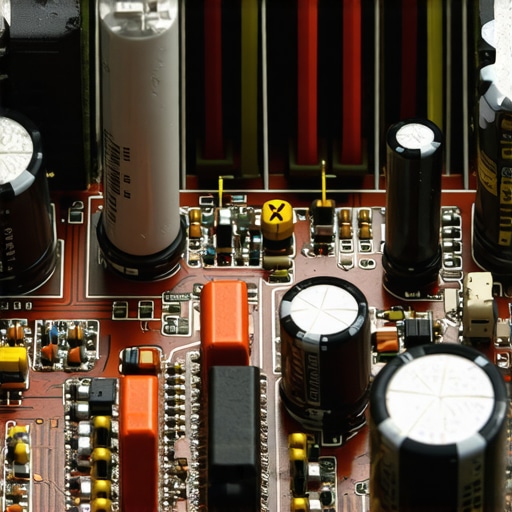 Another massive myth is the mandatory ‘Break-In’ period. People will tell you to play white noise for 100 hours to ‘open up’ a pair of headphones. Honestly? You should properly break in new headphones without using white noise just by listening to your favorite music at normal levels. The mechanical changes in the driver surround are real but usually happen within the first few minutes of use. Chasing these phantom improvements often keeps you from fixing real physical issues, like why your speakers bass port should never be pushed against a wall. If your setup sounds ‘muddy,’ moving a speaker six inches forward will do more for your sound than a week of white noise ever could. Have you ever fallen into the trap of buying ‘better’ cables or files to fix a fundamental hardware issue? Let me know in the comments.Once you’ve killed the hum and matched your gear, the real work begins: keeping it that way. Most people treat their audio setup like a refrigerator—set it and forget it—but high-performance electronics are more like a vintage car. If you don’t keep things clean, the performance slowly drifts into the mud. I’ve seen some of the most beautiful setups in the world ruined simply because the owner didn’t know how to fix a scratchy volume dial with electrical contact cleaner. That ‘static’ you hear when you adjust the volume? That’s not just an annoyance; it’s physical oxidation building up on the internal contacts. I swear by DeoxIT D5 for this; it’s the industry standard for a reason. CAIG Laboratories, the technical minds behind the formula, have documented in their technical data sheets how even microscopic layers of sulfide and oxide can cause non-linear distortion at the contact point. It is literally the difference between a transparent window and a foggy one.
Stop Letting Oxidation Steal Your Detail
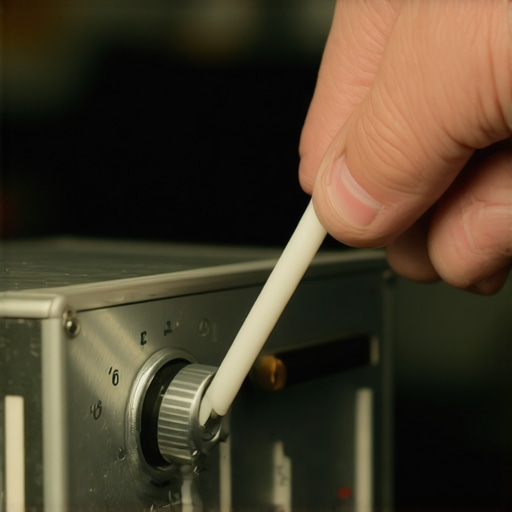 It’s not just the internal dials, either. If you’re a headphone nut like me, your gear is absorbing your skin oils every day. You have to learn how to clean your headphone ear pads without ruining the leather, or you’ll be looking at a flaking, nasty mess in six months. I’ve made the mistake of using harsh alcohol wipes and watching five-hundred-dollar pads disintegrate before my eyes. Use a damp microfiber cloth and a tiny bit of dedicated leather conditioner—it’s the only way to ensure they stay plush and maintain that perfect acoustic seal.
How do I maintain my premium audio collection over time?
Maintenance isn’t just about cleaning; it’s about monitoring for component aging. If you’re rocking 80s gear, you need to know how to tell if your speakers capacitor is starting to fail. Capacitors have a shelf life, usually between 15 to 25 years, and when they dry out, they take your crossover’s frequency accuracy with them. You might notice why your vintage receivers lights are flickering with the music—that’s often a classic sign the power supply caps are gasping for air and can’t maintain a steady voltage. Don’t wait for a pop and smoke; get it serviced before it takes out your transformer. Even when scaling up and figuring out how to connect a modern phone to an old amp without a jack, keep an eye on your cable management. There is a huge benefit to finding the best way to hide bulky subwoofer cables along a baseboard. It’s not just about aesthetics—it prevents the cables from being stepped on, kinked, or chewed by pets, which preserves the internal shielding for the long haul. Looking ahead, I predict we will see more ‘smart’ diagnostic tools built directly into amplifiers that alert you to thermal stress or impedance spikes via your phone. For now, we have to do it manually. My absolute best tip? Don’t just trust your ears. Learn how to use your phone to measure your rooms frequency response using a calibrated app. It’s the most advanced, free tool you have to prove your maintenance is actually working.
I’ve spent two decades chasing the perfect signal, and if there is one thing I’ve learned, it’s that the room and the electricity matter more than the price tag on the box. After countless hours of troubleshooting, I want to share the hard-won insights that finally helped me achieve audio bliss.
Audio Secrets I Had to Learn the Hard Way
The most expensive cable in the world won’t fix a fundamental grounding error. I used to think that ‘high-end’ meant ‘maintenance-free,’ but the reality is the opposite. First, always suspect the simple stuff; I once tore apart a receiver only to realize the noise was a loose RCA shield. Second, don’t ignore the physical environment. For example, the reason your speaker stands need to be filled with sand isn’t just an old wives’ tale; it actually stops the floor from becoming a giant, humming vibrator for your sensitive electronics. Finally, stop assuming digital is immune to noise. If you are hearing grit in your stream, check your USB grounds before you blame the file quality.
A Minimalist Toolkit for Modern Audiophiles
You don’t need a lab full of expensive sensors to keep your system humming (or rather, not humming). I always keep a bottle of DeoxIT D5 in my drawer because it’s the only thing that reliably stops the oxidation that leads to why your headphone pads are flaking and how to prevent it by keeping the surrounding materials clean and the contacts pure. I also recommend a simple digital multimeter to check for continuity in your cables. If you enjoy the warm crackle of vinyl, you should have a strobe disc handy to identify why your record player speeds up and slows down randomly before you spend money on a new motor. These few items will save you more money than any ‘miracle’ filter ever could.
Stop Tinkering and Start Listening
The end goal of all this effort isn’t just to have a quiet system; it’s to have a transparent one. Don’t let the technical pursuit of perfection rob you of the emotional experience of the music itself. Once you’ve mastered how to tell if your speakers are out-of-phase in 30 seconds, you’ve done the heavy lifting. Now, it’s time to actually enjoy those home audio deals you’ve curated. Your system is finally a window into the studio, not a collection of parts fighting against your home’s wiring. Have you ever had a noise issue that drove you absolutely crazy before you found a simple fix? Let me know in the comments below.