
I’ll never forget the rainy Tuesday I decided to treat myself to a premium audio experience. I’d spent weeks reading reviews and finally bit the bullet on a pair of noise-canceling headphones that cost more than my first car’s transmission. I sat in my home office, the house was dead silent, and I flipped that ANC switch expecting to be transported to a vacuum. Instead? Hiss. A soft, white-noise ocean breeze that wouldn’t go away. I felt cheated. I honestly thought I had a defective unit and spent an hour trying to test my headphones for a blown driver at home before realizing this wasn’t a broken feature—it was part of the design. We’re going to dig into why this happens and how you can actually minimize that annoying background static so you can finally get the peace you paid for. Have you ever put on your gear in a quiet room and wondered if your ears were playing tricks on you?
That Annoying Static Is Not Just in Your Head
When we talk about high-end audio, we often focus on what we hear, but in the world of Active Noise Cancellation (ANC), it’s what we don’t hear that matters. That slight hiss you’re noticing is technically known as the noise floor. You see, ANC works by using tiny microphones to listen to the world around you and then creating an anti-noise signal to cancel it out. However, the electronics inside—specifically the tiny internal amplifiers—produce a tiny bit of their own electrical noise. In a loud environment, you’d never notice it. But in a silent room? It’s like a spotlight on a tiny blemish. It is a similar phenomenon to why your noise canceling headphones struggle with high pitched voices; the tech is amazing, but it has very specific physical limits.
Is Silence Really Too Much to Ask For?
Many people worry that a hiss means they bought a lemon or, worse, a knockoff. I once spent way too long trying to identify a fake pair of premium headphones because the noise floor was so high it felt like cheap hardware. The truth is that even the best brands have a measurable noise floor. In fact, technical analysis from experts at SoundGuys suggests that this low-level hiss is often an inherent byproduct of the self-noise generated by the microphone preamps. It’s the price we pay for the magic of canceling out a jet engine. But do not worry, just because it is normal does not mean you have to just live with it at its worst.
Stop Blaming the Hardware for Your Quiet Room
The first thing you need to realize is that active noise cancellation is a performance, and like any live act, it needs the right stage. If you are sitting in a dead-silent room, you are essentially asking the headphones to perform for an empty house. The internal microphones are hunting for ambient noise to cancel, and when they find none, they amplify their own internal circuitry. I remember sitting in my basement office once, convinced my new gear was broken because the hiss was so prominent. I moved to a coffee shop, and suddenly, the background was pitch black. The tech needs external sound to ‘work’ against. If you find the hiss unbearable in silence, try lowering the ANC intensity through your companion app. Most high-end models allow you to toggle between ‘High,’ ‘Low,’ or ‘Wind Reduction’ modes. Dropping the intensity reduces the voltage to the internal pre-amps, which instantly lowers that electrical noise floor.
The Source Matters More Than the Price Tag
We often blame the headphones for static when the real culprit is the digital signal being fed into them. If you are streaming low-quality audio or using a device with a poor digital-to-analog converter (DAC), you are effectively feeding garbage into a high-performance machine. You might notice that your headphones sound quiet on your laptop but loud on your phone; this is often because the laptop’s internal sound card is poorly shielded, introducing electromagnetic interference that manifests as a hiss when the ANC amplifies it. To bypass this, always prioritize high-bitrate streaming. You should also learn how to use your phone as a high-end audio source by enabling lossless codecs like LDAC or aptX HD in your settings. This gives the headphone’s internal processor a cleaner signal to work with, making the noise floor much less noticeable during quiet transitions in your music.
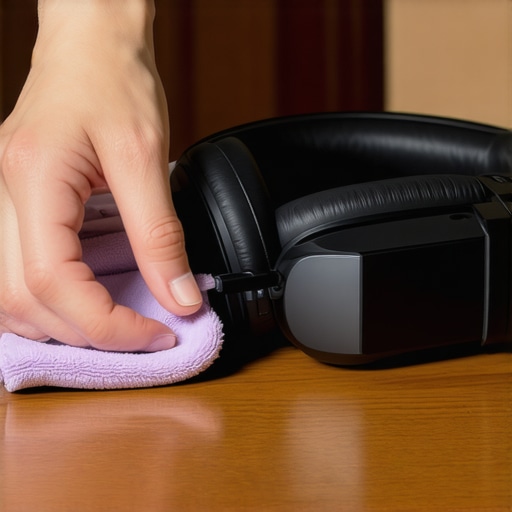
Wipe Away the Hiss with Basic Maintenance
It sounds too simple to be true, but a dirty headphone can actually create more static. ANC relies on external and internal microphones to create the ‘anti-noise’ wave. If these tiny mic ports are clogged with dust or earwax, the system gets a muffled reading of the environment and overcompensates, leading to an audible hum or hiss. I once spent an hour troubleshooting a ‘broken’ pair of Sony headphones only to realize a bit of lint was stuck in the feedback mic. Beyond the mics, the physical seal is your first line of defense. If your cushions are worn out, the ANC has to work three times harder to fight the sound leaking in through the gaps. Knowing how to clean your headphone ear pads without ruining the leather is vital; keeping them supple ensures they mold to your head and provide a natural seal. If you are using your headphones for media, you might also experience sync issues. While not a ‘hiss,’ it ruins the immersion just as quickly, so knowing how to fix bluetooth lag while watching movies on your laptop ensures the entire digital processing chain is optimized for clarity rather than just raw noise reduction.
Stop Chasing Watts to Fix Your Sound
Most people think that if their audio sounds thin or has that lingering hiss we discussed, they just need a bigger, more powerful amplifier. It is the most common trap in the hobby. We have been conditioned to look at the ‘Watts’ number on the box like it is a horsepower rating for a car. But here is the contrarian truth: more power often leads to more noise. If you are using high-sensitivity headphones or speakers with a massive but budget-friendly amplifier, you are actually raising that noise floor. Instead of buying more raw power, you should focus on choosing the right ohm rating for your amp. Matching the output impedance to your gear does more for clarity than an extra 100 watts ever will. I have seen guys spend thousands on high-current power only to realize they were essentially trying to fill a thimble with a firehose.
Are you actually hearing a break-in or just getting used to the noise?
This is where the nuance gets really sticky. You will hear enthusiasts swear that a pair of headphones or speakers needs 100 hours of burn-in before the hiss disappears or the bass tightens up. While there is a mechanical reality to suspension softening, the truth about speaker break-in periods is that the change is usually so microscopic that it is below the threshold of human hearing. Dr. Floyd Toole, a legendary figure in acoustic research, has noted in his work Sound Reproduction that what people are usually breaking in is their own brain. Your ears are simply adapting to the frequency response of the new gear. If you still hate the sound after ten hours, it isn’t waiting to be broken in—it is just not the right gear for your ears. Have you ever fallen into this trap of waiting for gear to magically get better? Let me know in the comments.
Why your room is lying to your ears
The biggest mistake I see—and I have made it myself—is blaming the hardware for issues actually caused by the room. You can have the lowest noise floor in the world, but if your setup is wrong, it won’t matter. For instance, why your floorstanding speakers sound boomy in the corner has nothing to do with the amp and everything to do with boundary gain. The same applies to low-end management; the mistake you are making when positioning your subwoofer can create audio nulls where the bass just disappears. We often want to hide our gear for aesthetics, like trying to hide a massive subwoofer in a minimalist living room, but physics does not care about your decor. If you put a sub in a hollow cabinet, you are going to get rattles that sound exactly like a blown driver.
Don’t fall for the cable gold rush
I have seen people buy $300 noise-canceling headphones and then spend $100 on a premium digital cable thinking it will kill the static. Please, stop wasting money on expensive optical cables or gold-plated digital connectors. In the digital realm, the signal either arrives or it doesn’t. If you are hearing a hiss, it is almost always an analog interference problem or a power issue. Before you replace perfectly good cables, you should find the source of a ground loop in home theater systems. A simple isolator often fixes what a five-hundred-dollar cable cannot. The nuance is always found in the physics of the signal chain, not the price tag on the packaging.
Once you’ve moved past the initial shock of that noise floor hiss and dialed in your room acoustics, the real challenge begins: longevity. I’ve seen too many people drop three grand on a system only to let it degrade into a crackly, humming mess within three years because they treated it like a disposable smartphone. Audio gear is mechanical as much as it is electronic; it breathes, it vibrates, and it eventually wears out if you aren’t paying attention to the small stuff. If you want that ‘new gear’ clarity to last, you have to stop thinking about your setup as a finished project and start viewing it as a living system that needs a little love once a quarter.
How do I maintain my premium audio collection over time?
The biggest threat to your sound isn’t actually usage—it’s environmental decay. Oxidation is a silent killer for clarity. Every few months, I make it a habit to unplug my RCA and speaker cables just to give the terminals a quick wipe. You should specifically learn how to clean gold-plated connectors without ruining the finish because a microscopic layer of grime can act like a resistor, dulling your high-end sparkle. For headphones, the maintenance is even more personal. Skin oils are acidic and will eat through synthetic leather faster than you’d think. Knowing how to clean your headphone ear pads without ruining the leather isn’t just about hygiene; it’s about maintaining the acoustic seal that keeps your bass response tight and your ANC working correctly.
Find the short before you fry the circuit
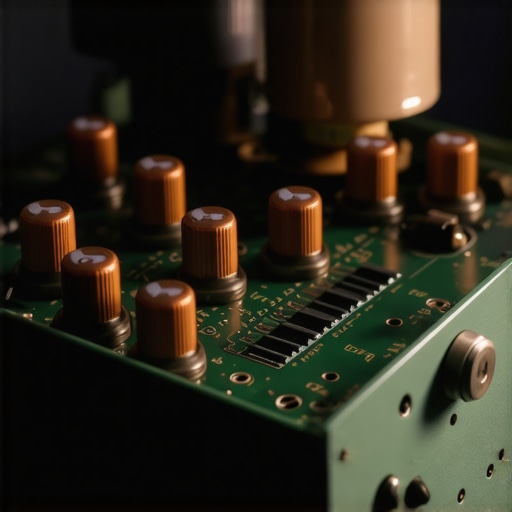
I always keep a basic digital multimeter in my drawer. You don’t need an engineering degree to use one, and it’s the only way to be 100% sure your gear is safe. If you notice one side of your system sounds slightly quieter, don’t just turn up the balance knob. You should how to use a multimeter to find a short in your speaker wires before that phantom resistance overheats your amplifier’s output stage. This is especially true for vintage enthusiasts. If you’ve picked up an old gem, you need to check the vitals. According to technical documentation from Illinois Capacitor, the electrolyte in aluminum capacitors can dry out over 15 to 20 years, which significantly shifts the Equivalent Series Resistance (ESR). This is why you must learn how to tell if your speaker capacitors are starting to leak or bulge; catching this early prevents a total board failure that could take your tweeters down with it.
The future of sound is self-healing and smart
We are entering an era where ‘dumb’ speakers are becoming a rarity. I predict that within the next five years, high-end amplifiers will come standard with AI-driven diagnostic sensors that monitor the health of your drivers in real-time. We’re already seeing the beginnings of this with DSP (Digital Signal Processing) that adjusts for speaker wear. Until then, you have to be the sensor. If your old favorites start sounding thin, don’t throw them out. It’s often just a matter of the surround material losing its elasticity. I’ve personally used methods on how to revive old speakers with new foam surrounds to bring thrift store finds back to life, and the results are often indistinguishable from a new unit. If your volume control starts making a ‘scratching’ sound when you turn it, don’t panic; you can usually fix a scratchy volume knob on an old amp with a five-minute application of contact cleaner.
Stop guessing and start measuring
If you really want to scale your system, stop buying more speakers and start optimizing the ones you have. Most people think they need a bigger sub, but usually, they just need two. Knowing why two small subwoofers are better than one massive driver changed my entire philosophy on home theater; it smoothes out the standing waves in the room so every seat is a ‘sweet spot.’ Once you add that second sub, make sure to match your subwoofer phase with your main speakers to ensure they aren’t fighting each other and canceling out your mid-bass. My challenge to you this weekend is this: stop browsing for new gear for one hour. Instead, grab a bottle of specialized contact cleaner or a multimeter and perform one piece of maintenance on your current setup. You might find that the ‘upgrade’ you were looking for was already sitting in your living room, just hidden behind a little bit of oxidation and a dusty terminal.
Hard Truths I Learned While Chasing the Perfect Sound
I spent years thinking that if I just spent another thousand dollars, the silence would be absolute. Here is what I wish someone had told me: noise is often a sign of life in high-fidelity electronics. First, I learned that high sensitivity is a double-edged sword; the same specs that give you incredible detail also reveal the tiny electrical hums of your equipment. Second, I realized that you should never ignore your speaker polarity. It takes two minutes to learn how to tell if your speakers are out of phase in 30 seconds, and it fixes more ‘thin’ sound issues than a new amplifier ever could. Finally, don’t look down on budget gear. Some of my favorite setups started with the trick to making cheap bookshelf speakers sound expensive by just focusing on placement and isolation. You don’t need a fortune to get great results; you just need to understand the physics of the air your speakers are moving.
#IMAGE_PLACEHOLDER_E#
The Only Resources You Need for Better Audio
Building a great system is half the battle; keeping it that way is the other half. I personally swear by a few specific resources. I always keep a copy of ‘Sound Reproduction’ by Floyd Toole on my shelf because it grounds my purchases in science rather than marketing hype. For hardware, I’ve found that how we made a 20 thrift store speaker sound like a pro monitor taught me more about crossover logic than any expensive forum. If you are a headphone user, understanding the design of your gear is crucial. For example, knowing why your open back headphones leak sound even at low volumes helps you choose the right environment for your critical listening sessions without bothering those around you. These small bits of knowledge save you more money in the long run than any seasonal sale.
Rediscover the Joy of Your Music
At the end of the day, that slight hiss or the tiny imperfection in your room’s acoustics shouldn’t stand in the way of your favorite album. The goal of a premium audio experience isn’t to achieve a laboratory-grade vacuum; it’s to feel the raw emotion the artist intended. Don’t be afraid to experiment, move your speakers around, and occasionally get your hands dirty with a little maintenance. Your ears are the ultimate judge, not a spec sheet on a website. Your setup is a tool for joy, so make sure you spend more time listening to the music than you do listening to the equipment. Have you ever discovered a simple fix or a piece of maintenance that completely transformed how your gear sounded? Let me know in the comments below!