
I remember sitting on my back porch on a humid Tuesday evening, staring at my brand-new $400 open-back headphones and feeling like a total failure. I had just spent a week’s wages on what the reviews promised was ‘sonic bliss,’ but as I plugged them into my phone and hit play on my favorite jazz record, the sound was thin, lifeless, and frankly, embarrassing. It was a punch to the gut. I felt like I’d been sold a lie. But here is the thing I learned the hard way: your smartphone is a pocket-sized miracle, but its internal audio hardware is usually an afterthought designed for podcasts and TikTok, not Tchaikovsky. Most people don’t realize that their device is actively sabotaging their gear.
Stop Letting Your Phone Muffle Your Music
The good news is that your phone doesn’t have to be the weak link in your setup. Today, I am going to show you exactly how to bypass the cheap internal components of your device to unlock the kind of detail that makes the hair on your arms stand up. We are going to talk about external DACs, high-res streaming settings, and why your current cable might be your worst enemy. It is the same process I used when I learned how to use an old phone as a dedicated high-res music player to save my main battery for calls. We are going to turn that glass slab in your pocket into a source that rivals thousand-dollar dedicated players. [image_placeholder_1]
Does my phone really have enough power for this?
This is the biggest hurdle most of us face. Early on, I made the classic mistake of thinking a louder volume meant better quality. I cranked the slider to 100% and wondered why my ears hurt but the music still felt ‘small.’ According to expert testing by SoundGuys, the integrated DAC/Amp chips in most modern smartphones are capped at a low voltage to preserve battery life, which means they simply cannot drive high-performance drivers effectively. If you have ever wondered why your headphones sound quiet on your laptop but loud on your phone, or vice versa, you have felt this power struggle firsthand. To get real fidelity, you need to stop asking your phone to do the heavy lifting and start using it as a digital transport. Have you ever felt like your expensive headphones were being held back by the device you are plugged into?
The Simple Hardware Fix for Better Detail
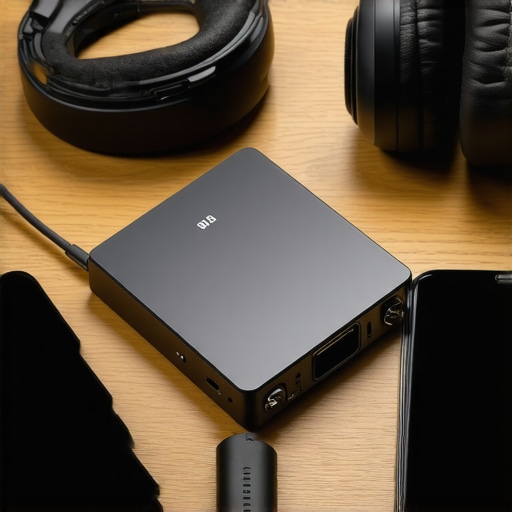
The secret sauce is getting the digital signal out of the phone before it hits the noisy, crowded circuitry inside. This is where an external Digital-to-Analog Converter (DAC) comes in. Much like how you would use a DAC to improve your desktop computers audio, a small ‘dongle’ DAC can transform your mobile experience. I remember my first time using a dedicated mobile DAC; it was like someone had finally wiped the grease off my glasses. Suddenly, the drums had texture, and I could hear the singer taking a breath between verses. It doesn’t have to be expensive, but it has to be intentional. We are going to dive into the specific settings and hardware you need to make this happen without breaking the bank.
Force Your Phone to Hand Over the Digital Keys
The biggest obstacle to high-fidelity sound on a phone is the operating system itself. Whether you are on Android or iOS, your phone wants to be the boss. It takes your high-resolution music file and “resamples” it—essentially crunching the data down to a standard size that the phone’s internal speakers can handle. This process is like taking a 4K movie and watching it on an old tube TV; you lose the texture and the depth. To fix this, you need a dedicated media player app that supports “bit-perfect” output. Apps like USB Audio Player Pro (UAPP) or HiBy Music act as a direct tunnel, bypassing the internal Android audio mixer and sending the raw, untouched data straight to your external DAC.
Setting Up the Bit Perfect Chain
When I first tried this, I was skeptical. I plugged my external DAC in, but the sound was still… just okay. I realized I had to go into the app settings and manually grant the app exclusive control over the USB port. The moment I clicked “Yes,” the DAC’s indicator light changed from green to blue, signaling it was receiving a high-res stream. The change wasn’t subtle. It felt like the music finally had room to breathe. This is exactly the trick to making cheap iems sound like high-end monitors—it’s all about the integrity of the signal before it reaches your ears.
Master the Gain and Volume Balance
A common mistake is maxing out the volume on the phone and then adjusting it on the DAC, or vice-versa. Think of this like water flowing through two valves. If the first valve (your phone) is barely open, the second valve (your DAC/Amp) has to work ten times harder to get any flow, which introduces noise. I learned this the hard way during a cross-country flight when I couldn’t figure out how to get rid of the annoying hiss in your budget car amp or, in my case, my portable setup. The solution is to set your phone’s digital volume to about 90-95% to avoid digital clipping and let the physical knob on your DAC do the heavy lifting. This keeps the “noise floor” low, meaning the silence between notes stays dead silent.
Check Your Physical Connections and Seals
Even with the best DAC in the world, the physical interface can ruin the experience. A loose USB-C connection can cause pops and clicks, much like how to fix a buzzing sound in your portable speaker at high volumes often starts with checking the cables. Furthermore, if you are using over-ear headphones, be mindful of your accessories. You might not realize why your headphones sound thin when you wear glasses, but the tiny gap created by the frames breaks the acoustic seal, leaking out all that precious bass you just spent money to recover. If the seal isn’t tight, the best hardware in the world can’t save your low end.
The trap most audiophiles fall into is believing that buying the most expensive gear automatically solves the quality problem. In my experience, chasing higher and higher specs can actually backfire if you don’t understand the physical limitations of your hardware. I have seen enthusiasts spend hundreds on high-res files only to wonder why your high-end dac sounds exactly like your laptops headphone jack. The hard truth is that more data does not always mean more music; sometimes, it just means more noise.
Don’t Fall for the High-Res Numbers Game
Everyone tells you that 192kHz or 384kHz is the gold standard, but here is a contrarian view: chasing those massive sample rates on a mobile device is often a waste of storage and battery. According to research published by the Audio Engineering Society (AES), the human ear is generally incapable of hearing frequencies above 20kHz, and many high-res files actually introduce ‘intermodulation distortion’—ultrasonic noise that can fold back into the audible range and muddy the sound. This is frequently why your speakers sound harsh when you play high-res files. Unless your entire chain, from the player app to the headphone drivers, is perfectly optimized, you are better off sticking to a high-quality 44.1kHz or 48kHz file that is mastered well.
Is your mobile DAC actually draining your performance?
This is the ‘Oops’ factor many beginners overlook. High-performance portable DACs require significant power to drive demanding headphones. When you plug a power-hungry dongle into a smartphone, the phone’s power management system may throttle the USB output to protect the battery. This results in a thin, compressed sound that lacks dynamic range. I once spent an hour troubleshooting a ‘flat’ soundstage only to realize my phone was limiting the current to my DAC. If you notice a loss in punch, it might not be the file—it’s the power. Have you ever fallen into this trap? Let me know in the comments.
Stop Ignoring the Physical Seal
Beyond the digital settings, the biggest mistake is forgetting the physical world. You can have the most expensive bit-perfect stream, but if you aren’t paying attention to the fit of your gear, it’s all for nothing. I’ve talked to people who thought their equipment was broken when, in reality, they were experiencing why your headphones sound thin when you wear glasses or using the wrong size ear tips. For IEM users, the reason your wireless earbuds sound different after changing the tips is usually a change in the acoustic chamber of your ear canal. If that seal is broken, the sub-bass frequencies—the ones that give music its soul—simply vanish into thin air. Always double-check your physical isolation before blaming your software or your DAC.
Once you have successfully bypassed your phone’s internal limitations, the real challenge begins: keeping that performance peak for years to come. I have seen too many audiophiles build a magnificent portable rig only to watch it crumble because they neglected the basic maintenance of their hardware. For me, it started when I noticed my favorite pair of over-ears looking ragged. I realized too late that I didn’t know why your headphone pads are flaking and how to prevent it. Sweat and skin oils are the natural enemies of leather and protein-leather pads, and if you don’t clean them regularly, they will literally disintegrate, changing the acoustic seal and ruining the bass response we worked so hard to fix.
Keep Your Gear From Crumbling Away
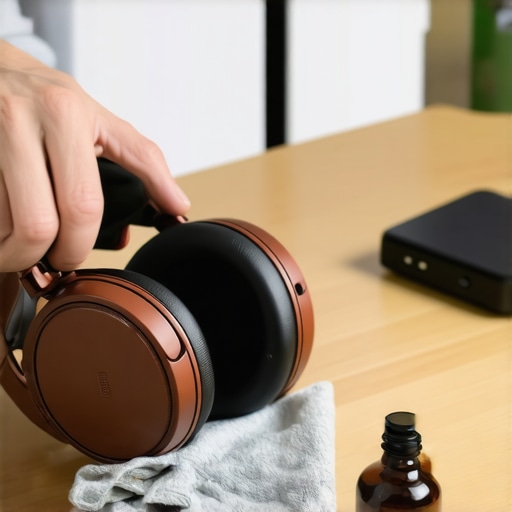
I now make it a weekly ritual to perform a quick wipe-down of my equipment. It sounds tedious, but learning how to clean your headphone ear pads without ruining the leather is the easiest way to protect your investment. I use a slightly damp microfiber cloth and a dedicated leather conditioner. Beyond the pads, pay attention to the mechanical joints. If you hear a squeak, you need to know how to stop your high-end headphones from creaking when you move, which usually involves a tiny drop of dry PTFE lubricant on the hinges. This prevents micro-vibrations from interfering with your listening experience while keeping the frame from snapping under stress.
Software That Actually Fixes Your Room
Maintenance isn’t just physical; it is digital and environmental too. If you transition your mobile setup to a fixed desk environment, your room starts to play a massive role in the sound. I personally use a tool called AutoEQ combined with the Harman Target curve, a gold standard in audio research pioneered by Dr. Sean Olive. To get this right, you can actually how to use your phone to measure your rooms frequency response. By using your phone as a measurement microphone and a specialized app like Spectroid, you can identify which frequencies are bouncing off your walls and causing ‘mud.’ This level of calibration was once reserved for six-figure studios, but now it is accessible right from your pocket.
How do I keep this high-end sound from degrading?
The most common culprit for degrading sound in older setups is oxidation on the connectors. If you start hearing a ‘crackle’ when you adjust the volume on your portable amp, it is likely a dirty potentiometer. I swear by a can of DeoxIT D5 to how to fix a scratchy volume dial with electrical contact cleaner. A single spray can save a $500 amplifier from the trash heap. Additionally, keep your cables coiled loosely to avoid internal wire fractures. If you treat your cables like extension cords, they will fail, and you will find yourself hunting for a signal every time you turn your head.
The Future of Mobile Hi-Fi is Less Tangled
Looking ahead, the next five years will likely see a massive shift toward ‘Lossless Wireless’ via the LC3 codec and Bluetooth LE Audio. While I am currently a die-hard wired advocate, the gap is closing. We are moving toward a world where the DAC is built directly into the earbud or headphone cup, receiving a raw digital stream without the need for bulky dongles. However, until those technologies mature and the ‘handshake’ between devices becomes more reliable, your wired DAC and bit-perfect app remain the only way to guarantee you are hearing every single bit of the original recording. If you are serious about your sound, I challenge you to download a measurement app today and test your room’s response—you might be shocked at what you find. It is time to stop guessing and start listening with precision.
I remember sitting on my back porch on a humid Tuesday evening, staring at my brand-new $400 open-back headphones and feeling like a total failure. I had just spent a week’s wages on what the reviews promised was ‘sonic bliss,’ but as I plugged them into my phone and hit play on my favorite jazz record, the sound was thin, lifeless, and frankly, embarrassing. It was a punch to the gut. I felt like I’d been sold a lie. But here is the thing I learned the hard way: your smartphone is a pocket-sized miracle, but its internal audio hardware is usually an afterthought designed for podcasts and TikTok, not Tchaikovsky. Most people don’t realize that their device is actively sabotaging their gear.
Stop Letting Your Phone Muffle Your Music
The good news is that your phone doesn’t have to be the weak link in your setup. Today, I am going to show you exactly how to bypass the cheap internal components of your device to unlock the kind of detail that makes the hair on your arms stand up. We are going to talk about external DACs, high-res streaming settings, and why your current cable might be your worst enemy. It is the same process I used when I learned how to use an old phone as a dedicated high-res music player to save my main battery for calls. We are going to turn that glass slab in your pocket into a source that rivals thousand-dollar dedicated players. [image_placeholder_1]
Does my phone really have enough power for this?
This is the biggest hurdle most of us face. Early on, I made the classic mistake of thinking a louder volume meant better quality. I cranked the slider to 100% and wondered why my ears hurt but the music still felt ‘small.’ According to expert testing by SoundGuys, the integrated DAC/Amp chips in most modern smartphones are capped at a low voltage to preserve battery life, which means they simply cannot drive high-performance drivers effectively. If you have ever wondered why your headphones sound quiet on your laptop but loud on your phone, or vice versa, you have felt this power struggle firsthand. To get real fidelity, you need to stop asking your phone to do the heavy lifting and start using it as a digital transport. Have you ever felt like your expensive headphones were being held back by the device you are plugged into?
The Simple Hardware Fix for Better Detail
The secret sauce is getting the digital signal out of the phone before it hits the noisy, crowded circuitry inside. This is where an external Digital-to-Analog Converter (DAC) comes in. Much like how you would use a DAC to improve your desktop computers audio, a small ‘dongle’ DAC can transform your mobile experience. I remember my first time using a dedicated mobile DAC; it was like someone had finally wiped the grease off my glasses. Suddenly, the drums had texture, and I could hear the singer taking a breath between verses. It doesn’t have to be expensive, but it has to be intentional. We are going to dive into the specific settings and hardware you need to make this happen without breaking the bank.
Force Your Phone to Hand Over the Digital Keys
The biggest obstacle to high-fidelity sound on a phone is the operating system itself. Whether you are on Android or iOS, your phone wants to be the boss. It takes your high-resolution music file and “resamples” it—essentially crunching the data down to a standard size that the phone’s internal speakers can handle. This process is like taking a 4K movie and watching it on an old tube TV; you lose the texture and the depth. To fix this, you need a dedicated media player app that supports “bit-perfect” output. Apps like USB Audio Player Pro (UAPP) or HiBy Music act as a direct tunnel, bypassing the internal Android audio mixer and sending the raw, untouched data straight to your external DAC.
Setting Up the Bit Perfect Chain
When I first tried this, I was skeptical. I plugged my external DAC in, but the sound was still… just okay. I realized I had to go into the app settings and manually grant the app exclusive control over the USB port. The moment I clicked “Yes,” the DAC’s indicator light changed from green to blue, signaling it was receiving a high-res stream. The change wasn’t subtle. It felt like the music finally had room to breathe. This is exactly the trick to making cheap iems sound like high-end monitors—it’s all about the integrity of the signal before it reaches your ears.
Master the Gain and Volume Balance
A common mistake is maxing out the volume on the phone and then adjusting it on the DAC, or vice-versa. Think of this like water flowing through two valves. If the first valve (your phone) is barely open, the second valve (your DAC/Amp) has to work ten times harder to get any flow, which introduces noise. I learned this the hard way during a cross-country flight when I couldn’t figure out how to get rid of the annoying hiss in your budget car amp or, in my case, my portable setup. The solution is to set your phone’s digital volume to about 90-95% to avoid digital clipping and let the physical knob on your DAC do the heavy lifting. This keeps the “noise floor” low, meaning the silence between notes stays dead silent.
Check Your Physical Connections and Seals
Even with the best DAC in the world, the physical interface can ruin the experience. A loose USB-C connection can cause pops and clicks, much like how to fix a buzzing sound in your portable speaker at high volumes often starts with checking the cables. Furthermore, if you are using over-ear headphones, be mindful of your accessories. You might not realize why your headphones sound thin when you wear glasses, but the tiny gap created by the frames breaks the acoustic seal, leaking out all that precious bass you just spent money to recover. If the seal isn’t tight, the best hardware in the world can’t save your low end.
The trap most audiophiles fall into is believing that buying the most expensive gear automatically solves the quality problem. In my experience, chasing higher and higher specs can actually backfire if you don’t understand the physical limitations of your hardware. I have seen enthusiasts spend hundreds on high-res files only to wonder why your high-end dac sounds exactly like your laptops headphone jack. The hard truth is that more data does not always mean more music; sometimes, it just means more noise.
Don’t Fall for the High-Res Numbers Game
Everyone tells you that 192kHz or 384kHz is the gold standard, but here is a contrarian view: chasing those massive sample rates on a mobile device is often a waste of storage and battery. According to research published by the Audio Engineering Society (AES), the human ear is generally incapable of hearing frequencies above 20kHz, and many high-res files actually introduce ‘intermodulation distortion’—ultrasonic noise that can fold back into the audible range and muddy the sound. This is frequently why your speakers sound harsh when you play high-res files. Unless your entire chain, from the player app to the headphone drivers, is perfectly optimized, you are better off sticking to a high-quality 44.1kHz or 48kHz file that is mastered well.
Is your mobile DAC actually draining your performance?
This is the ‘Oops’ factor many beginners overlook. High-performance portable DACs require significant power to drive demanding headphones. When you plug a power-hungry dongle into a smartphone, the phone’s power management system may throttle the USB output to protect the battery. This results in a thin, compressed sound that lacks dynamic range. I once spent an hour troubleshooting a ‘flat’ soundstage only to realize my phone was limiting the current to my DAC. If you notice a loss in punch, it might not be the file—it’s the power. Have you ever fallen into this trap? Let me know in the comments.
Stop Ignoring the Physical Seal
Beyond the digital settings, the biggest mistake is forgetting the physical world. You can have the most expensive bit-perfect stream, but if you aren’t paying attention to the fit of your gear, it’s all for nothing. I’ve talked to people who thought their equipment was broken when, in reality, they were experiencing why your headphones sound thin when you wear glasses or using the wrong size ear tips. For IEM users, the reason your wireless earbuds sound different after changing the tips is usually a change in the acoustic chamber of your ear canal. If that seal is broken, the sub-bass frequencies—the ones that give music its soul—simply vanish into thin air. Always double-check your physical isolation before blaming your software or your DAC.
Once you have successfully bypassed your phone’s internal limitations, the real challenge begins: keeping that performance peak for years to come. I have seen too many audiophiles build a magnificent portable rig only to watch it crumble because they neglected the basic maintenance of their hardware. For me, it started when I noticed my favorite pair of over-ears looking ragged. I realized too late that I didn’t know why your headphone pads are flaking and how to prevent it. Sweat and skin oils are the natural enemies of leather and protein-leather pads, and if you don’t clean them regularly, they will literally disintegrate, changing the acoustic seal and ruining the bass response we worked so hard to fix.
Keep Your Gear From Crumbling Away
I now make it a weekly ritual to perform a quick wipe-down of my equipment. It sounds tedious, but learning how to clean your headphone ear pads without ruining the leather is the easiest way to protect your investment. I use a slightly damp microfiber cloth and a dedicated leather conditioner. Beyond the pads, pay attention to the mechanical joints. If you hear a squeak, you need to know how to stop your high-end headphones from creaking when you move, which usually involves a tiny drop of dry PTFE lubricant on the hinges. This prevents micro-vibrations from interfering with your listening experience while keeping the frame from snapping under stress.
Software That Actually Fixes Your Room
Maintenance isn’t just physical; it is digital and environmental too. If you transition your mobile setup to a fixed desk environment, your room starts to play a massive role in the sound. I personally use a tool called AutoEQ combined with the Harman Target curve, a gold standard in audio research pioneered by Dr. Sean Olive. To get this right, you can actually how to use your phone to measure your rooms frequency response. By using your phone as a measurement microphone and a specialized app like Spectroid, you can identify which frequencies are bouncing off your walls and causing ‘mud.’ This level of calibration was once reserved for six-figure studios, but now it is accessible right from your pocket.
How do I keep this high-end sound from degrading?
The most common culprit for degrading sound in older setups is oxidation on the connectors. If you start hearing a ‘crackle’ when you adjust the volume on your portable amp, it is likely a dirty potentiometer. I swear by a can of DeoxIT D5 to how to fix a scratchy volume dial with electrical contact cleaner. A single spray can save a $500 amplifier from the trash heap. Additionally, keep your cables coiled loosely to avoid internal wire fractures. If you treat your cables like extension cords, they will fail, and you will find yourself hunting for a signal every time you turn your head.
The Future of Mobile Hi-Fi is Less Tangled
Looking ahead, the next five years will likely see a massive shift toward ‘Lossless Wireless’ via the LC3 codec and Bluetooth LE Audio. While I am currently a die-hard wired advocate, the gap is closing. We are moving toward a world where the DAC is built directly into the earbud or headphone cup, receiving a raw digital stream without the need for bulky dongles. However, until those technologies mature and the ‘handshake’ between devices becomes more reliable, your wired DAC and bit-perfect app remain the only way to guarantee you are hearing every single bit of the original recording. If you are serious about your sound, I challenge you to download a measurement app today and test your room’s response—you might be shocked at what you find. It is time to stop guessing and start listening with precision.
The Most Expensive Mistakes I Made So You Don’t Have To
If there is one thing that years of tinkering has taught me, it is that spec sheets are often the enemy of musicality. I spent months chasing 384kHz files only to realize that the mastering of the track mattered ten times more than the sample rate. Another hard-earned lesson: don’t ignore the burn-in. While controversial, the truth about speaker break-in periods applies to many high-end headphone drivers too; they need time for the surrounds to loosen up before they hit their peak. Lastly, never assume your gear is broken before checking the phase. I once felt like my soundstage was ‘hollow’ for a week before I learned how to tell if your speakers are out of phase in 30 seconds. It was a simple wiring flip that changed everything.
My Personal Vault of Must-Have Audio Tools
To keep my mobile rig running perfectly, I rely on a very specific toolkit that has never let me down. First is USB Audio Player Pro (UAPP), which is the only app I trust to handle bit-perfect delivery on Android. For physical maintenance, a can of DeoxIT D5 is mandatory; it is the best way how to fix a scratchy volume dial with electrical contact cleaner without leaving a residue. I also keep the AutoEQ database bookmarked, as it provides the most accurate EQ profiles for almost every headphone on the market. These tools aren’t just accessories; they are the foundation of a consistent high-fidelity experience.
It is Time to Let the Music Take Over
We can spend all day arguing over filters and voltage, but at the end of the day, this hobby is about the goosebumps. Your phone is a powerful gateway, and with the right DAC and a bit-perfect signal chain, it becomes a world-class high-res music player. Don’t let the technical hurdles scare you away from the ultimate goal: hearing your favorite artists exactly as they sounded in the studio. Take it one step at a time, trust your ears over the marketing jargon, and don’t be afraid to experiment with your settings. Have you ever struggled with your phone not recognizing your external DAC? Let me know in the comments below!