
It was a humid Saturday at the lake, the sun was finally out, and the cooler was packed to the brim. I hit play on my favorite playlist, ready to be the hero of the afternoon, only for my portable speaker to let out that pathetic, sinking ‘low battery’ beep just forty-five minutes in. I felt like a total amateur. I had bragged about this thing’s 20-hour runtime for weeks, yet there I was, sitting in silence while my friends looked for their phones. That moment was my wake-up call. I realized I wasn’t just unlucky; I was actively murdering my gear with one specific, common habit. We all want that punchy sound to last all day, but most of us are treating our tech in a way that ensures it won’t. Today, I’m going to show you exactly how to stop the drain and why your portable speaker is losing its charge faster than usual.
Stop Treating Your Speaker Like a Desk Lamp
For the longest time, I kept my speaker plugged into the wall 24/7 whenever I was home. I thought I was being smart by keeping it ‘topped off’ and ready to go. I was wrong. By keeping the battery at a constant 100% while tethered to a charger, I was essentially cooking the lithium-ion cells from the inside out. This constant state of high voltage creates internal stress that degrades the battery’s capacity faster than almost anything else. I’ve seen people do the same thing with their laptops and wonder why they can’t last through a single movie a year later. If you are also worried about power delivery, you should definitely check out the truth about using a fast charger for your portable speaker, because sometimes that ‘quick boost’ is doing more harm than good.
Wait, do modern batteries really still have memory?
You might be skeptical. We’ve been told for years that modern lithium batteries don’t have the ‘memory effect’ that old-school nickel-cadmium batteries did. While that is technically true, lithium-ion has its own set of ‘health’ requirements. According to research from Battery University, a leading authority on battery technology, heat is the absolute silent killer of battery longevity. When you leave a speaker plugged in, it generates ambient heat; combine that with a full charge, and you are looking at a recipe for a dead brick in eighteen months. I learned this the hard way after my third ‘rugged’ speaker turned into a paperweight. Have you noticed your own device struggling to make it through a full afternoon lately? Drop a comment and let me know if you’ve been guilty of the ‘always plugged in’ habit too. Beyond just the battery, I’ve found that high-volume stress can lead to other issues, like needing to fix a buzzing sound in your portable speaker at high volumes. It is all connected to how we push our gear to the limit without thinking about the recovery time.
Give Your Battery Breathing Room
Think of your speaker’s lithium-ion battery like a rubber band. If you keep it stretched to its absolute limit at 100% or let it go completely slack at 0% for too long, it loses its elasticity and eventually snaps. To keep the ‘snap’ in your battery life, you need to live in the 20-80% zone. I used to be the guy who wouldn’t leave the house unless the little green light was solid, but I was actually killing the cells through high-voltage stress. Now, I treat 20% as my ’empty’ and 80% as my ‘full.’ This simple shift in habit can effectively double the total number of charge cycles your device can handle before it starts to degrade.
Stop the Mid-Day Heat Soak
Last July, I left my rugged speaker on the dashboard of my truck while I went into the store for twenty minutes. When I came back, the casing was too hot to touch. Heat increases internal resistance, which means the battery has to work twice as hard to push the same amount of power to the drivers. If you’re at the beach or the park, keep your tech under a towel or in the shade of the cooler. If you feel the back of the unit getting warm during playback, turn the volume down immediately. Thermal throttling isn’t just for high-end laptops; your speaker will actively reduce its own performance to save itself from melting, which often results in a muddy, low-energy sound profile.
Maximize Sound Without Maxing the Dial
Most people think more volume equals a better party, but pushing a small driver to 100% is the fastest way to drain the tank. At max volume, the internal amplifier is drawing peak current, which generates excessive heat and depletes the battery exponentially faster than it would at 70% volume. I discovered that if I want more ‘oomph’ without the battery drain, I just need to be smarter about physics and placement. For example, your portable speaker sounds better when placed in a corner because the meeting of the walls acts as a natural acoustic horn, amplifying the bass frequencies. This allows you to keep the internal volume lower while still filling the room with a rich sound. 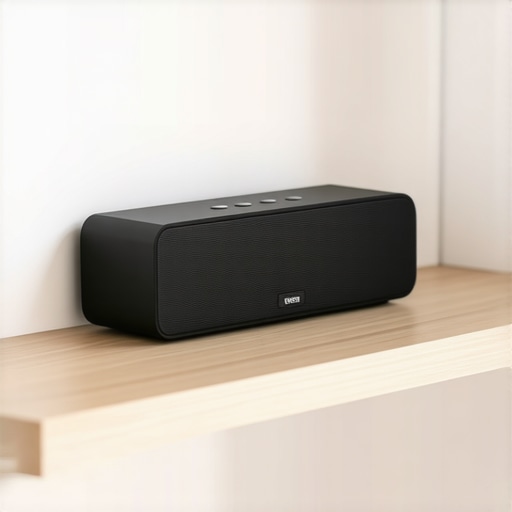
Double the Gear and Save the Battery
If you find yourself constantly redlining the volume because your bluetooth speaker sounds flat in wide open spaces, you are better off using two speakers at medium volume than one speaker at its absolute limit. Many modern units allow you to sync multiple devices, and learning how to get stereo sound from a single portable speaker using TWS (True Wireless Stereo) by pairing it with a second unit can save both batteries. When I started pairing two mid-sized speakers during my patio hangouts instead of blasting one large one, I noticed I only had to charge them once every few days instead of every single night. You get a wider, more immersive soundstage and your gear stays healthy because it isn’t being pushed into the ‘danger zone’ of high-current draw.
Let’s dig deeper into why we often feel underwhelmed by expensive gear, even when the specs look perfect on paper. Most people walk into a store looking for the highest wattage number on the box, thinking it’s a direct shortcut to better sound. This is the biggest lie in the industry. I used to fall for it too, chasing ‘1000W’ labels on budget gear, only to find the audio was muddy and thin. The reality is that wattage is often a vanity metric used by marketing teams to hide poor efficiency. A study by the Audio Engineering Society (AES) notes that doubling your power only provides a 3dB increase in sound pressure level, which is barely a noticeable change to our ears. Instead of chasing raw power, you should be focusing on sensitivity and headroom. If you have ever wondered why your bookshelf speakers need more power than you think, it usually isn’t about volume; it’s about having enough reserve energy to handle sudden musical peaks without clipping.
Stop Obsessing Over Peak Power Numbers
When you see ‘Peak Power’ or ‘PMPO’ on a box, ignore it. That number represents what a speaker can handle for a fraction of a second before melting. What actually matters is the RMS (Root Mean Square) rating, which tells you what the gear can handle continuously. I’ve seen so many enthusiasts buy high-wattage aftermarket speakers for their cars, only to realize why your cars factory speakers sound better than your new cheap ones. The issue is that high-end speakers often have heavier cones that require a dedicated amp to move; a basic factory radio just doesn’t have the current to drive them effectively, resulting in a flat, lifeless sound. This is a classic ‘trap’ where ‘better’ components actually make your system sound worse because of a power mismatch.
Is your amplifier actually clipping your signal into oblivion?
If you turn your volume up and the sound starts to get harsh or ‘crunchy,’ you aren’t hearing the speakers reaching their limit—you’re hearing the amplifier running out of voltage. This is called clipping, and it’s the number one killer of tweeters. Learning how to tell if your amplifier has enough headroom for your speakers is vital for long-term health. When an amp clips, it sends a square-wave signal that generates massive amounts of heat. Have you ever fallen into this trap of buying ‘pro’ gear and being disappointed by the result? Let me know in the comments. 
The Tragic Reality of Mismatched Impedance
Another nuance that separates the pros from the amateurs is impedance matching. Most people think you can just wire any speaker to any amp, but that’s a recipe for a blown fuse or a thermal shutdown. This is especially true in complex setups. You need to understand how to match your car subs impedance to your amplifiers output to ensure the amp isn’t seeing too much or too little resistance. If the resistance is too low, the amp will overwork itself and potentially catch fire; if it’s too high, you’ll get a fraction of the power you paid for. This same principle explains why your expensive headphones sound thin on a basic smartphone. Those high-impedance cans are literally starving for voltage that a tiny phone battery cannot provide. True expertise isn’t about buying the most expensive box; it’s about ensuring every link in the chain is speaking the same electrical language.
Keep Your Dials From Crackling Like Firewood
I used to think my gear was maintenance-free until the first time I heard a scratchy pop when turning the volume knob on my vintage receiver. That noise is the sound of oxidation eating away at your signal. Now, I keep a can of high-grade contact cleaner in my desk at all times. If you haven’t learned how to fix a scratchy volume dial with electrical contact cleaner, you’re eventually going to replace a perfectly good amplifier for no reason. I personally use DeoxIT D5 because it doesn’t just clean; it leaves a microscopic layer of protection. This same logic applies to your portable gear; taking thirty seconds to learn how to clean dust out of your headphone jack without damaging pins can solve ‘connection issues’ that most people mistake for a broken device.
How do I maintain my home audio system for the next decade?
Long-term health is all about preventing chemical and physical breakdown. For speakers, the rubber surrounds are the first thing to go. You should regularly check for brittleness and know how to clean sticky speaker surrounds without damaging the rubber to prevent them from cracking. If your gear sits near a window, the UV rays will bleach your equipment; I’ve had to learn how to restore a sun-faded speaker grille to look new again more times than I care to admit. Internally, capacitors are your ticking time bomb. According to technical documentation from Nichicon, a world-leading capacitor manufacturer, heat cycles are the primary driver of electrolytic failure. If you know how to tell if your speakers capacitor is starting to fail, you can swap a $5 part instead of trashing a $500 cabinet. 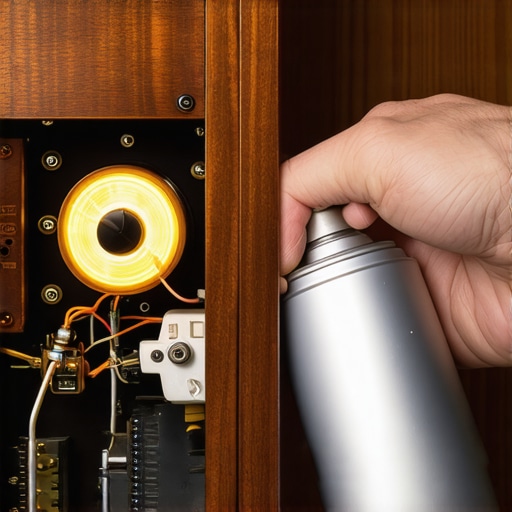
Your Living Room is the Final Component
We often buy better gear to fix bad sound, but we ignore the room itself. Dr. Floyd Toole, a legend in acoustics, has proven through decades of research that the room’s interaction with the speaker is often more important than the speaker’s price tag. If your bass feels boomy or hollow, don’t buy a new sub; instead, find the reason your speaker stands need to be filled with sand. The added mass stops parasitic vibrations that muddy the low end. I’ve even started using my smartphone to visualize these issues. By learning how to use your phone to measure your rooms frequency response, you can see exactly where your furniture is causing audio ‘dead zones.’
The Future of Sound is Smarter Not Just Louder
The trend I see coming isn’t about bigger magnets; it’s about Digital Signal Processing (DSP) and automated room correction. We are moving toward a world where your speakers will actively ‘listen’ to the room and adjust their output in real-time to compensate for bad acoustics. This is already happening in high-end soundbars, and it’s the only way to explain how to get clear movie dialogue without a dedicated center speaker in modern ultra-thin setups. My advice? Stop chasing the ‘newest’ model every year. Pick up a high-quality vintage amp, get some contact cleaner, and focus on the physics of your room. Go grab your phone right now, download a basic RTA (Real Time Analyzer) app, and see what your room is actually doing to your favorite song—you might be shocked at what you’ve been missing.
Lessons from the Audio Trenches that Saved My Gear
After years of tinkering with everything from vintage hi-fi stacks to the latest Bluetooth rigs, I realized that many ‘broken’ systems are actually just misunderstood. First, always trust your ears over a spec sheet; if the audio sounds strained or harsh, your equipment is crying for help. Second, I learned that even a small setup error like telling if your speakers are out of phase can make a high-end system sound like a tin can. Finally, never ignore environmental factors—moisture and dust are the silent predators of electronics. Knowing how to fix muffled car speakers after a car wash has saved me hundreds in replacement parts over the years.
My Essential Kit for Maintaining Peak Performance
You don’t need a degree in electrical engineering to keep your gear running like new. I recommend keeping a few diagnostic basics nearby. Start with a simple paper test—it is the easiest way to find air leaks in your speaker cabinet that steal your bass impact and waste amplifier energy. If you are working on mobile audio, mastering how to properly ground a car amplifier will eliminate that annoying engine hum and prevent thermal shutdowns. I also swear by resources like Audio Engineering Society journals for deep dives, and I always keep high-quality microfiber cloths and specialized contact cleaners in my drawer to treat every connection point once a year.
Take Back Control of Your Listening Experience
At the end of the day, audio is about the connection between you and the music, not the number of zeros on the receipt. By treating your batteries with respect and understanding the physics of your room, you aren’t just protecting an investment—you’re ensuring that every time you hit play, you get the performance the artist intended. Don’t let your portable speaker lose its charge or your home amp clip into oblivion because of a simple habit. Start with one small change today, whether it is moving your speaker out of a tight corner or finally cleaning that dusty headphone jack. #IMAGE_PLACEHOLDER_E#
Have you ever accidentally ‘cooked’ a battery by leaving it plugged in too long, or did you realize your speakers were out of phase after years of listening? Let me know your biggest gear-saving tips in the comments below!