
I was halfway through the “trench run” scene in Star Wars. The X-Wings were diving, the music was swelling, and right when the first proton torpedo was supposed to hit with a room-shaking thump, my subwoofer just… died. No explosion. No rumble. Just the pathetic, thin chirping of my soundbar trying its best. It felt like someone had let the air out of a balloon. I spent the next twenty minutes crawling behind the couch with a flashlight, cursing at a little blinking LED light that refused to stay solid blue. It wasn’t the first time, and I knew it wouldn’t be the last unless I figured out why this expensive box of bass was acting like a moody teenager.
Stop Your Subwoofer from Cutting Out Mid-Movie
We buy wireless subwoofers for the convenience—no one wants to trip over wires or figure out how to mount a soundbar on drywall without hitting a stud just to hide the clutter. But that convenience comes at a cost: stability. When your sub starts dropping out, it’s usually not because the hardware is broken in the traditional sense. It is almost always a communication breakdown. In my early days of obsessing over audio, I made a massive mistake. I assumed the hardware was faulty and returned three different units before realizing the issue was my own WiFi router. I was so focused on finding the perfect gear that I ignored the invisible signals flying through my living room. I even spent a weekend trying to figure out why your soundbar keeps turning itself off randomly before realizing the sub’s connection drop was triggering a power-save mode in the main unit. It was a frustrating mess that could have been avoided with a little neighborly advice. Today, we are going to dive into the why and how of fixing these drops. We will look at frequency interference, physical obstructions, and those annoying firmware glitches that make you want to toss the whole system out the window. Have you ever been right in the middle of a bass-heavy track only to have your sub vanish on you? It is a special kind of annoyance, isn’t it?
Is a wireless connection actually reliable enough for home theater?
This is the big question every enthusiast asks eventually. Most modern wireless subwoofers operate on the 2.4 GHz frequency band. The problem? So does your microwave, your baby monitor, and your neighbor’s ancient router. According to researchers at the IEEE, the 2.4 GHz ISM band is one of the most congested slices of the electromagnetic spectrum, leading to significant packet loss in consumer electronics when too many devices compete for the same airwaves. When your sub loses those packets of data, it doesn’t just stutter; it often drops the connection entirely to try and resync. It is not just about the signal strength, though. Sometimes the issue manifests as a frustrating lag. If you’ve ever felt like the bass is hitting a millisecond after the action on screen, you are likely dealing with the audio delay on your soundbar or a sync issue between the two components. I have spent hours tweaking the lip-sync delay on your soundbar using hdmi settings, only to find that moving the subwoofer three feet to the left solved the interference problem entirely. The goal today is to give you a clear path to a rock-solid connection so your movies finally have the punch they deserve.
The Hidden Barriers Killing Your Connection
Wireless signals are a lot like flashlights; they work best when they have a clear line of sight. I once tried to be clever by tucking my sub behind a heavy velvet curtain to maintain a clean look, much like I did when researching how to hide a massive subwoofer in a minimalist living room. Within ten minutes, the bass started stuttering. Thick furniture, walls, and even large decorative plants act as sponges for the 2.4 GHz signals your subwoofer relies on. If your sub is hidden in a corner or behind a couch, you are forcing the internal antenna to work overtime. Move the subwoofer into the open, even if it is just a few inches. If you are worried about aesthetics, you can learn how to hide audio cables in a room with concrete walls if you eventually decide to go wired, but for now, prioritize a clear path between the soundbar and the sub. 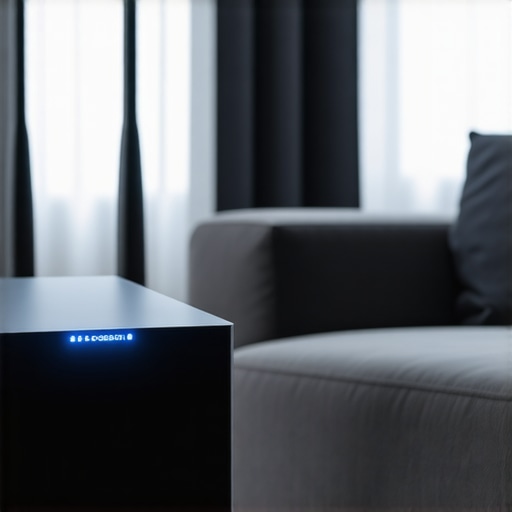
Wrestle Your WiFi for Control
Your home network is the biggest enemy of your home theater. Most routers are set to ‘Auto’ channel selection, meaning they hop around looking for the clearest path. Every time your router jumps to a new channel, it can momentarily knock your subwoofer offline. I remember a specific Tuesday night where my sub dropped every time my neighbor started their microwave. It was maddening. I finally fixed it by logging into my router’s admin panel and manually setting the 2.4 GHz band to a static channel—usually channel 1, 6, or 11. This prevents the ‘shouting match’ between your internet and your speakers. This interference is remarkably similar to why your bluetooth headphones stutter when walking near microwaves. By giving your subwoofer a dedicated ‘lane’ on the frequency highway, you eliminate the traffic jams that cause those sudden silences.
Check Your Power and Connection Basics
It sounds insulting to suggest checking the plug, but vibration is a powerful force. A subwoofer is literally a vibrating box; over time, that movement can wiggle a power cord or a wireless dongle just enough to cause an intermittent short. I once spent an hour troubleshooting a ‘dead’ sub only to find the power cable was vibrating against the wall outlet. If you notice a humming sound before the drop, you might need to learn how to get rid of ground loop hum in your audio setup. Also, ensure the sub isn’t in a ‘power save’ or ‘eco’ mode that is too sensitive. Sometimes the sub thinks the movie is too quiet and puts itself to sleep right before a big explosion. While you are back there, check the physical condition of the unit; for instance, if you see bulging components, you should know how to tell if your speaker capacitors are starting to leak before trying to power it back up.
Mastering the Manual Reset
When all else fails, you need to force a fresh ‘handshake’ between your components. This isn’t just turning it off and on again. Most systems require a specific button-press sequence to reset the wireless ID. I once had a client whose sub wouldn’t pair for weeks because their soundbar was stuck searching for a previous unit. We had to perform a hard factory reset. While the sub is re-pairing, make sure you aren’t accidentally out of sync; it is a good time to double-check how to match your subwoofer phase with your main speakers to ensure that once the connection is solid, the sound quality is actually impactful.
Stop Obsessing Over the Wattage on the Box
We are often told that more power equals better sound, but this is one of the biggest lies in the audio industry. Most people look at a ‘1000-watt’ peak power rating on a subwoofer and assume it will shake the foundation. In reality, that number is often a marketing gimmick. If you have ever wondered about the reason your passive speakers sound quiet with a digital amp, it is likely because you are chasing peak numbers instead of RMS power and sensitivity. In my experience, a well-engineered 200-watt sub in a tuned room will outperform a cheap 1000-watt ‘box store’ unit every single time. It is not about the volume of the noise; it is about the control of the driver.
Should you buy one massive subwoofer or two smaller ones?
This is where the real pros separate themselves from the amateurs. Most people think one giant 15-inch driver is the ultimate goal for home theater. However, research from the Audio Engineering Society (AES), specifically studies by the renowned Dr. Floyd Toole, proves that multiple subwoofers provide a much smoother bass response across the entire room. Instead of having one ‘sweet spot’ surrounded by dead zones, you can understand why two small subwoofers are better than one massive driver once you hear the lack of standing waves. 
The Used Gear Trap You Must Avoid
If you are hunting for deals to beef up your system, you might be tempted by high-end vintage gear. I love a bargain, but there is a specific ‘oops’ factor here that can cost you dearly. I once bought a flagship receiver at an estate sale for peanuts, only to realize the setup menu was inaccessible without the original, proprietary remote. It became a very heavy paperweight. This is why you should never buy a used receiver without the remote. Beyond just the interface, you have to be wary of ‘voodoo’ science like ‘speaker break-in.’ While some mechanical settling happens, the truth about speaker break-in periods is that your brain usually adjusts to the sound profile much faster than the speaker spider physically changes.
Fix Your Room Before You Buy New Gear
Before you spend another dime on upgrades, you need to recognize that your room is an active component of your sound system. If you have a ‘dead’ sounding sub even after troubleshooting the connection, you can actually learn how to use your phone to measure your rooms frequency response using free RTA apps. This will show you exactly where the room’s architecture is eating your bass frequencies. Often, the fix isn’t a bigger amplifier; it is simply setting the best crossover frequency for small satellite home theater speakers to ensure your sub isn’t straining to play mid-range tones. Have you ever fallen into the trap of buying more power only to find it didn’t fix your audio drops or muddy sound? Let me know in the comments below!
Once you have the placement and the settings dialed in, the game changes from troubleshooting to preventative maintenance. I’ve seen too many people build incredible systems only to let them degrade because of a bit of dust or a loose connection. My absolute go-to tool—the one thing I think every home theater owner should own—is a basic digital multimeter. It’s not just for electricians; you can use it to learn how to use a multimeter to find a short in your speaker wires before that short fries your expensive amplifier. I personally use an Extech because accuracy matters when you’re checking the impedance of a custom-built cabinet.
How do I maintain my audio gear for the long haul?
Consistency is key. Every six months, I do a sweep of my system. This involves more than just dusting; I check the terminals for oxidation. Even high-end gear can suffer from signal degradation if the interface is dirty, so I make sure I know how to clean gold-plated connectors without ruining the finish. If you are running vintage equipment, you’ll eventually hear that tell-tale crackle when adjusting the volume. Don’t panic and assume the unit is dying; you just need to learn how to fix a scratchy volume knob on an old amp using a specialized contact cleaner like DeoxIT D5. This isn’t just about sound quality; it’s about protecting your investment.
#IMAGE_PLACE_HOLDER_D#
The DIY Diagnostics You Can Do for Free
You don’t always need expensive sensors to find problems. I’m a huge fan of low-tech solutions that actually work. For instance, if your sub sounds chuffing or loose, you should try the simple paper towel trick for finding speaker air leaks. It’s a method used by custom enclosure builders to ensure the cabinet is truly sealed. Beyond the speakers, don’t forget your personal gear. Your daily drivers need love too, which is why I’m militant about how to clean your headphone ear pads without ruining the leather. Skin oils are acidic and will eat through protein leather in months if left unchecked.
The Future of Stable Wireless Audio
Looking forward, I predict we will see a massive shift toward WiSA (Wireless Speaker and Audio) standards. Unlike standard 2.4GHz WiFi, WiSA operates in the relatively empty 5GHz U-NII spectrum, which virtually eliminates the interference issues we discussed earlier. According to the technical specifications from the WiSA Association, this allows for up to eight channels of uncompressed 24-bit audio with less than 5ms of latency—well below the threshold where the human ear can detect a lag. **Your Next Move:** Don’t wait for a failure. Grab a soft cloth and some contact cleaner this weekend. Go through every single connection in your rack, tighten the banana plugs, and wipe down those RCA tips. You’ll be surprised how much clarity you find simply by removing a year’s worth of microscopic grime. Have you ever found a loose wire that was secretly ruining your soundstage?
What Years of Blown Fuses and Silenced Subs Taught Me
Looking back at my first home theater setup, I realize I spent more time under the couch than on it. The most painful lesson was that throwing money at the problem rarely fixes a signal issue. I used to think a more expensive receiver would push the signal harder, but physics doesn’t work that way. I also discovered that mechanical vibrations are your worst enemy; sometimes a sub stops working simply because it rattled its own terminals loose. If you hear a buzz before the silence, you might just need the simple way to fix a rattling metal speaker grill rather than a whole new driver. Finally, never ignore the floor. I once had a sub that cut out because it was physically wobbling on high-pile carpet, and learning why floorstanding speakers need spikes when used on carpet changed the game for my entire soundstage stability.
The Gear That Stays in My Troubleshooting Kit
If you want to move beyond guessing, you need a few staples in your toolbox. First, the Extech EX330 Multimeter is my ride-or-die for checking continuity in wires and finding shorts. Second, I highly recommend the Room EQ Wizard (REW) software; it is free and shows you exactly where your room is fighting your bass. Third, keep a bottle of DeoxIT D5 handy. It is the gold standard for cleaning terminals; I have seen dead subs come back to life just by cleaning the RCA jacks. Using these tools is the trick to making cheap bookshelf speakers sound expensive because you are optimizing the environment, not just the hardware. Lastly, before you declare a unit dead, make sure you know how to tell if your speaker is actually blown or just rattling to avoid unnecessary replacement costs.
Reclaim Your Cinema Experience Today
You did not invest in a high-end system to listen to only half of the soundtrack. Solving the mystery of a subwoofer from cutting out is about being methodical. Start with the wireless channels, move to physical placement, and finish with connection maintenance. Bass is the heartbeat of your movies—do not let a bad WiFi channel or a dusty port stop the show. You have the tools, the knowledge, and the plan to restore that room-shaking rumble. Which of these fixes finally stopped your subwoofer from cutting out? Let me know in the comments below!