
There is nothing quite like the heart-sinking feeling of a high-end audio setup suddenly cutting to black right at the climax of your favorite song. I remember a summer party a few years back where I was finally showing off my pride and joy—a beefy vintage Pioneer I’d painstakingly restored. We were halfway through a classic rock anthem, the energy was peaking, and just as I gave the volume knob that one extra nudge, *click*. Total silence. The lights on the display stayed on, but the music was gone. I felt like a total amateur in front of my friends, convinced I’d just turned my centerpiece into an expensive paperweight. But here is the secret I learned that night: your receiver usually isn’t broken; it is just trying to save its own life. Today, we are going to dive into the physics of why your amp is quitting on you. Whether it is heat, bad wiring, or an impedance mismatch, I will help you troubleshoot the silence so you can get back to the music.
The Moment the Music Died
In my early days of tinkering with home audio, I used to think that volume was just a simple slider. I didn’t realize that by turning it up, I was asking my receiver to perform a feat of electrical gymnastics it wasn’t prepared for. When that unit cuts out, it is almost certainly entering Protection Mode. Think of it as a biological reflex, like pulling your hand away from a hot stove. I once spent nearly two hundred dollars on a professional diagnostic only to find out the culprit was a single, tiny stray strand of copper wire touching the back of the metal chassis. It was a humiliating lesson in the importance of clean connections. You can actually use a multimeter to find a short in your wires before you ever consider calling a repair shop. We will also look at common quirks like why your receiver clicks and what those mechanical sounds actually tell you about your hardware’s internal health.
Is your expensive gear actually broken for good?
This is the fear that keeps every audiophile up at night. You imagine the transistors melting and the capacitors leaking. However, modern and vintage receivers are remarkably resilient. According to research on power electronics published by the IEEE, thermal protection and over-current sensors are the primary reasons high-fidelity equipment survives user error for decades. It is almost always a setup issue rather than a terminal hardware failure. Have you ever had your system shut down right at the best part of a movie or track? It is a specialized kind of heartbreak, isn’t it?
Stop Your Amp from Quitting When the Bass Hits
One of the biggest mistakes I made early on was trying to drive massive, power-hungry 4-ohm speakers with a budget receiver meant for 8-ohm loads. It is like trying to pull a heavy boat trailer with a compact car; eventually, the engine is going to overheat and quit. If you have been messing with your setup lately, perhaps trying to fix a channel imbalance on an old unit, you might have accidentally created a situation where the amp is working overtime. Sometimes, passive speakers sound quiet until you push them, but that sudden surge in demand is exactly what triggers a shutdown. In the next section, we will walk through the three most common culprits: heat, impedance, and the ‘invisible’ shorts that hide behind your cabinet.
Give Your Amp Some Air to Breathe
Most people treat their audio receiver like a piece of furniture rather than a high-performance engine. If you tuck your amp into a tight media console with zero clearance, you are effectively suffocating the heat sinks. I learned this the hard way with a beautiful vintage Marantz I found at a garage sale. I squeezed it into a narrow shelf and, within thirty minutes of a movie, the top of the case was hot enough to warp plastic. The unit didn’t just shut down; it smelled like toasted electronics. You should never stack equipment directly on top of the vents, which is exactly why you should never place your turntable on top of your receiver. Heat is the number one killer of transistors. If your setup is cramped, pull the unit out or install a small USB-powered fan to pull the hot air away from the chassis. This thermal stress is similar to why your car amp is overheating during long summer drives; without airflow, the internal sensors will trigger a shutdown to prevent a fire. 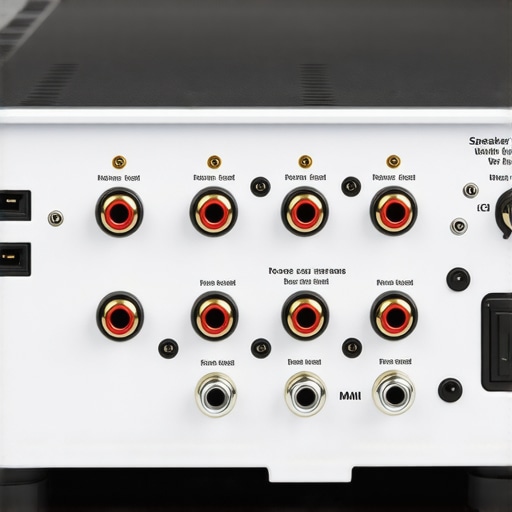
Hunt Down the Invisible Copper Strands
Once you have verified the temperature is stable, you need to look at your physical connections. A single hair-thin strand of copper wire bridging the positive and negative terminals is enough to send a modern receiver into an immediate protection loop. I once spent an entire Saturday afternoon frustrated because my left channel kept cutting out during heavy bass hits. I finally pulled the unit out and found that a frayed wire was barely touching the metal casing. It was a micro-short. To prevent this, you should check for any loose speaker terminals on your cabinet that might be wobbling and causing intermittent contact. While you are back there, it is also a good time to verify that your polarity is correct. If you get the wires swapped, you won’t necessarily trigger a shutdown, but you can test if your speakers are out of phase to ensure your bass isn’t canceling itself out.
Verify Your Speaker Load and Impedance
Your receiver is rated for a specific electrical resistance, usually measured in Ohms. If you try to drive speakers with an impedance lower than what the amp is rated for, you are essentially asking for more current than the power supply can safely provide. This often happens when people try to get creative with their wiring, such as when they bridge a two-channel amp without blowing a fuse incorrectly. I once tried to daisy-chain two sets of floorstanding speakers to a single output and nearly melted the internal relays because the total load dropped to 2 Ohms. If you notice the receiver only cuts out during loud, bass-heavy passages, it is a sign that the power demand is spiking beyond the amp’s capacity. If you find that your passive speakers sound quiet and you have to crank the volume to the max just to hear them, you are likely pushing the amp into a clipping state, which is the fastest route to a protection mode click.While heat and shorts are the usual suspects, there is a more insidious reason your amp might be throwing in the towel: signal clipping. Most beginners think that buying a low-powered amp is ‘safer’ because it cannot push the speakers too hard. This is a massive mistake. When you push a small amp beyond its electrical limits, it stops producing a clean sine wave and starts ‘clipping’ the signal. This sends a massive amount of distorted, DC-like energy straight to your tweeters. In my experience, more speakers are killed by too little power than too much. This is exactly the reason your passive speakers sound quiet with a digital amp right before the protection circuit kicks in to save the hardware.
The break-in period is mostly in your head
You will hear people swear that you need to run pink noise through your system for a week straight before it sounds ‘real.’ While it is true that your new speakers sound better after 20 hours of use, the physical change is actually minute. Research by the Audio Engineering Society (AES) has shown that while the mechanical compliance of the driver suspension changes slightly, the perceived ‘night and day’ difference is usually just your brain’s psychoacoustic adaptation to the new frequency response. Don’t waste your life waiting for a magic 100-hour mark.
How do you know if your internal components are failing?
If your receiver is not just shutting down during loud parts but is making strange noises at idle, you might have a terminal hardware issue. You need to learn how to tell if your speaker capacitors are starting to leak or if the power supply in the amp is drifting out of spec. A common ‘trap’ is thinking you can solve every noise issue with a new, high-end wire. You should stop wasting money on expensive optical cables when the problem is actually a failing output relay or a dried-out electrolytic capacitor inside the chassis. 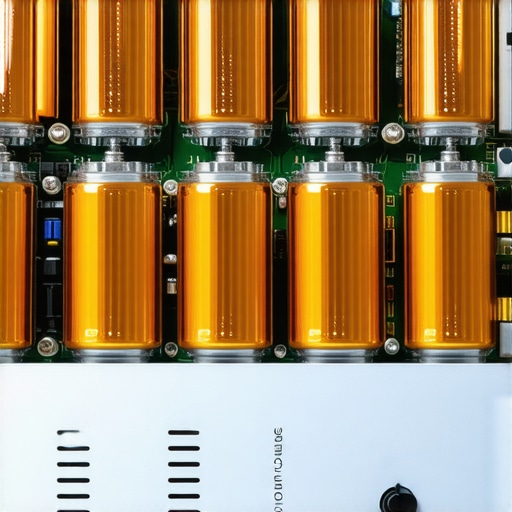
Don’t let digital convenience ruin your sound
We live in an era where soundbars are king, but they have their own set of protection headaches. If you are frustrated by why your soundbar keeps turning itself off randomly, it is often a software handshake issue with the HDMI-CEC rather than a thermal shutdown. This is the ‘modern’ version of the protection mode click. Also, a quick warning for the cleaners: why you should never use compressed air to clean a silk dome tweeter is because the high-pressure burst can actually deform the delicate fabric or metal dome, ruining the high-end response forever. Have you ever fallen into this trap? Let me know in the comments.Once you have ruled out the obvious shorts and heat issues, we need to talk about the long game: maintenance. I have seen beautiful, multi-thousand dollar setups reduced to crackling messes simply because the owner didn’t understand that electricity and dust are natural enemies. My secret weapon is a can of DeoxIT D5. I use it on every vintage piece I find at estate sales. If your volume knob makes a ‘scratchy’ sound, or if your channel drops in and out, you likely have oxidation on your internal contacts. You can learn how to clean gold-plated connectors without ruining the finish to keep that signal path pristine. Keeping those paths clear reduces the electrical resistance, which in turn keeps your amp from working harder than it has to.
How do I maintain my high-end system over time?
Maintenance isn’t just about cleaning; it is about inspection. Every six months, I pull my rack out and check for ‘cable creep.’ Over time, heavy cables can sag, putting stress on your RCA or speaker terminals. While you are back there, check the rubber surrounds on your older woofers. If they are starting to look white or chalky, you should know how to revive a vintage speaker cone with simple rubber treatment to prevent the surround from cracking and causing a mechanical failure. 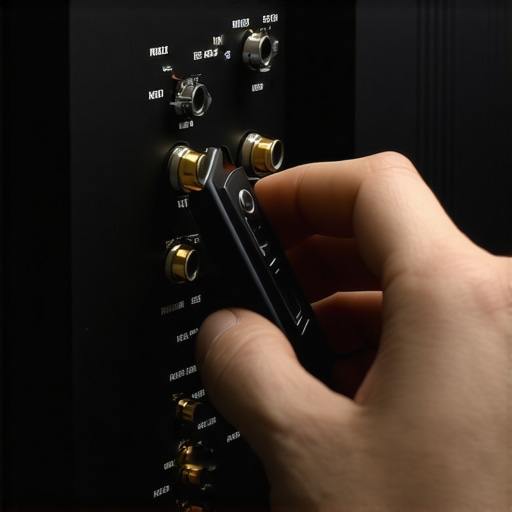 If you are scaling your system by adding more zones, be incredibly careful with your total impedance. It is tempting to just keep adding speakers to a single room, but you must understand how to connect four speakers to a two-channel amplifier safely to avoid triggering that dreaded protection mode.
The Future of Audio Protection is Getting Smarter
We are moving away from simple ‘click-off’ relays and toward real-time DSP monitoring. In the technical whitepapers for Hypex NCore amplifiers, they describe sophisticated current-limiting circuits that don’t just shut the amp down, but gracefully limit the output to keep the music playing without distortion. I predict that within five years, the idea of a receiver ‘clicking’ into protection mode will be a thing of the past as AI-driven power management becomes standard. This technology is even filtering down to how we use mobile devices, and you can already see the benefits when you use your phone as a high-end audio source. Just be careful when buying used gear to upgrade your setup; always verify the authenticity of the hardware so you know how to identify a fake pair of premium headphones or speakers before you spend your hard-earned money. My advanced tip for you today: grab a digital multimeter and measure the DC offset of your amplifier’s speaker terminals; if it’s over 50mV, your amp needs a professional bias adjustment before it kills your speakers.
Lessons I Learned the Hard Way About My Hifi Rack
After years of blowing fuses and chasing ghost noises, I have realized that audio maintenance is a marathon, not a sprint. First, never underestimate the power of a physical connection; a slightly loose fit can cause more headaches than a blown capacitor. If you find your system acting up, check to see if you have a loose speaker terminal on your cabinet before you tear the whole amp apart. Second, the way you route your power cables matters as much as the signal wires. I have spent hours troubleshooting hums only to find out I needed to find the source of a ground loop caused by a cheap power strip. Finally, if your unit is jumping between sources, it is often a ghost in the machine—usually why your home theater receiver keeps switching inputs automatically is due to external interference rather than a circuit failure.
My Personal Toolkit for Keeping the Music Playing
To keep your setup pristine and prevent that dreaded protection mode click, there are a few items I never go without. I always keep a high-quality multimeter on my workbench; you can use a multimeter to find a short in seconds, saving you from potentially frying your output stage. For the vintage collectors, a specialized contact cleaner is mandatory. You should learn how to clean gold-plated connectors without ruining the finish to ensure the best possible signal transfer. Lastly, don’t ignore the physical layout. If you are struggling with messy setups, look into how to hide audio cables to keep your gear ventilated and accessible.
Take Back Control of Your Soundstage
At the end of the day, your receiver is a complex piece of engineering designed to protect itself and your speakers. While it can be frustrating when the music stops, understanding the ‘why’ behind that silence puts you back in the driver’s seat. Whether it is adding some air to your rack or finally fixing that mistake you are making when positioning your subwoofer, every small adjustment brings you closer to sonic perfection. Go ahead, check those wires one last time, and turn the volume back up with confidence. Have you ever found a single stray copper strand that was causing your whole system to shut down? Let me know in the comments below!