
I stood in my living room, guest waiting, drink in hand, and I could not find the damn song. I knew I had that specific 1976 live recording of ‘Hotel California’ somewhere in my 40,000-track library. Instead of a smooth transition into the evening’s vibe, I spent ten minutes staring at a ‘Searching…’ bar while my friend checked his watch. My digital library was not a resource; it was a junk drawer. I had the files, sure, but I did not have the music. It was a failure of organization that made me realize having ‘everything’ is worthless if you can not find ‘anything.’ Have you ever felt that spike of blood pressure when your own tech refuses to cooperate? Today, I am going to show you how to turn that digital graveyard into a high-performance collection that actually serves you, whether you are playing it through a massive home setup or learning how to use an old phone as a dedicated high-res music player.
Your Folder Structure Is Lying to You
I made a massive mistake early on that cost me months of work. I thought if my Windows folders were neat, my library was neat. I spent weeks dragging and dropping files into ‘Artist/Album’ structures only to find my media player still showed 400 versions of ‘Unknown Artist.’ The hard truth is that music players do not care about your folders; they care about metadata. If you have invested in how to use a DAC to improve your desktop computers audio, you owe it to your ears to have a library that does not make you angry before the first note hits. I finally learned to stop moving files around like a digital janitor and started focusing on the tags embedded inside them. Once you fix the internal data, the software does the heavy lifting for you.
Is All This Tagging Really Worth the Effort?
You might be thinking this sounds like a tedious full-time job. It is a valid fear, but the alternative is worse. According to the IFPI Engaging with Music 2023 report, fans are now using an average of seven different methods to engage with music, making a centralized, properly tagged library more critical than ever for maintaining a cohesive experience. When your tags are broken, you subconsciously avoid your own collection because the friction of finding a track is too high. This is especially true if you are already troubleshooting technical issues, like why your speakers sound harsh when you play high-res files; sometimes the ‘harshness’ is just the lingering frustration of a poorly managed library reflecting in your mood. Trust me, once you see your entire collection with beautiful high-res cover art and perfect release dates, you will never go back to the ‘folder’ method again. We are going to start with the foundational tools you need to automate this process so you can spend less time tagging and more time listening.
Stop Renaming Folders and Start Tagging Files
I used to think that as long as I could see ‘The Beatles’ on my screen, everything was fine. I was wrong. The first thing you need to do is ditch the Windows Explorer mindset. You need a dedicated tagger like MusicBrainz Picard or MP3Tag. Think of these as a surgical scalpel for your data. They do not just look at the filename; they analyze the actual audio frequency—the ‘acoustic fingerprint’—to match it against a global database. This ensures that even if a file is named ‘Track01.mp3’, the software knows it is actually ‘Bohemian Rhapsody’. If you are using your device to stream to a high-end setup, you need that metadata to be perfect, especially when learning how to use your phone as a high-end audio source. Once you have the right tool, you should prioritize the ‘Album Artist’ tag over the ‘Artist’ tag. This simple change keeps soundtracks and ‘Various Artists’ collections from cluttering up your list and making you scroll through hundreds of individual names just to find one album.
The Software That Does the Grunt Work for You
I remember one rainy Saturday when I decided to ‘bulk rename’ 2,000 jazz tracks. I messed up the syntax and ended up with a library where the artist was listed as the year, and the song titles were all ‘1959’. It was a nightmare that taught me one thing: always test your tagging rules on a single album before hitting ‘Apply All’. This kind of digital chaos is as frustrating as why your receivers protection mode keeps triggering at high volume; it is a technical hurdle that stands between you and the music. Use the ‘Batch Process’ feature to fix genres. Instead of having ‘Alt Rock’, ‘Alternative’, and ‘Alt. Rock’, pick one and force the software to stick to it. This makes searching a breeze.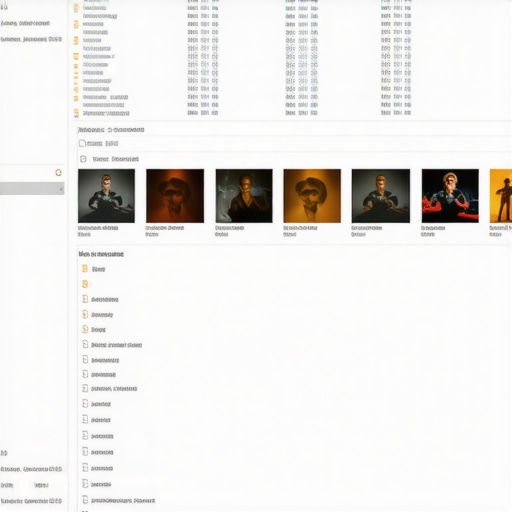
Why Your Hardware Cares About ID3 Tags
Your media player is basically a small computer, and computers love standardized data. When your tags are clean, your player does not have to work overtime to index your collection. This is particularly important for network players or older streamers that might lag if they hit a wall of corrupted data. Standardizing your art is the next step. A library without art is like a library with no book covers. Aim for a square 600×600 pixel image embedded directly into the file. High-resolution art makes the interface of your player feel premium, rather than like a budget piece of software. It is the same principle as the physical layout of your gear; just as why your bookshelf speakers sound better when you move them off the desk, your digital files perform better when they have the ‘space’ of clean, accurate data. You want your digital space to feel as intentional as your physical listening room. Once the tags and art are embedded, you can finally instruct your software to rename the actual files on your hard drive based on that data, ensuring your folders finally match the perfection of your music player’s interface.
High-End Specs Don’t Guarantee High-End Sound
I see it in forums every single day: someone drops three months’ salary on a massive amplifier and the ‘cleanest’ speakers money can buy, only to complain that it sounds thin or aggressive. They fell into the ‘spec sheet’ trap. We obsess over total harmonic distortion (THD) and peak wattage, but those numbers are often measured under laboratory conditions that bear zero resemblance to your actual living room. If you are struggling with a setup that doesn’t ‘sing,’ you might need to look at the secret to choosing the right ohm rating for your amp rather than just throwing more power at the problem. A high-wattage amp into a speaker it can’t properly control is like putting a Ferrari engine in a lawnmower—it is powerful, but the delivery is a disaster.
Are You Tricked by the Speaker Break-In Myth?
There is a common belief that you must blast white noise through new gear for 100 hours before it is ‘ready.’ While mechanical parts like spiders and surrounds do loosen up slightly, the change is rarely as dramatic as the internet claims. In fact, most of what people call ‘break-in’ is actually psychoacoustic—your brain is simply getting used to the new frequency response. I have seen people waste days of electricity when they could have just been enjoying their music. If you want to be smart about it, learn how to properly break in new headphones without using white noise and save your ears the fatigue. Research from the Audio Engineering Society (AES) suggests that while measurable changes occur in the first few minutes of use, the long-term ‘evolution’ of sound is often more about the listener’s adaptation than the hardware’s physical transformation.
The Room is Your Most Expensive Component
One of the biggest ‘oops’ factors I have seen—and I have been guilty of this too—is ignoring the environment. You can have a $5,000 DAC, but if your room has hard tiled floors and massive glass windows, it will sound like garbage. This is why your high-end DAC sounds exactly like your laptops headphone jack in a poor environment; the room reflections are masking the subtle details you paid for. I finally stopped buying new gear and started measuring my space. You do not need professional-grade microphones to start; you can actually learn how to use your phone to measure your rooms frequency response to identify where the bass is boomy or the treble is harsh. Fixing a $50 acoustic problem often yields a bigger upgrade than a $500 cable ever will. #IMAGE_PLACE_HOLDER_C#
How Do I Know if My Gear is Actually Compatible?
Compatibility goes beyond just plugging things in. A major trap is the ‘mismatch’ between source and output. For instance, if you are wondering about the truth about speaker break-in periods, you should also be looking at how your speakers interact with your amplifier’s damping factor. If the amp can’t stop the speaker cone quickly enough, your ‘high-res’ library will just sound muddy. Have you ever fallen into the trap of buying gear based purely on a five-star review, only to find it sounds terrible in your specific house? Let me know in the comments—I have a feeling I am not the only one who has wasted money on ‘guaranteed’ upgrades that didn’t deliver.
Stop Throwing Away Old Amps Just Because They Are Scratchy
I cannot tell you how many ‘broken’ vintage receivers I have rescued from garage sales for twenty bucks simply because the owner thought the crackling sound meant the unit was dying. Most of the time, it is just dust and oxidation on the internal potentiometers. I always keep a can of DeoxIT D5 on my workbench for this exact reason. Learning how to fix a scratchy volume dial with electrical contact cleaner is the single most valuable skill you can acquire to extend the life of your gear. It takes five minutes and can make a forty-year-old Marantz feel like it just rolled off the assembly line. It is about moving from being a consumer to a curator of your sound.
How do I keep my home audio system running like new for decades?
The secret is proactive maintenance and understanding component lifespan. According to technical documentation from Nichicon, one of the world’s leading capacitor manufacturers, electrolytic capacitors have a finite life expectancy—often rated between 2,000 and 10,000 hours at their maximum temperature. While they can last thirty years in a cool, well-ventilated room, heat is the enemy. This is why your vintage amp gets hot even when you arent playing music; those internal components are slowly aging. Beyond the electronics, you need to look at the physical seals. I use the simple paper towel trick for finding speaker air leaks whenever I suspect a cabinet has lost its punch. Keeping the air inside the box where it belongs ensures your drivers stay controlled and your bass stays tight.
The Tools That Separate Amateurs from Audiophiles
If you want to scale your setup from a ‘system’ to an ‘experience,’ you have to stop ignoring the vibration. I spent years wondering why my bass felt muddy until I realized my speaker stands were essentially hollow tuning forks. Now, I never set up a pair of bookshelves without a bag of kiln-dried sand. There is a scientific reason your speaker stands need to be filled with sand: mass damping. By adding weight, you lower the resonant frequency of the stand so it does not ‘sing’ along with the music. It is a $10 fix that provides more clarity than a $1,000 cable ever could.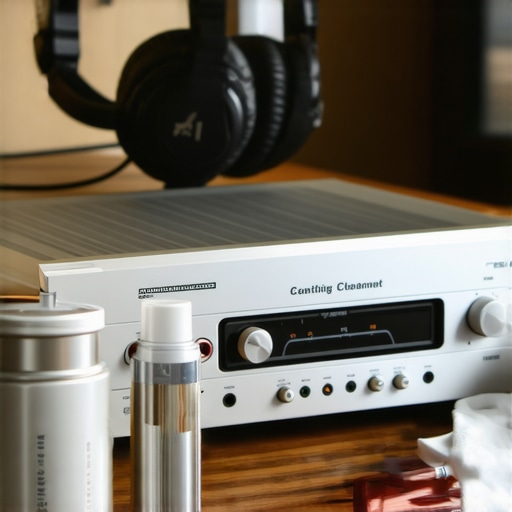 Don’t forget the gear you wear. If you are an IEM or headphone user, skin oils are your primary antagonist. They degrade the materials over time, leading to stiffening and cracking. I make it a habit to wipe down my gear after every long session. If things have already gotten a bit funky, you should learn how to clean your headphone ear pads without ruining the leather. This keeps the seal airtight, which is critical for sub-bass response. Looking forward, I predict we will see more ‘smart’ amplifiers that use AI to monitor internal component heat and health, alerting you before a capacitor fails and takes a transformer with it. For now, we have to rely on our ears and a bit of elbow grease. My challenge to you: find one piece of gear in your setup that feels ‘sticky’ or sounds ‘crackly’ and use the contact cleaner method I mentioned. You will be shocked at how much detail you have been missing simply because of a little dust.
Lessons Learned from a Decade of Digital Chaos
I used to think that the file bit-rate was the only thing that mattered. I spent years hunting for FLAC files while ignoring the fact that my library was so disorganized I could not find a track if my life depended on it. The first major shift in my perspective happened when I realized that quality is useless without accessibility. If you can not find the song in three seconds, the high-res audio quality simply does not matter. Secondly, I learned that hardware is often blamed for environmental failures. If your music sounds thin or overly sharp, check if you need to use a rug to fix a bright sounding room before you go out and buy a more expensive set of speakers. Finally, I stopped being afraid of the mechanical side of my gear. Learning how to tell if your speakers capacitor is starting to fail saved me from a catastrophic hardware failure that could have taken out my favorite vintage amplifier.
The Only Tools You Actually Need
I have a drawer full of gadgets, but I only use three of them consistently. First is MusicBrainz Picard; it is the gold standard for metadata and the only way to truly fix a messy library. Second is a simple physical measurement tape. You would be amazed how many imaging issues disappear once you realize why your floorstanding speakers need more breathing room from the wall and actually measure the distance to the listening position. Third, and perhaps most importantly, is a can of electrical contact cleaner. If you have an old piece of gear, knowing how to fix a scratchy volume knob on an old amp is a legitimate superpower that keeps classic sound alive for pennies.
Take the First Step Toward Audio Nirvana
Your audio journey does not have to be a series of expensive mistakes or frustrating technical hurdles. It should be about the emotional connection between you and the artist. Start small—fix the tags on just one album tonight, or move your speakers six inches away from the wall to see how the bass responds. When you treat your home audio deals and your digital library with the care of a curator rather than just a consumer, the music starts to sound different. It feels more intentional, more alive, and infinitely more rewarding. Have you ever spent more time troubleshooting your library than actually listening to it? Let me know your biggest digital organization struggle in the comments below!